

Inspiring
October 31, 2011
Answered

Gradient Fill in a Shape

  • October 31, 2011
  • 1 reply
  • 67916 views

Hi,

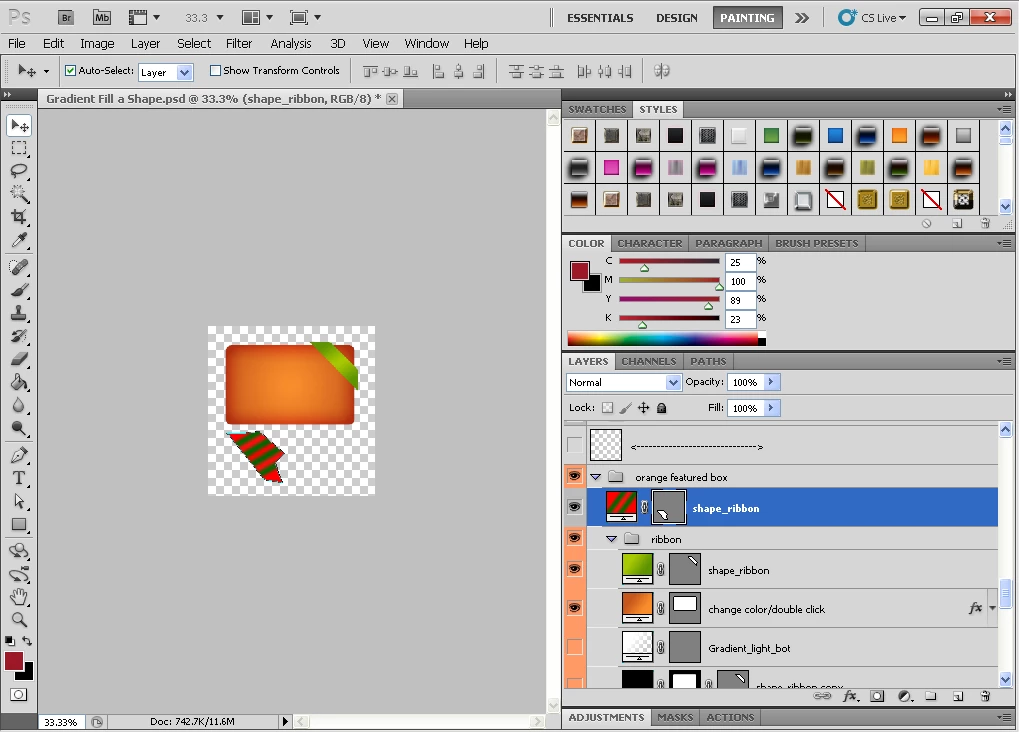
I humbly seek help how to create a shape with gradient fill as I am aware that shape can be filled solid only. Pls refer to my screen shot below for better understand. Thanks in advance.

    This topic has been closed for replies.
    Correct answer Paulo Skylar

    davidjerk wrote:

    ......I have to draw shape using "path" instead of "shape" then choose Gradient at the bottom layer panel. .

    You CAN use shape instead of path to achieve the same effect. Create your shape layer. Then click on Layer > Rasterize fill content and then simply use your gradient tool as you wish on your shape. You will have a gradient filled vector shape.

    Paulo

    1 reply

    October 31, 2011

    One way in cs5 is to draw your shape as a path and then while the path is active go to the bottom of the layers panel under the

    create new fill or adjustment layer icon and choose Gradient.

    Set the path options in tool options bar to Paths instead of shape layers.

    Added: Or add a gradient fill layer style to the color fill layer and put the fill opacity to zero in the Blending Options Custom, if the gradient has transparency in it.

    MTSTUNER

    Message was edited by: MTSTUNER

    davidjerkAuthor
    Inspiring
    October 31, 2011

    Hi MTSTUNER,

    Thanks for the great tip, I have done it with your instruction. I have to draw shape using "path" instead of "shape" then choose Gradient at the bottom layer panel. I am aware that Blending Option also can achieve that. Thanks a lot.

    Paulo Skylar
    Paulo SkylarCorrect answer
    Inspiring
    October 31, 2011

    davidjerk wrote:

    ......I have to draw shape using "path" instead of "shape" then choose Gradient at the bottom layer panel. .

    You CAN use shape instead of path to achieve the same effect. Create your shape layer. Then click on Layer > Rasterize fill content and then simply use your gradient tool as you wish on your shape. You will have a gradient filled vector shape.

    Paulo