


New Participant
November 4, 2018
Question

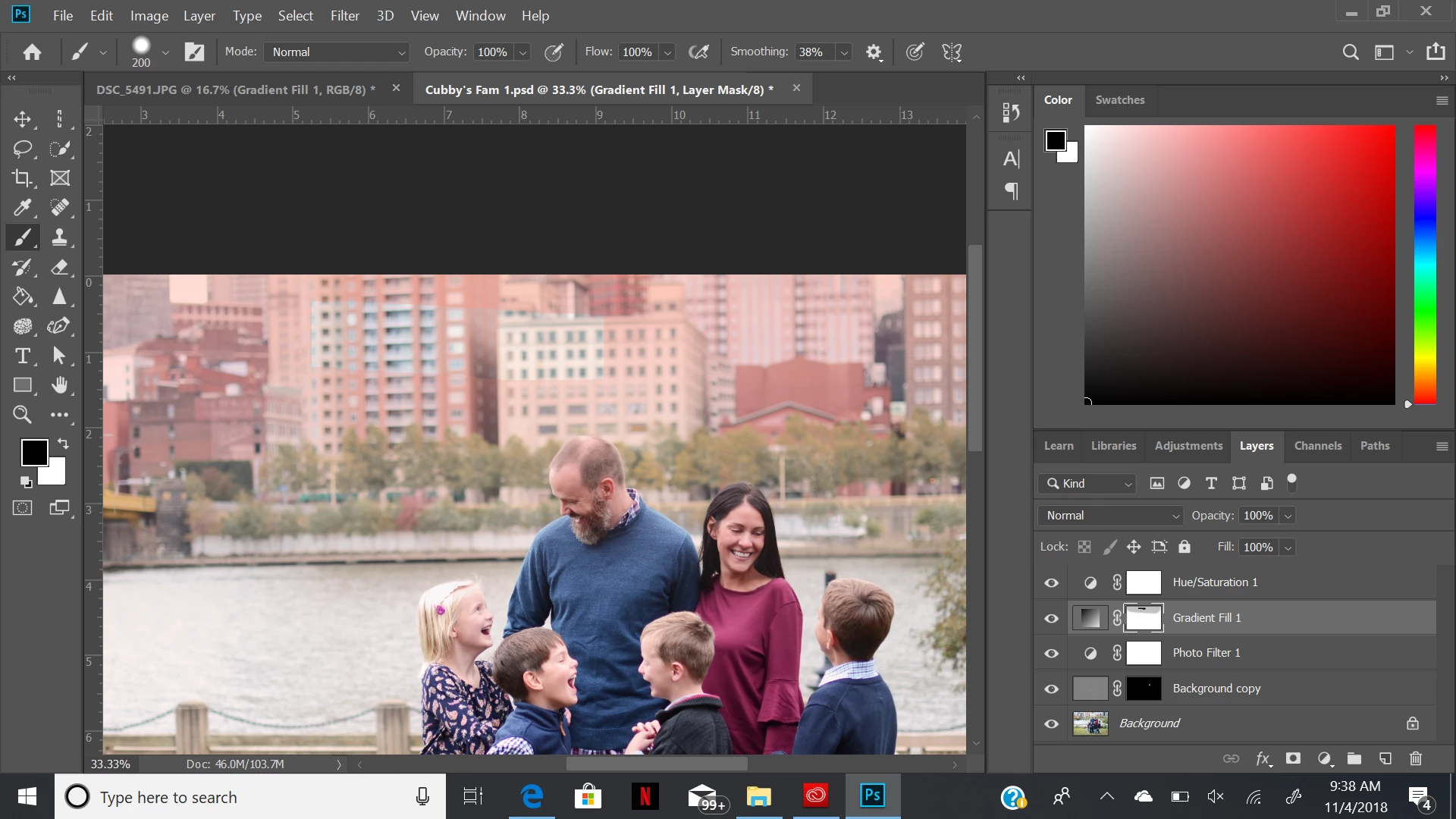
gradient layer mask not working
  • November 4, 2018
  • 2 replies
  • 660 views

every time I put a gradient layer then try to go over it on the layer mask, this happens (top middle).  Im not using a square paint brush. also, if I try clicking on it again, the gradient layer completely disappears. Is anyone else having this problem or know how to fix it? Photoshop is completely up to date.

This topic has been closed for replies.

2 replies

Semaphoric
Community Expert
Community Expert
November 4, 2018

In Edit > Preferences > Performance, try checking the "Legacy Compositing" box.

New Participant
November 4, 2018

that worked! thanks so much

New Participant
November 4, 2018

I'm having the same issue.  I've tried resetting my preferences on Quit but it didn't help.