

Inspiring
August 28, 2023
Answered

Gradient on Alpha Channel

  • August 28, 2023
  • 2 replies
  • 2945 views

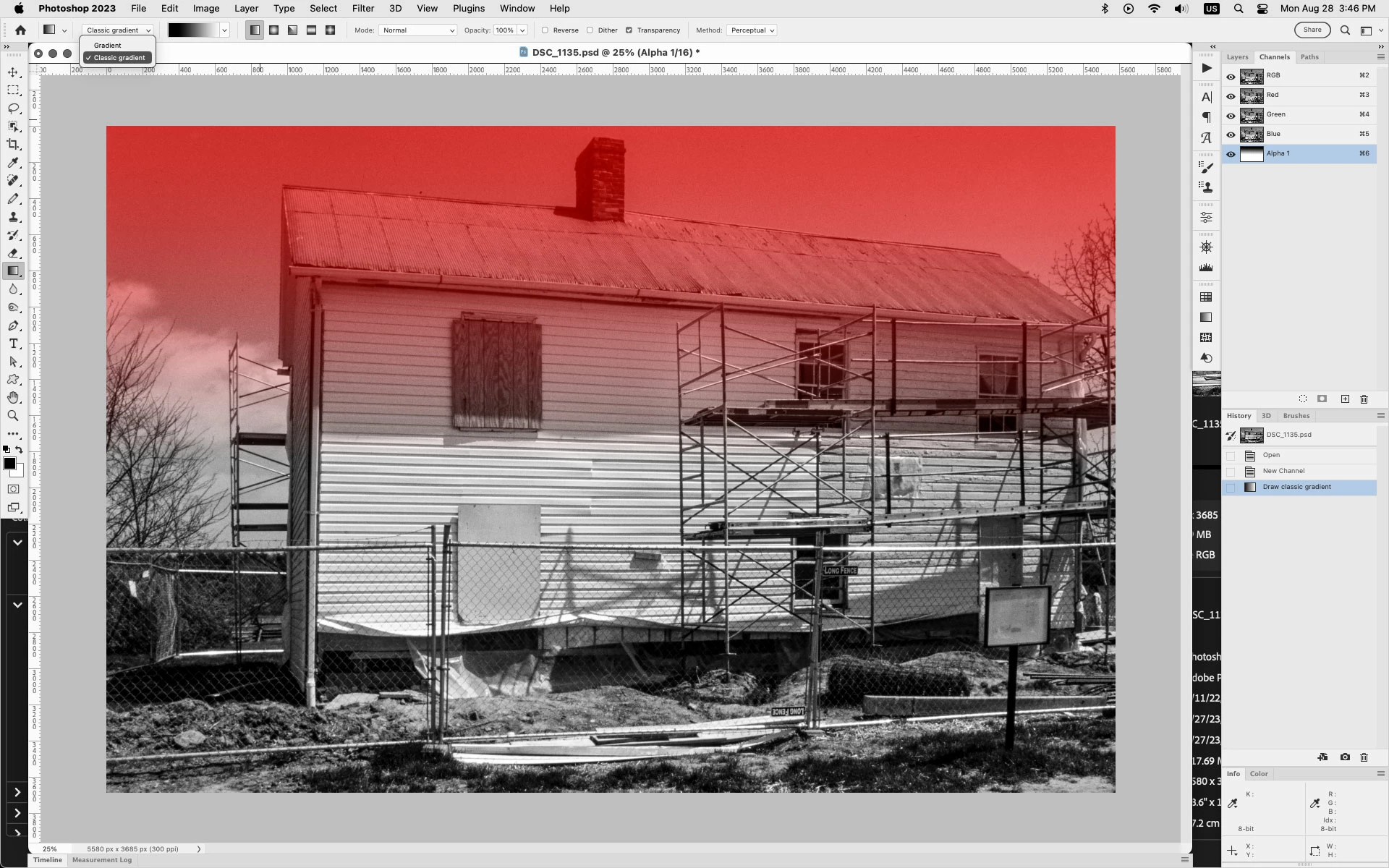
Before the new version of the Gradient Tool, I could add a Gradient to an Alpha Channel. I do not seem to be able to this on the new 2023 Photoshop. Can anyone help with this please.

This topic has been closed for replies.
Correct answer Jeff Arola

In the Gradient Tool settings in the tool options bar, set the Gradient Tool to Classic gradient and then you should be able to draw the gradient on an Alpha Channel.
 

2 replies

Jeff Arola
Community Expert
Jeff ArolaCommunity ExpertCorrect answer
Community Expert
August 28, 2023

In the Gradient Tool settings in the tool options bar, set the Gradient Tool to Classic gradient and then you should be able to draw the gradient on an Alpha Channel.


Inspiring
August 29, 2023

A million Thanks! It's really awesome to learn something new every day about this great application! Much appreciated!

melissapiccone
Community Expert
Community Expert
August 28, 2023

You can add a gradient to a layer mask. The gradient tool seems to create a gradient fill layer if not on a layer mask. 

Melissa Piccone | Adobe Trainer | Online Courses Author | Fine Artist
Inspiring
August 28, 2023

Thank you, but I need the Gradient as an Alpha Channel, because otherwise I can't use the Alpha Channel (with the gradient) as the Source for the Lens Blur Filter. I can use the Quick Mask or any other Selection and add it as the Alpha Channel, but I would really like to use the different Gradients for adding black to white on the Alpha.