
New Participant
August 9, 2021
Resuelto

Gradient to transparent does not work

  • August 9, 2021
  • 3 respuestas
  • 4808 visualizaciones

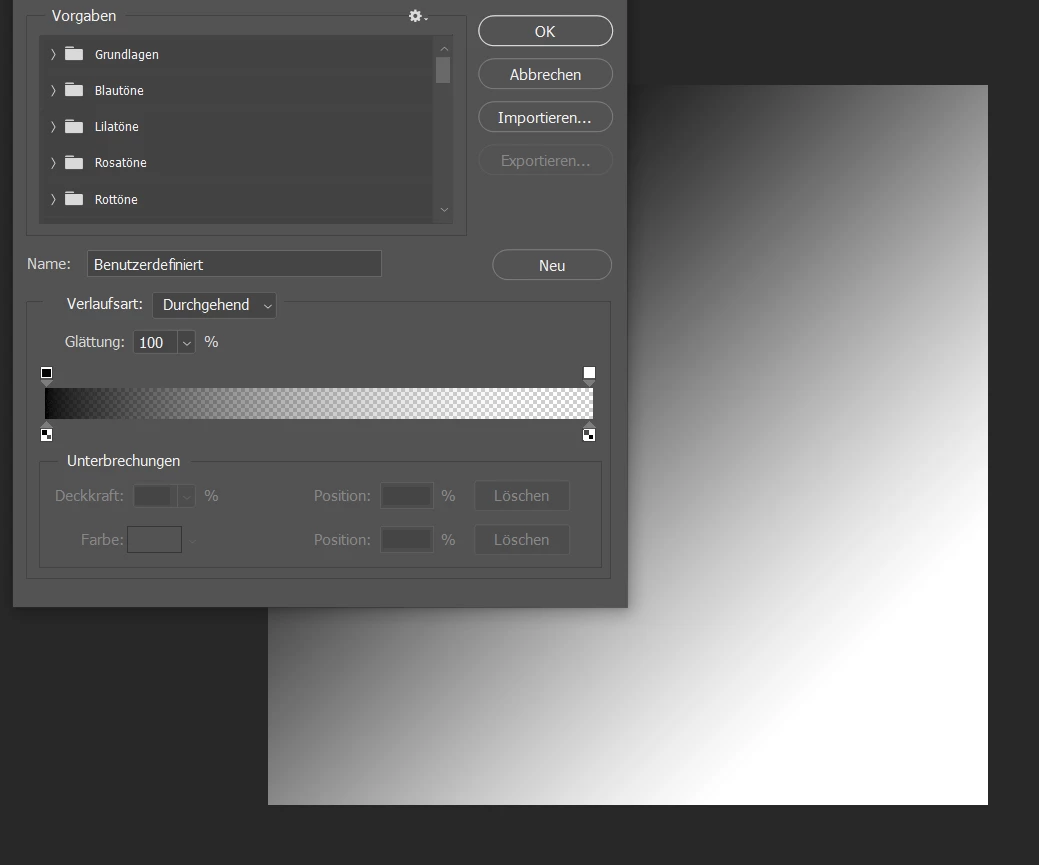
Everytime I try to apply a gradient with one side being transparent PS makes this side solid white (see below). Updating PS did not solve the problem. I am running on version 21.2.10 (Windows). Any ideas how to solve this?
 

Este tema ha sido cerrado para respuestas.
Mejor respuesta de Bojan Živković11378569

Can you post screenshot of entire screen with Layers panel visible? Use Print Screen if you are on Windows and post that screenshot here.


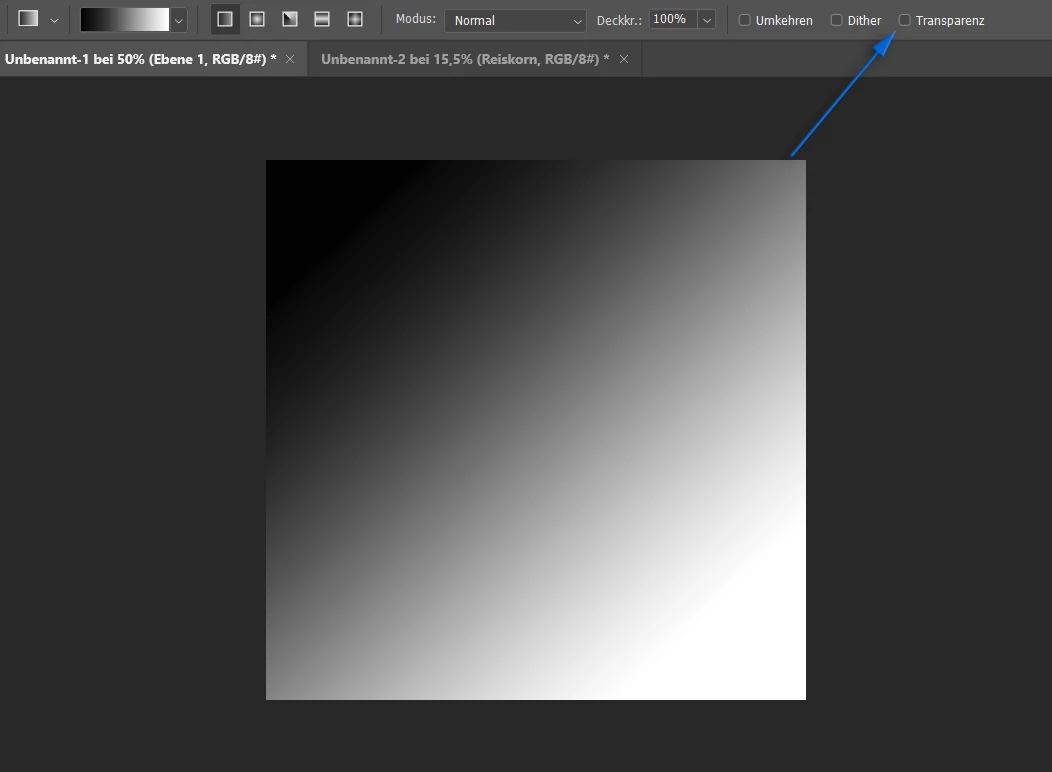
Coolor to transparent will not produce color to checkerboard. Assuming that you are using Gradient Fill layer or applying Gradient to a new blank layer, if your underlying layer is solid white then you will see exactly what is on your screenshot above.


I think I found where is the problem. Please check Transparenz in the Options bar.


3 respuestas

Bojan Živković11378569
Community Expert
August 9, 2021

Can you post screenshot of entire screen with Layers panel visible? Use Print Screen if you are on Windows and post that screenshot here.


Coolor to transparent will not produce color to checkerboard. Assuming that you are using Gradient Fill layer or applying Gradient to a new blank layer, if your underlying layer is solid white then you will see exactly what is on your screenshot above.


I think I found where is the problem. Please check Transparenz in the Options bar.


New Participant
August 9, 2021

That's it! Thank you.

Trevor.Dennis
Community Expert
August 9, 2021

As c.p. has suggested, we can only guess without seeing some context.  Especially what the underlying layers are, and what blend modes are used.  If you can demonstrate on a document with only the one layer, or the background turned off, then that will indicate there is an issue rather than something missed.

c.pfaffenbichler
Community Expert
August 9, 2021

Could you please post a screenshot taken at View > 100% with the pertinent Panels (Toolbar, Layers, Options Bar, …) visible? 

What is the Gradient Tool’s Blend Mode for example? 

New Participant
August 9, 2021


c.pfaffenbichler
Community Expert
August 9, 2021

Edit: I see @Bojan Živković11378569  spotted the responsible setting I had overlooked.