
chrisb33930735
Participant
June 26, 2023
Answered

Gradients not exporting with image

  • June 26, 2023
  • 33 replies
  • 19792 views

Something really strange is going on. My gradients look fine when I'm editing, but when I export, it's only showing the leftmost color. I've attached images.


Correct answer c.pfaffenbichler

Here's a better screenshot. I cannot provide the file due to copyright issues.
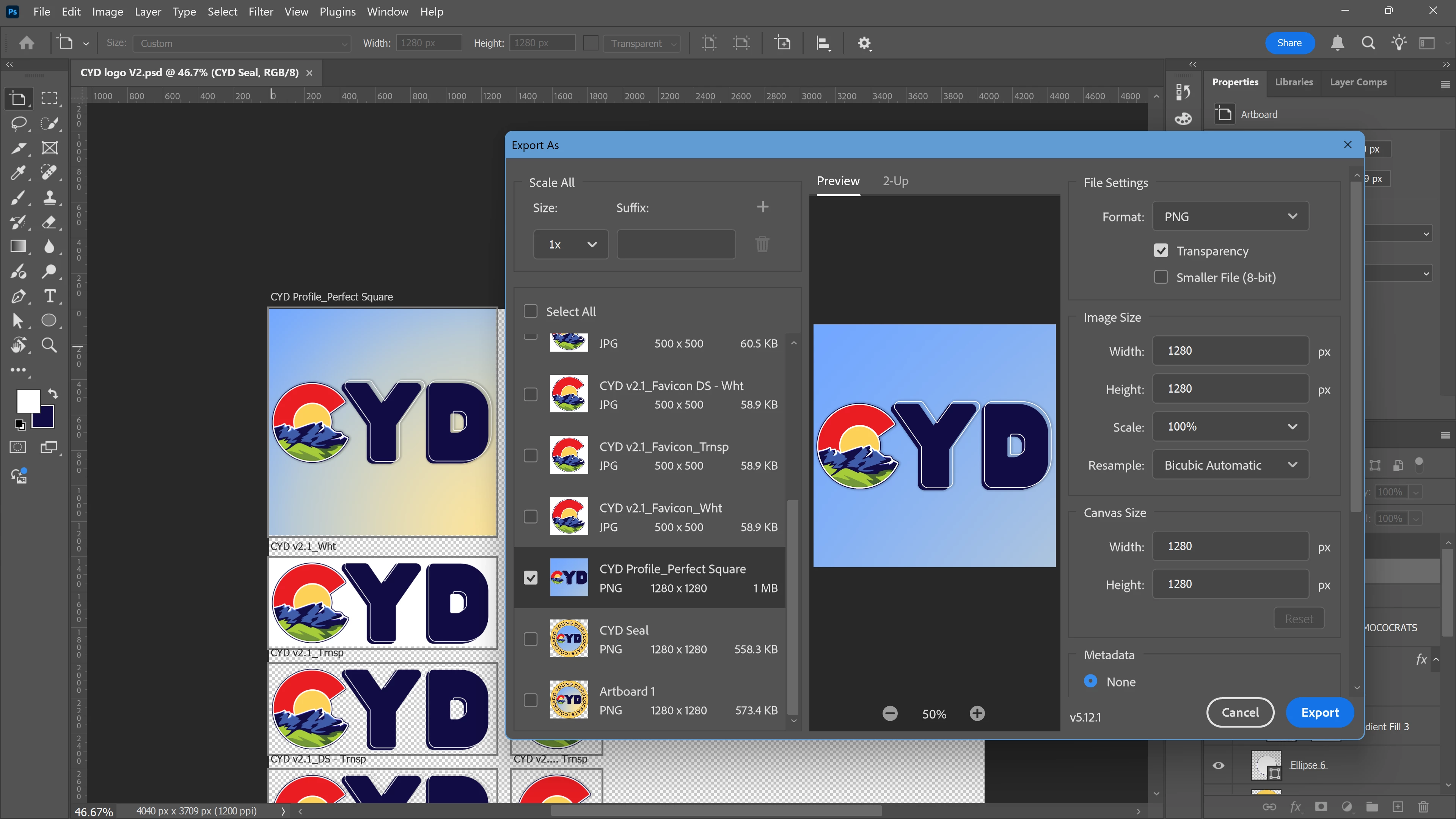


If I remeber correctly this is a known issue with »Export As«. 

In the meantime please use the work-around of applying a Layer Mask (of the Artboard’s dimensions) to the Gradient Layer or convert it to a Smart Object. 

33 replies

Participant
May 7, 2024

I'm also still having this issue, the adobe team needs to fix this ASAP

Participant
April 26, 2024

Reporting that I am also having this issue. Thanks for the work around!

Inspiring
April 19, 2024

Just had this same issue

Participant
March 21, 2024

Never had an issue with it until yesterday...really weird stuff

Known Participant
March 21, 2024

This issue is still unresolved. My team has the same problems every day. The workaround is not acceptable in a product enviornment. Is the Adobe Team still not working on this? Reporded month ago... no fix available?


Kind regards


Participant
March 20, 2024

I'm experiencing the same thing. (Photoshop 25.5.1 - Mac Sonoma 14.1)


I've used the 'copy layers'/'flatten image' work around for a little while when encountering this issue - however this last time have had significant colour changes when doing this. (?)

I found that rasterizing all layers (after duplicating them) preserved the gradients and meant that I didn't have to 'flatten the image', meaning it exported as expected.

(Hope this might help Adobe trouble shoot what ever is happening here.)

Thanks

Participant
February 26, 2024

Same here. Version 25.0.4. The Export as will remove any gradients if you change the image size 

Participant
February 21, 2024

Same issue here

Participant
February 8, 2024

How can we address this issue to Adobe team because it's not my first time !

Participant
February 8, 2024

Hi, I have the same issue ! Spent 3 days on a poster with some basic radial gradient. Evething looked fine on photoshop, when I tried to export either some were gone or misplaced. It's really frustrating 

Nancy OShea
Community Expert
Community Expert
February 23, 2025

Export as what file type?

Are you flattening the image in Photoshop to ensure the gradient is stable?


Nancy O'Shea— Product User & Community Expert