New Participant
December 13, 2020
Answered

Having issues with the creating in 3d

  • December 13, 2020
  • 2 replies
  • 416 views

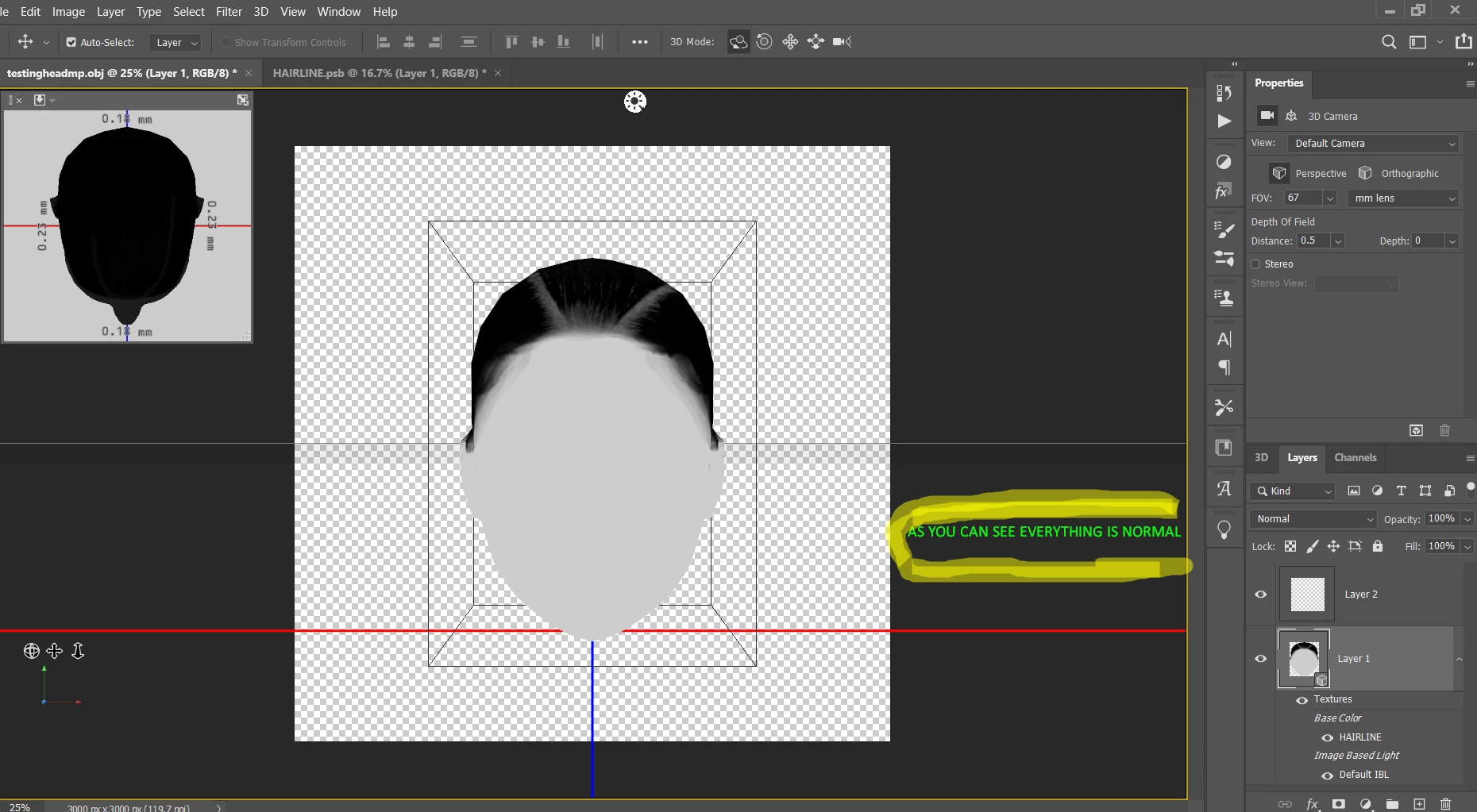
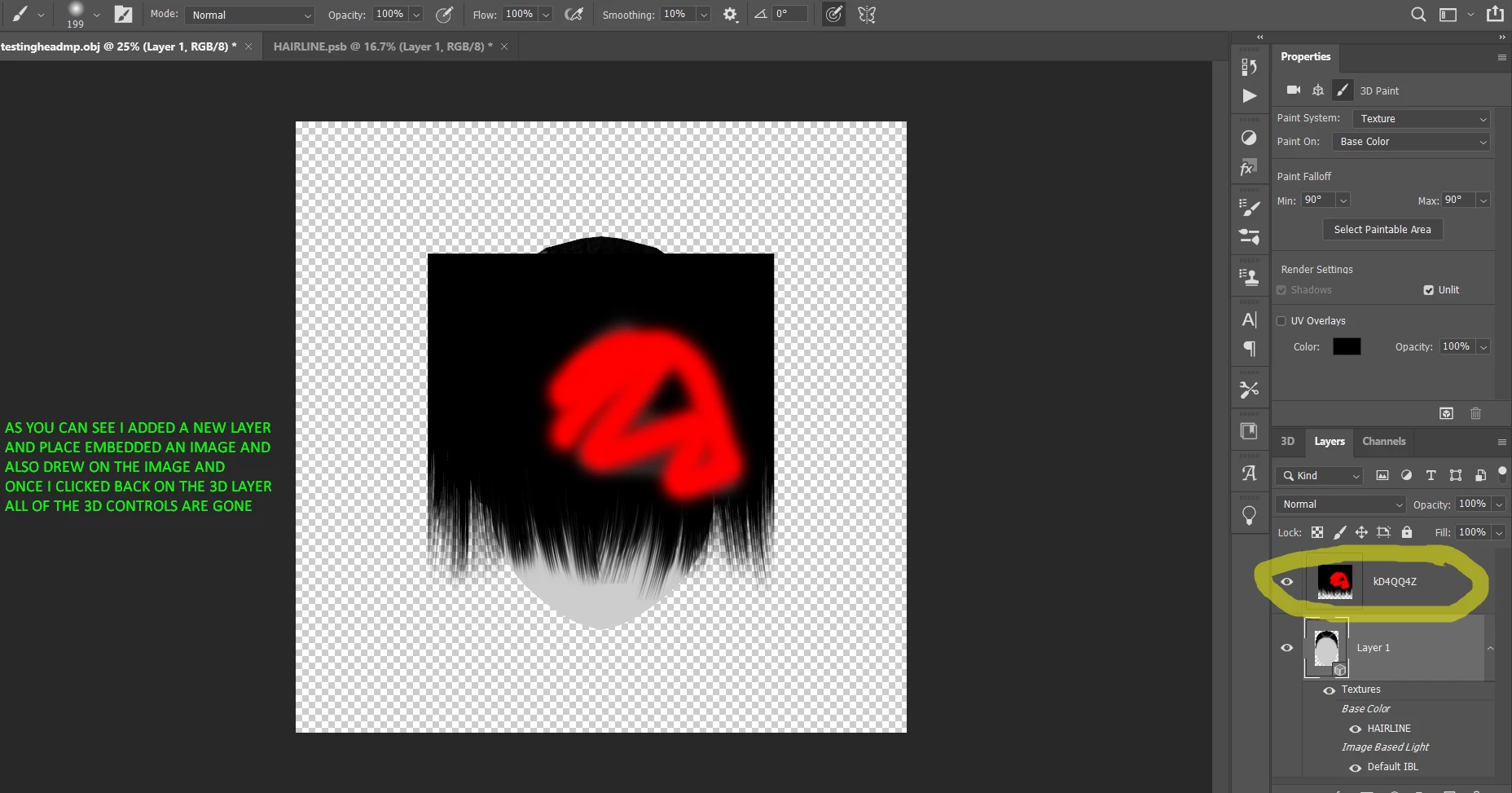
Hi, so I'm having a major issue. First I import an obj into photoshop after that I replace the texture and then I press edit texture so therefore I have a 2d and 3d tab. My issue comes in when I want to add things to the texture I can no longer control the 3d portion. For example, if I make a new layer on top of the 3d layer which would cause this new layer to be 2D then I'll place embedded an image on this 2-d layer once I play around with the 2-d layer a little and click back on the 3D layer I can no longer move the 3-D layer around all of the 3D controls disappear. Does anybody know why. I have searched and searched and I cannot figure out why this happens. 
This topic has been closed for replies.
Correct answer Ussnorway7605025

thanks for posting the images because that helped

Does anybody know why

yes its because you have the brush tool selected... when you go back to the 3D layer change to the arrow tool instead and all your 3D guides will turn back on mate


p.s, smart objects are a bad way to build 3D models in Photoshop... if you want a backup then copy the texture layer first instead of making it a smart object

2 replies

Asia7018Author
New Participant
December 14, 2020

Omg, thank you so much!

Ussnorway7605025
Ussnorway7605025Correct answer
Brainiac
December 13, 2020

thanks for posting the images because that helped

Does anybody know why

yes its because you have the brush tool selected... when you go back to the 3D layer change to the arrow tool instead and all your 3D guides will turn back on mate


p.s, smart objects are a bad way to build 3D models in Photoshop... if you want a backup then copy the texture layer first instead of making it a smart object