donnchaidh
Participant
June 4, 2021
Question

Having trouble with a RGB File: error message and unable to change in to a greysdale image

  • June 4, 2021
  • 2 replies
  • 643 views

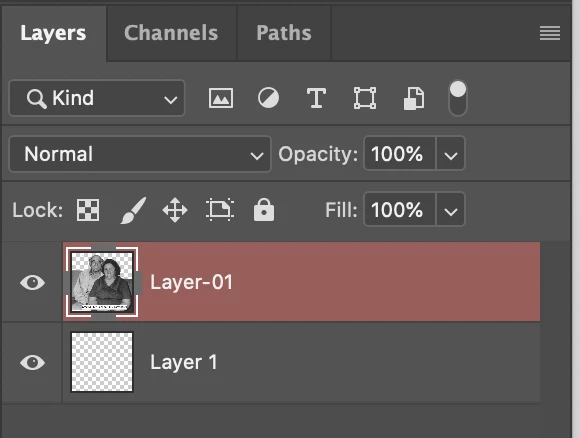
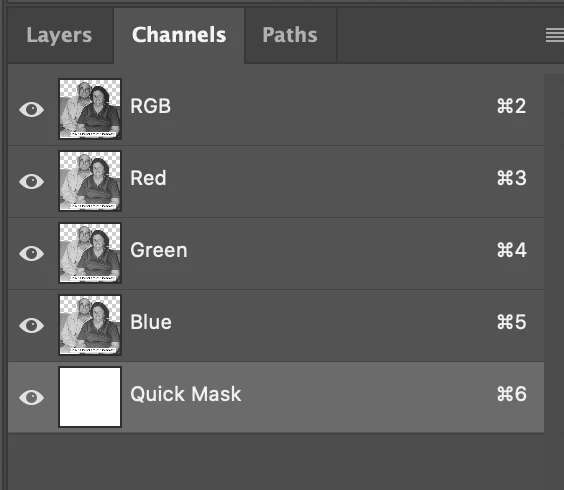
An error comes up that the tool I want to use will not work because the quick mask is not turned on. I dont think I made the layer into a quick mask. How do I undo this? Also the image mode is greyed out and not functioning. Thank you in advance.

This topic has been closed for replies.

2 replies

D Fosse
Community Expert
Community Expert
June 6, 2021

Press Q to get out of Quick Mask.

Participant
June 4, 2021

Hola tengo la aplicación de photoshop CC pero me aparece un cuadro diálogo que dice que esta bloqueado y no me permite guardar los cambios 

donnchaidh
Participant
June 6, 2021

OK. You should start a new intry