


Healing Brush, Clone Stamp and Erase Tool with a strange behaviour
Hi guys,
I'm using Photoshop 2020 and I have an issue. These three tools are acting strange: when I finish to use them, it creates an unwanted line, like I have made it, but I haven't. Here is one example:
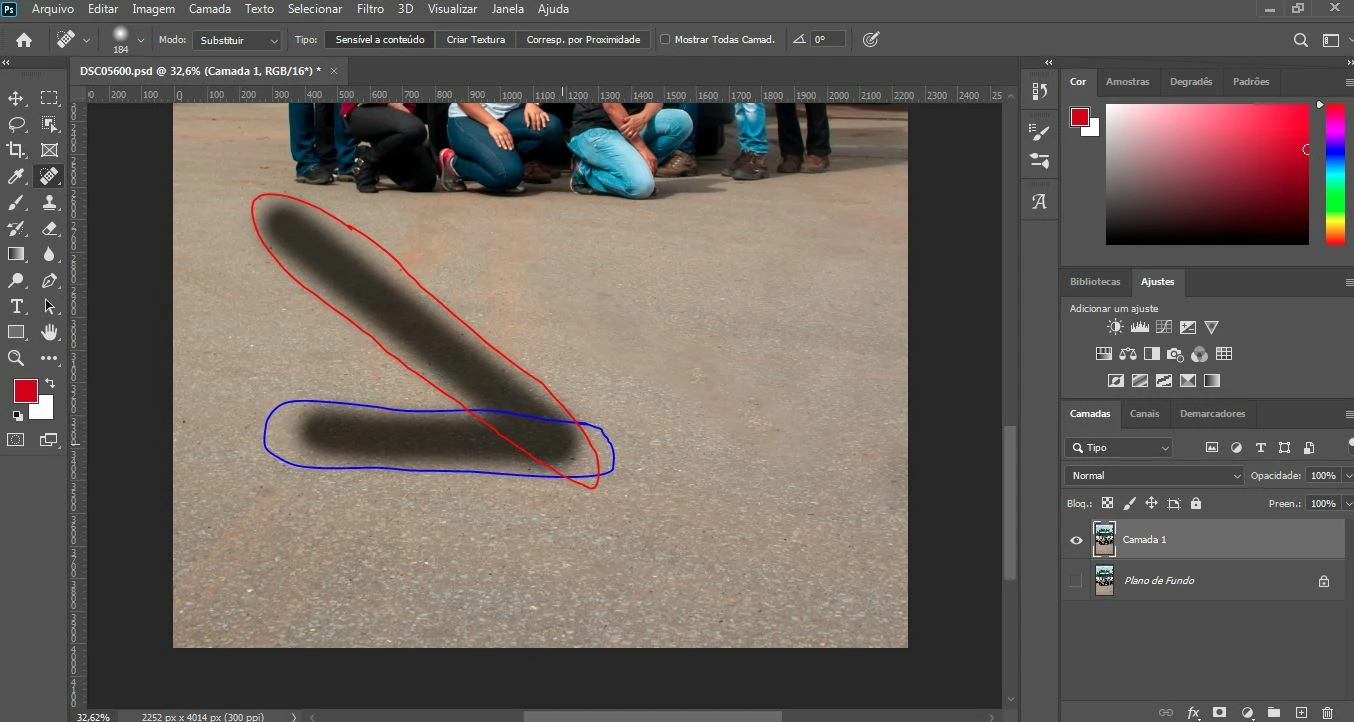
The blue circle is the line I made with the healing brush and the red circle is the unwanted line I mentioned. The same happened with the Clone Stamp Tool and the Erase tool. The image below shows how this tools act.
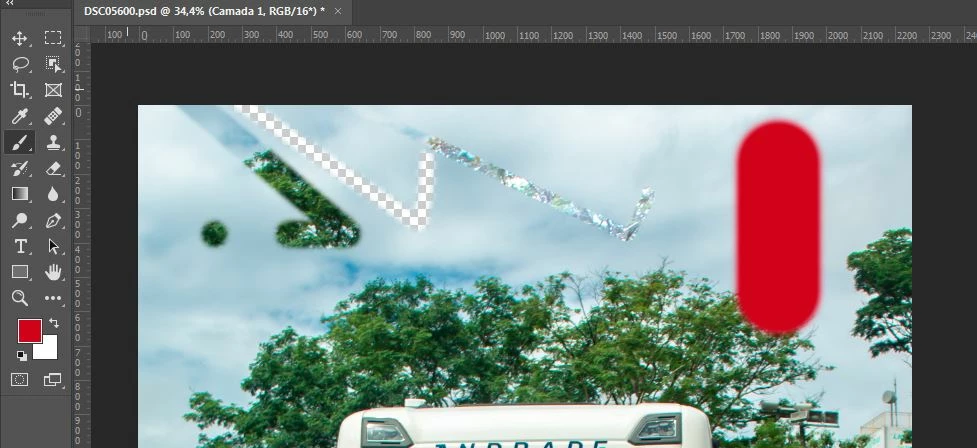
The line is always made in the same direction, no matter how my line is made. Here is some observations:
1 - The dot in the image didn't make a line because i just clicked and it works fine, but when I drag and move the mouse, it doesn't.
2 - I thought that the brush tool (the red line in the imagem) would have the same problem, but for my surprise is working good.
3 I tried to reset all the tools but it didn't work.
Hope you guys help me. Thank you!
 AdChoices