


lindat36256193
Participant
July 15, 2020
Question

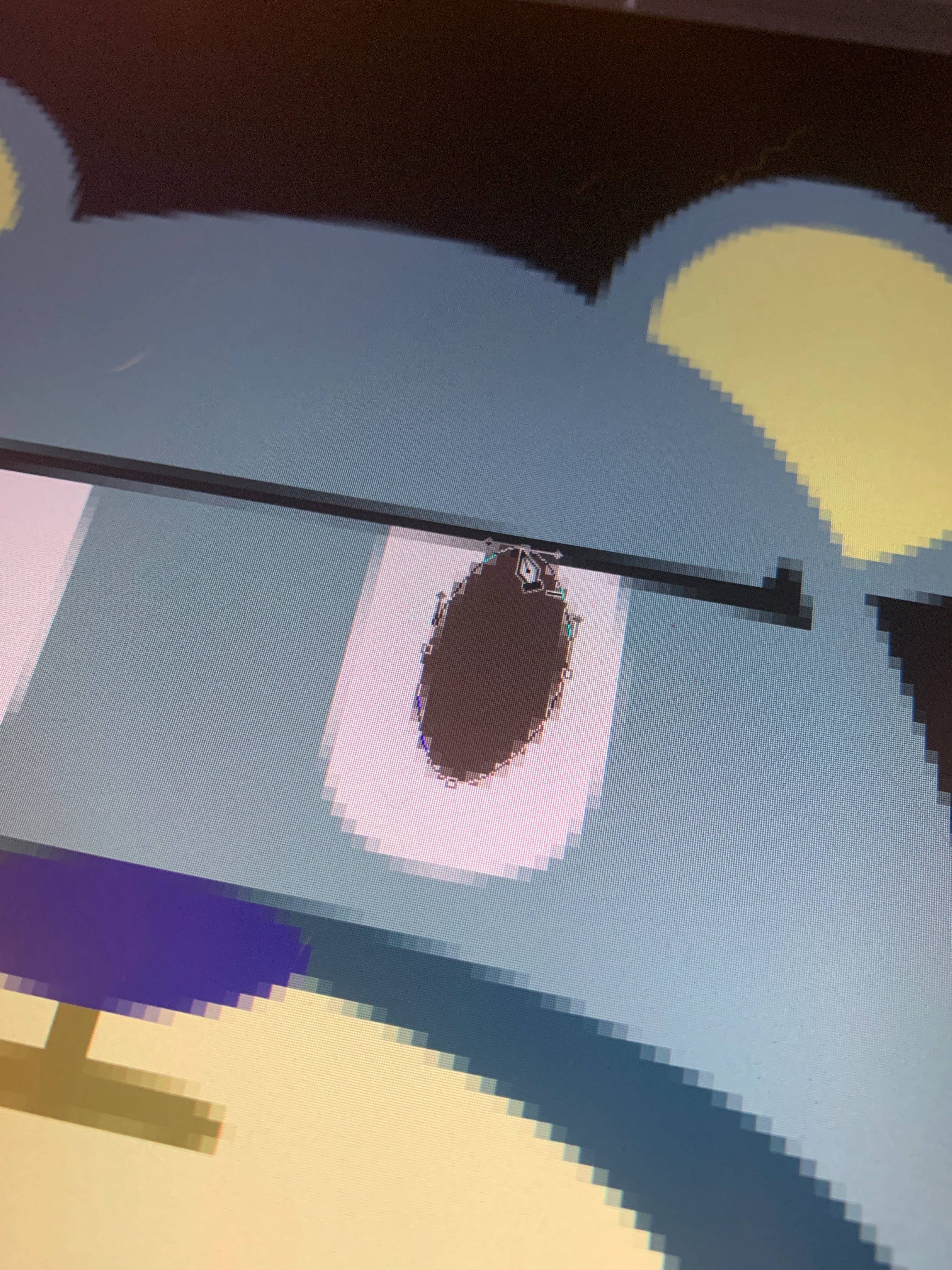
Help! Pen tool path lines are no longer blue, hard to see
  • July 15, 2020
  • 4 replies
  • 6890 views

Hi, I'm working on photoshop right now and for some reasons my path lines for the pen tool have changed from a very visible blue to a very thin grey line and I can barely see the handles or anchor points. I must have clicked something by accident. Can someone help me change it back? It's really hard working with it like this. Thanks in advance!

This topic has been closed for replies.

4 replies

Participant
April 9, 2024

Mine does this even during working on a file... It just flashes and makes the grey path which is not working properly. At the same time the transform tool also looks like this and is not working properly. I have to restart photoshop so it starts working correctly again and the paths are blue. It is very frustrating and I don't know why it does that.

c.pfaffenbichler
Community Expert
Community Expert
April 9, 2024

Does turning off »Use Graphics Processor« in the Performance Preferences (Photoshop > Preferences > Performance > Graphic Processor Settings) and restarting Photoshop have any bearing on the issue? 
Does turning on »Deactivate Native Canvas« (Photoshop > Preferences > Technology Previews) and restarting Photoshop have any bearing on the issue?

Participant
April 9, 2024

Nope - Deactivate Native Canvas makes Photoshop crash when opening a file. Turning off Graphic Processor also doesn't work 😕😕

Participant
January 13, 2021

I had the same problem just now, I couldn't make the blue path line for the pen tool, but I was working with a file that I dragged directly from my files to photoshop, and I fixed it by going to File > Open (Ctrl + O) and opened the file that I wanted to work with, and the path lines were blue again.

Participant
March 19, 2021

Thank you!!! This solution worked for me. I was about to lose my mind with that gray path 😉

Participant
September 30, 2020

I agree it is hard using the gray pen tool. I really like the blue pen tool. What version of Photoshop are you using?

Can you show me the blue pen tool cursor please (what does it look like)?

I am currently using Version 21.1.3, and I have the blue pen tool cursor, but I upgraded to the 21.2 version and I get the gray pen tool. I am not sure why, but what I did is I went back to 21.1.3 (latest version for the blue pen tool), and it works better now, but not sure whether to upgrade to the latest or stay at 21.1.3.

Semaphoric
Community Expert
Community Expert
October 1, 2020

That's what I did, stay at 21.1.3

Every morning, when I fire up my computer, Creative Cloud informs me Photoshop has an update available, but its always 21.2 😞

Bojan Živković11378569
Community Expert
Community Expert
July 15, 2020

Additional path options are available from the Options bar see screenshot below. It seems there is a bug in 21.2.0 Version and options are grayed out at least on Windows machine, please report bug here https://feedback.photoshop.com/photoshop_family

July 15, 2020

Have you checked in preferences to see if Photoshop is detecting your GPU and that OpenCL is enabled