


Answered
How can I have panels and menus appear with each new photo I open ?
Hello everyone !
I have the latest version of Photoshop and each time I open a new picture, it appears in a single frame without all the menus and panels attached to it.
If I want to access the panels and menus, I need to look for them in the background where they were attached to the first picture I opened.
In the attached picture, you can see the new picture in the foreground and the panels and menus in the background, with the previous picture.
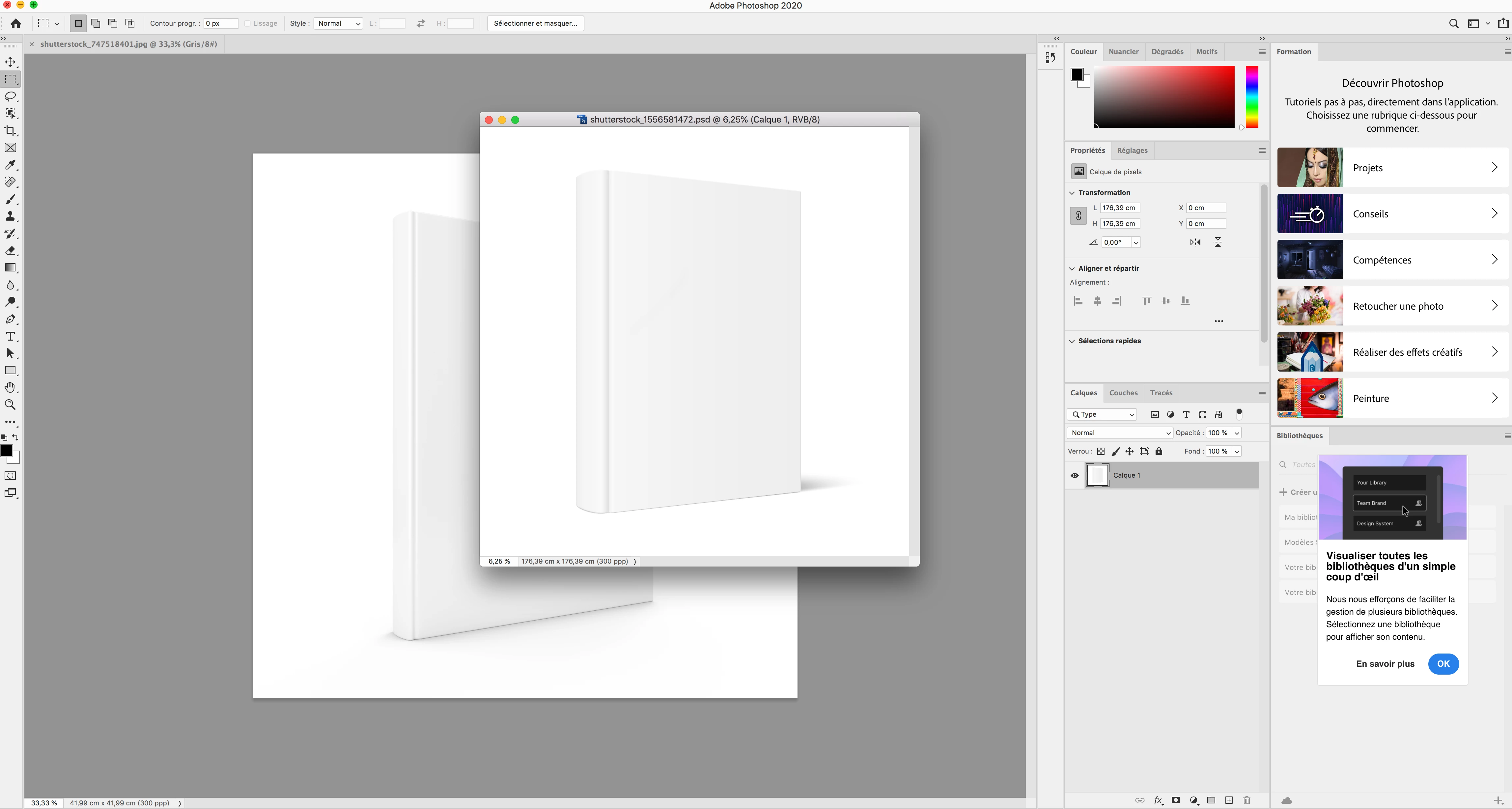
It used to be that with each new picture, panels and menus would appear right away attached to the new picture.
Is there a way to change the settings so that I can switch between pictures and have the panels appear in the foreground automatically ?
Thank you very much for your assistance.
 AdChoices