


joeh87907460
Inspiring
June 8, 2021
Answered

How can I keep older versions of Photoshop when installing a new version?

  • June 8, 2021
  • 6 replies
  • 12500 views

How is it possible to install a new version of photoshop WITHOUT it removing the version I have now that is working correctly? 

A week or two ago I updated to version 22.4.1, the 3D tools were destroyed and wouldn't work. After several hours of trying to get an answer from adobe's chat help, the guy finally admited that there was a bug in the 22.4.1 version that broke the 3D tools. He recomended that I go back to version 22.3.0 because that version worked with the 3D tools. So I did and it works. 


Now there is a new update to version 22.4.2 and I'd like to install it to see if they actually fixed anything. BUT, here is the problem, adobe has removed the option to Keep Older Versions from the update link. 


I read somewhere that in order to do that now auto update must be enabled. That is unacceptable! I won't enable auto update because then it'll start updating everything and may break the working version I have now and remove it before I can get it stopped. Then I'll be stuck with a broken version 22.4.2 and have to go through the hassle of uninstalling it and reinstalling version 22.3.0 again. 


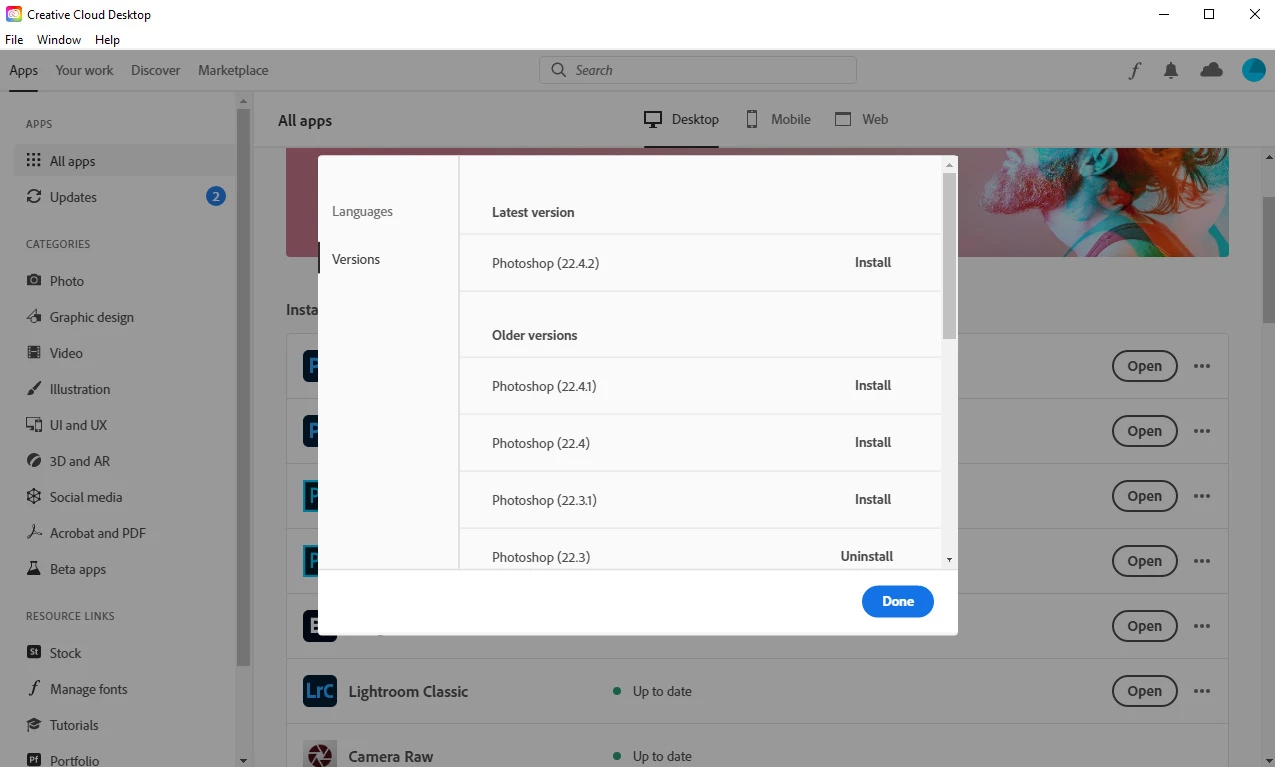
Why did they remove this option? It used to be there, with auto update turned OFF. Here is a screenshot showing that the option to keep older versions is not there anymore. Does anyone know how I can bypass this, and keep the older version and everything intact, without turning on auto updates?


Adobe, please restore the option to keep older versions so that we are not auto updated to a buggy and broken version!


This topic has been closed for replies.
Correct answer JJMack

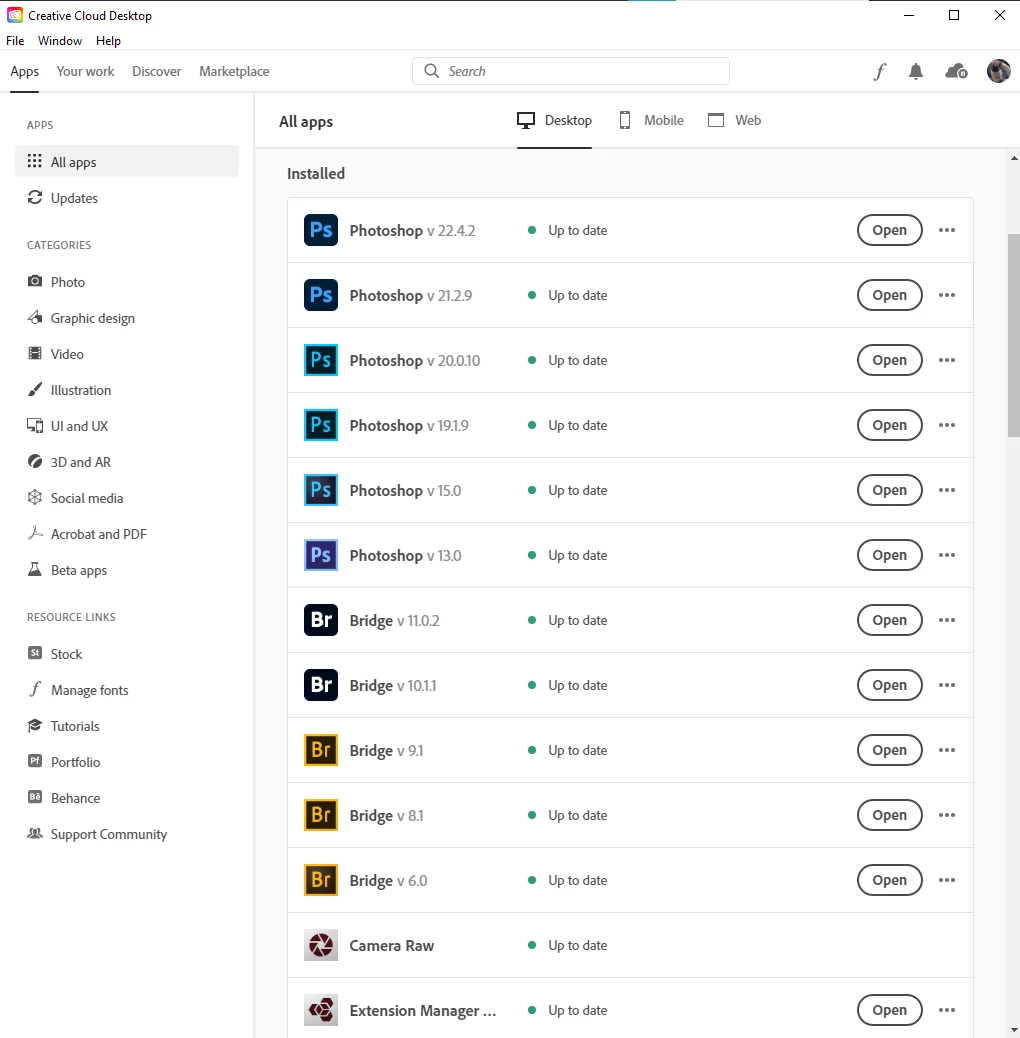
Major versions can co exist on your machine.    However, only one major.dot version.  22.0, 22.1, 22.2 can not co exist.  Just do not  have Adobe installer remove old Photoshop version.  The a very poor default Adobe sets.


I have only removed a few versions CC, CC 2015, CC2015-5, CC 2017.

6 replies

joeh87907460
Inspiring
June 19, 2021

I've gotten 3 emails informing me that 3 different "solutions" to this is marked as correct answer. While helpful, they do not correctly answer the question that I enquired about. 

The only true correct answer would be for Adobe to fix the bugs in Photoshop and not require a "work around". What adobe did was they set the update to run with some unproven code, then added a way to disable it in the Technology Preview section of the preferences called Disable Native Canvas. 


What they SHOULD HAVE DONE was ship the "update" with Disable Native Canvas ALREADY SELECTED so that photoshop would work correctly from the start. Then, in a message of the "what's new" screen, inform people that they could unselect Disable Native Canvas so they could experiment and test to see if their copy of photoshop would work with Native Canvas, AND inform people that if it doesn't work, then go back and reselect Disalbe Native Canvas.


But Adobe didn't do that! They sent out the update pre-crippled and left people hanging and scrambling for answers and their own paid 'help' employees, (I'm not talking about the volenteers in the Adobe Support Community) didn't even know to tell me to try Disable Native Canvas, which caused me to lose a substantial amount of valuable time.


So, there is no actual "correct answer" other than Adobe actually fixing the problem and refraining from putting out "updates" until EVERYTHING works WITHOUT requiring some kind of "work around" to get it to work. 


So this as close to an actual correct answer as possible.

Nancy OShea
Community Expert
Community Expert
June 19, 2021

@joeh87907460,

Thanks for your feedback.  A moderator marked the replies as correct because they are correct in context to the topic title "Keeping old versions when installing."  Sorry if you don't see it that way.  


This is a user-to-user forum, not Adobe's complaint dept.  We are mainly unpaid forum volunteers and fellow product users like you.  Feel free to leave feedback where the concerned product engineers will see it below.

https://feedback.photoshop.com/


Have a nice weekend!


Nancy O'Shea— Product User & Community Expert
JJMack
Community Expert
JJMackCommunity ExpertCorrect answer
Community Expert
June 8, 2021

Major versions can co exist on your machine.    However, only one major.dot version.  22.0, 22.1, 22.2 can not co exist.  Just do not  have Adobe installer remove old Photoshop version.  The a very poor default Adobe sets.


I have only removed a few versions CC, CC 2015, CC2015-5, CC 2017.

JJMack
davescm
Community Expert
Community Expert
June 8, 2021

Hi,

The updates allow you to keep major versions alongside newer versions but not minor, so for example you can update 21.x to 22.x and keep 21.x, but not 22.x to 22.y and keep 22.x


You mention 3D being broken. It is still there but there have been changes.
Adobe are updating the core graphics functions in Photoshop. This is driven by the operating systems of Apple and Microsoft in which the old Open GL/CL functions are being removed in the case of Apple, or deprecated in the case of Microsoft. This means that the graphics functions that have worked for years must be rewritten to use Metal and Direct X. At the same time, Adobe are sensibly updating those core functions to deliver the additional speed we require to handle the very large files of today.
Some functionality in Photoshop, such as 3D, still relies on the older Open GL graphics functions. To make these work, an additional preference Preferences>Technology previews>Deactivate Native Canvas has been added. This can be checked and Photoshop restarted to restore 3D functions to where they were in 22.3

Dave


joeh87907460
Inspiring
June 8, 2021

Thanks for the reply. The graphics card I have is an Nvidia GTX 1070 with 8GB of v-ram, and it supports DirectX 12 according to Nvidia, along with open cl/gl. The newest drivers for it are installed, as well as the newest updates to Windows 10. Seeing as how directx 12 is the latest version, I don't see why version 22.4.1 d3 tools were broken. Yes they were still there, I could do a little with them, then it would freeze and nothing could be changed. I'd have to close the file, then restart photoshop and the same thing would happen. 


I didn't know about deactivating native canvas until after I had installed version 22.3.0 to fix the problem. 


What I don't want to do is install the 22.4.2 update and have it remove the 22.3.0 that I know works, just to see if deactiving native canvas will fix the problem. Becuase if it doesn't, then I'd have uninstall that, then reinstall the 22.3.0 to fix the problem again. 


I have directx 12, my graphic card supports and runs directx 12.


As you can see, there should be no reason to even disable native canvas since the graphics card I have supports the latest directx 12, as well as open cl/gl. I have more than enough memory, 32 gigs of system memory and 8 gigs of video card memor, a good processor. There is no reason that my system couldn't run the 22.4.1 version, other than the 22.4.1 version is broken/buggy.

davescm
Community Expert
Community Expert
June 9, 2021

You misunderstand. To run 3D on any system you need to Deactivate Native Canvas. 3D is written under the old code and has not, as yet, been rewritten for the new. 

Dave

Nancy OShea
Community Expert
Community Expert
June 8, 2021

I have intentionally disabled automatic app updates from CC Desktop.  Suggest you do the same from Avatar > Preferences > Apps...  See screenshot.


When you upgrade, check the Advanced option to ensure that "remove old versions" is not checked.  See screenshot.


Keep mind that this doesn't effect incremental dot updates (22.1 to 22.2).  It effects previous major versions like 20.x and 21.x.


Nancy O'Shea— Product User & Community Expert
joeh87907460
Inspiring
June 8, 2021

Thank you for the reply. I installed version 22.3.0 and that removed version 22.4.1. What I would like to do is install the 22.4.2 to test it to see if the problems are fixed, without uninstalling version 22.3.0. 


As you can see, I too have auto updates turned off. 


I then clicked on update, and I got this:


The option to keep older versions was not there. It imeadeately tried to start updateing, which would have removed version 22.3.0 and replaced it with version 22.4.2.  And from reading other's post I have discovered that several other things are broken with that "update".  


There was never an option to keep older versions for me to choose, it just went straight to updating. That option USED to be there and I always kept them for a while to make sure I had a working copy of photoshop. Then adobe removed the option, at least on Windows machines/versions. 


Thankfully I left photoshop running when I clicked on Update and it prevented it from doing the update because of a conflict, and I was able to cancel it.


What I need to know is how I can try out the new update to see what is broken and what is fixed so I can decide whether or not I want to keep it. 

Participant
June 19, 2021

Strange?! I am no wizzard at PS, in fact quite the opposite however, a speaker at our photo club mentioned about sky replacement, so I went looking. It was suggested that I go in through Adobe creative, and updated to the latest version. It gave me the option to remove old versions, so I'm not sure why you didn't get it? Sorry


Kevin Stohlmeyer
Community Expert
Community Expert
June 8, 2021

When you click install does it ask if you want to remove old versions?

joeh87907460
Inspiring
June 10, 2021

It used to do that, but they removed that option as far as I can tell. I have several older versions installed because when that option was avaliable, I made sure it was unchecked so I would have the older version to use in case the new one wouldn't work right.

Jeff Arola
Community Expert
Community Expert
June 8, 2021

In photoshop 22.4.1 go to Edit>Preferences>Technology Previews, check Deactivate Native Canvas, restart photoshop and see if that makes a difference with 3D.


 In the fixes listed for 22.4.2 there is nothing about 3D fixes listed, however, if the above works in your current version, then you could install 22.4.2 and apply the same preference.

https://helpx.adobe.com/photoshop/kb/fixed-issues.html

joeh87907460
Inspiring
June 10, 2021

I had already reverted to version 22.3.0 before I ever heard of Deactivate Native Canvas. And the version I'm using now, 22.3.0 does not have that option in it. 

davescm
Community Expert
Community Expert
June 10, 2021

Version 22.3 does not have that option in Preferences because it was not needed prior to 22.4

Dave