


Inspiring
July 24, 2023
Answered

How can I remove popups when I open a file with a script?

  • July 24, 2023
  • 3 replies
  • 1279 views

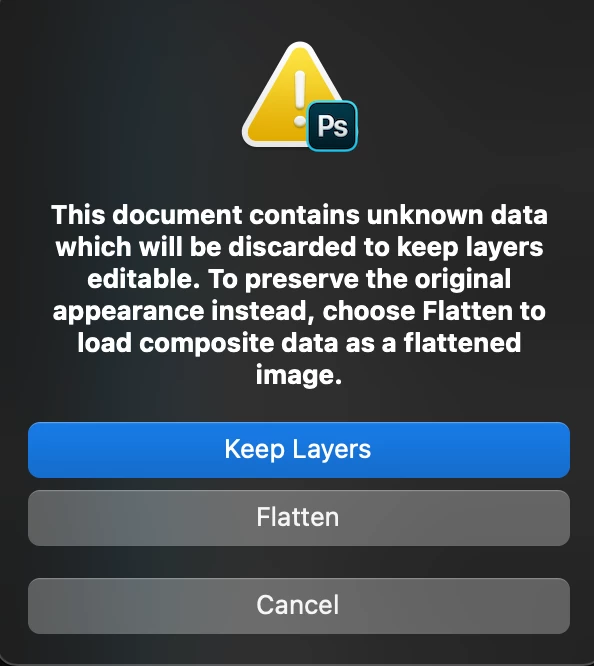
 When I open a file with the help of a script, a window like this or any other will appear. where I need to choose a variant. I know the right variant, but I still need to click the button. how can I make the variant to be chosen automatically?
This topic has been closed for replies.
Correct answer c.pfaffenbichler

Some dialogs can be suppressed, not sure about all of them. 

displayDialogs = DialogModes.NO;
app.open(File(/*insert file path here*/));
displayDialogs = DialogModes.ERROR;

3 replies

Stephen Marsh
Community Expert
July 25, 2023

Can you attach the offending PSD files? They could be 1px in size, it seems that this is more about the file/layer structure than anything.

Inspiring
July 25, 2023

when opening this file, the following request to choose an opening option is displayed


Inspiring
July 25, 2023
// =======================================================
var idopen = stringIDToTypeID( "open" );
    var desc6 = new ActionDescriptor();
    var iddontRecord = stringIDToTypeID( "dontRecord" );
    desc6.putBoolean( iddontRecord, false );
    var idforceNotify = stringIDToTypeID( "forceNotify" );
    desc6.putBoolean( idforceNotify, true );
    var idnull = stringIDToTypeID( "null" );
    desc6.putPath( idnull, new File( /*insert path here*/ ) );
    var iddocumentID = stringIDToTypeID( "documentID" );
    desc6.putInteger( iddocumentID, 63 );
    var idtemplate = stringIDToTypeID( "template" );
    desc6.putBoolean( idtemplate, false );
executeAction( idopen, desc6, DialogModes.NO );

seems to work fine for opening the image with Layers and without the dialog. 


I just add

app.displayDialogs = DialogModes.NO;
and it worked
c.pfaffenbichler
c.pfaffenbichlerCorrect answer
Community Expert
July 24, 2023

Some dialogs can be suppressed, not sure about all of them. 

displayDialogs = DialogModes.NO;
app.open(File(/*insert file path here*/));
displayDialogs = DialogModes.ERROR;
Inspiring
July 24, 2023

I think it's a little different here. I need not just not to display the window, but to tell it what to do in this or that case.

Stephen Marsh
Community Expert
July 24, 2023
quote

I think it's a little different here. I need not just not to display the window, but to tell it what to do in this or that case.


By @Aleksei5C75


So do you get usable AM code recorded by the ScriptingListener plug-in?


If so you can set a conditional.

Inspiring
July 24, 2023

Or windows may appear in the process....