tuilorraine
Inspiring
April 7, 2019
Answered

How did I do this ?

  • April 7, 2019
  • 5 replies
  • 2325 views

It was so long ago, I've forgotten but I need to do it again and I can't work out how I did it. I thought I did it in photoshop but perhaps it was in illustrator.
It was something that produced these electrical starburst thingies  as in this image:

This topic has been closed for replies.
Correct answer Trevor.Dennis

Black to white gradient

Render Difference Clouds.  Repeat a few times while holding down the Alt key to get a decent effect.

Use levels to do the Photoshop Lightning effect
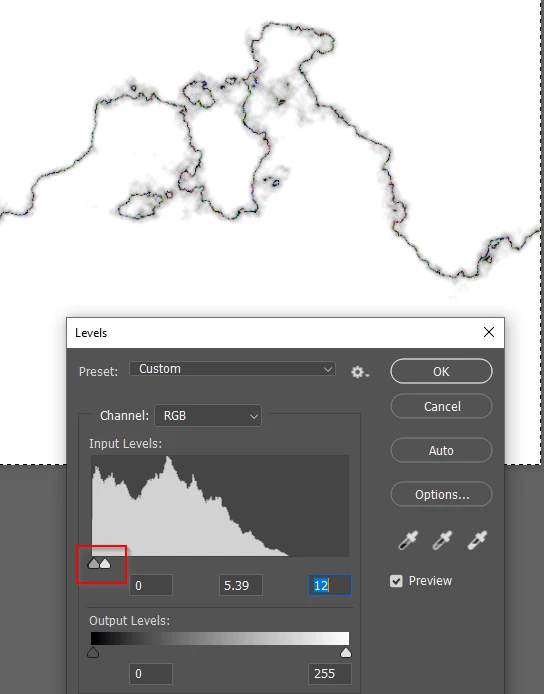
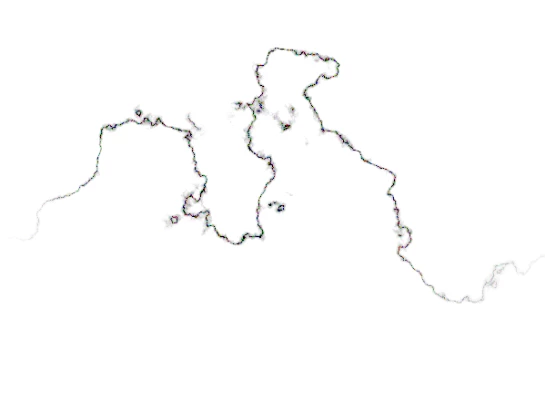
Erase the excess and feather the edges, and define brush preset
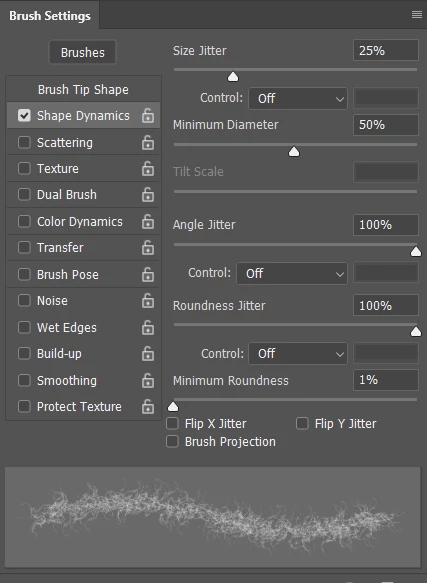
A bit of Size Jitter

Maximum Angle jitter

Maximum Roundness jitter
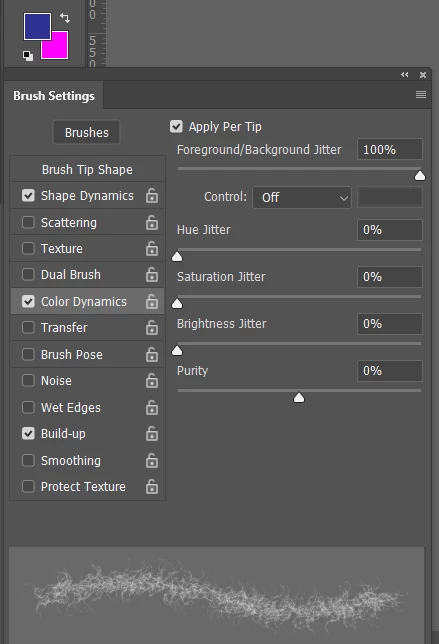
Set the foreground and background colours

And Maximum Foreground/Background jitter

Check Apply Per Tip

Check Build Up
Stamp down with the mouse, and hold the left click till done
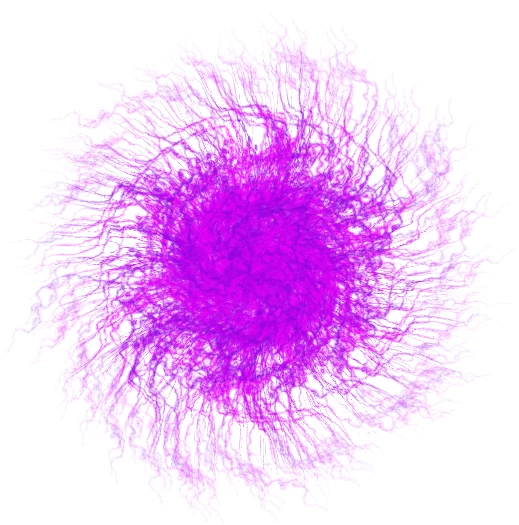
It would be good if we had flip jitter, to flip the brush on a 'per tip' basis, but I don't know ho to do that.

If you wanted a radial gradient, just clip it on a layer above.

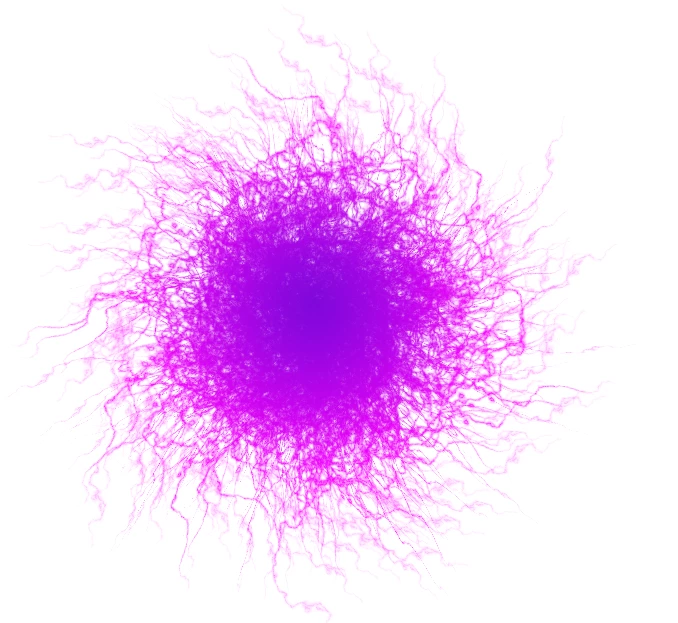
This is a bit better.  I added a wee bit of Scatter jitter, and Checked Both Axis, and that seems to have broken the pattern repetition.

5 replies

Trevor.Dennis
Trevor.DennisCorrect answer
Braniac
April 9, 2019

Black to white gradient

Render Difference Clouds.  Repeat a few times while holding down the Alt key to get a decent effect.

Use levels to do the Photoshop Lightning effect

Erase the excess and feather the edges, and define brush preset

A bit of Size Jitter

Maximum Angle jitter

Maximum Roundness jitter

Set the foreground and background colours

And Maximum Foreground/Background jitter

Check Apply Per Tip

Check Build Up

Stamp down with the mouse, and hold the left click till done

It would be good if we had flip jitter, to flip the brush on a 'per tip' basis, but I don't know ho to do that.

If you wanted a radial gradient, just clip it on a layer above.

This is a bit better.  I added a wee bit of Scatter jitter, and Checked Both Axis, and that seems to have broken the pattern repetition.

tuilorraine
Inspiring
April 9, 2019

Gosh! Thank-you Trevor.Dennis for going to all this effort. I will follow every step. I'm up to this.

c.pfaffenbichler
Braniac
April 8, 2019

One can create a »frizzly« brush tip based on a part of the clouds filter and then use that to create a »knot« of those lines.

melissapiccone
Braniac
April 8, 2019

That's a pretty clever way to create a very cool brush

Melissa Piccone | Adobe Trainer | Online Courses Author | Fine Artist
c.pfaffenbichler
Braniac
April 8, 2019

tuilorraine
Inspiring
April 8, 2019

I wonder if it might have been a brush that I used once with one colour and then again on the same spot with another colour. If so that brush is not available  now.

Silkrooster
Braniac
April 8, 2019

Look like tree roots.

You could draw out one branch, then duplicate and rotate around the center.

tuilorraine
Inspiring
April 8, 2019

I'm sure it was something far simpler than that. Like a filter or brush.