

ashike.iqbal
Participant
March 31, 2022
Répondu

How do I automatically rename all files in a folder if it found a specific word? Ex: Images copy.png

Ce sujet a été fermé aux réponses.
Meilleure réponse par Stephen Marsh


Still appear " copy".


Again, OK, now the screenshot is cropped, but I still can't see the full width of the recorded command and the filename as the panel is not wide enough.


Not sure if this makes a difference, did you remove original step and re-record save as step again now that the preference setting is active? I can't get my test to add the word copy!

2 commentaires

Stephen Marsh
Community Expert
Community Expert
March 31, 2022

@ashike.iqbal 


Please post a cropped screenshot of the action with the save step fully expanded and wide enough to view all content.


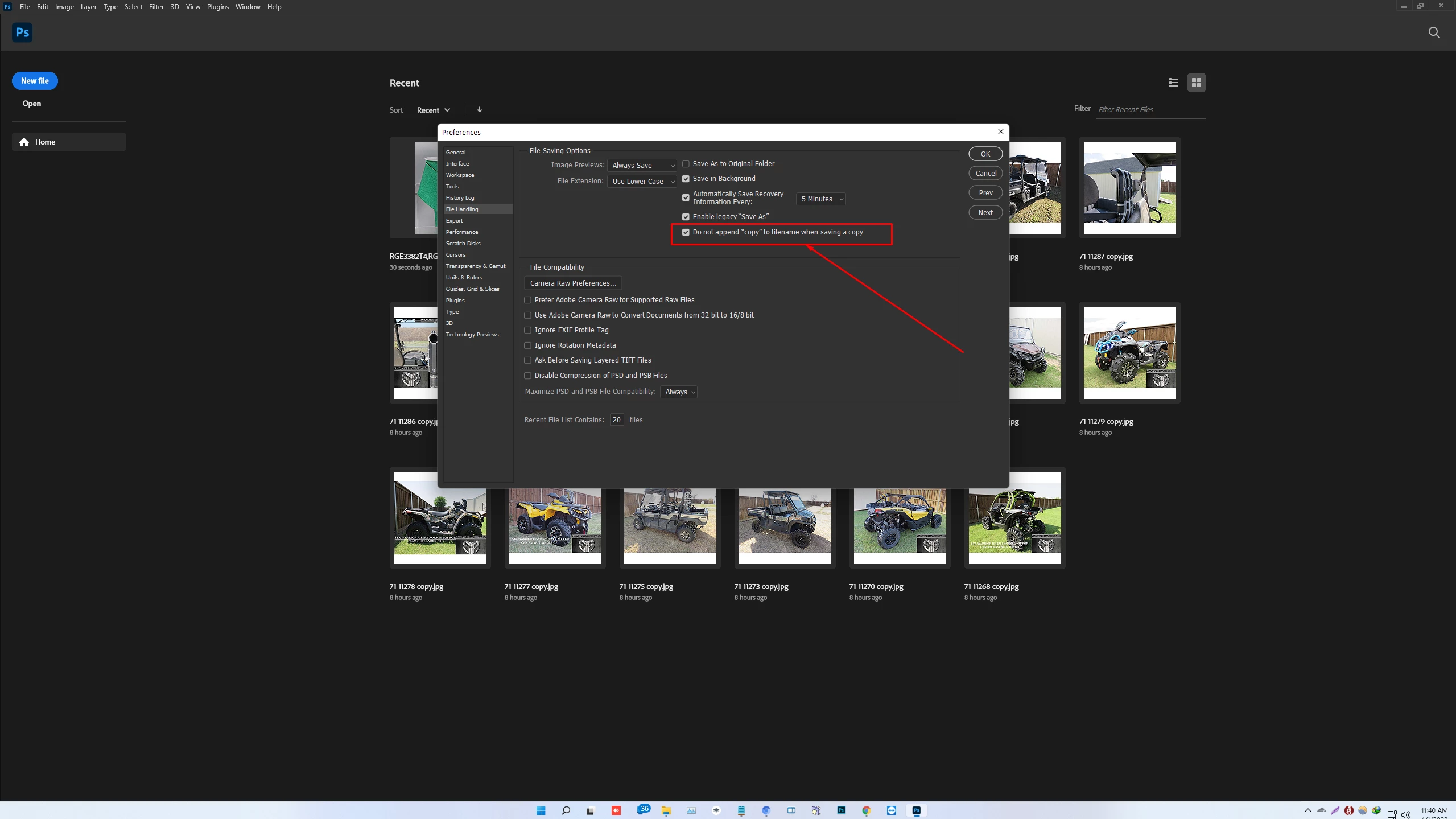
Also check your preferences as per this image:


ashike.iqbal
Participant
March 31, 2022

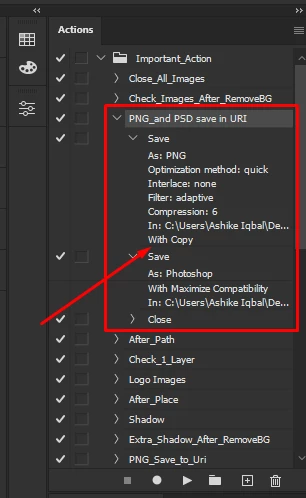
 Hers is the action details

Stephen Marsh
Community Expert
Community Expert
April 1, 2022


Still appear " copy".


Again, OK, now the screenshot is cropped, but I still can't see the full width of the recorded command and the filename as the panel is not wide enough.


Not sure if this makes a difference, did you remove original step and re-record save as step again now that the preference setting is active? I can't get my test to add the word copy!

c.pfaffenbichler
Community Expert
Community Expert
March 31, 2022

Adobe Bridge has Tools > Batch Rename. 

jane-e
Community Expert
Community Expert
March 31, 2022

I didn't know about the "String Substitution" part of Batch Rename @c.pfaffenbichler. This will be useful!


~ Jane


Stephen Marsh
Community Expert
Community Expert
April 1, 2022

Hi Jane, you can tell that a programmer named the feature and not the marketing department! 🙂


In the basic form, it is just a find/replace command as you would expect in MS Word, Adobe InDesign etc.


However, once the regular expression checkbox is ticked, the training wheels come off!