


lesley_hilton
Known Participant
July 4, 2019
Question

How do I make the Properties Window appear?

  • July 4, 2019
  • 2 replies
  • 436 views

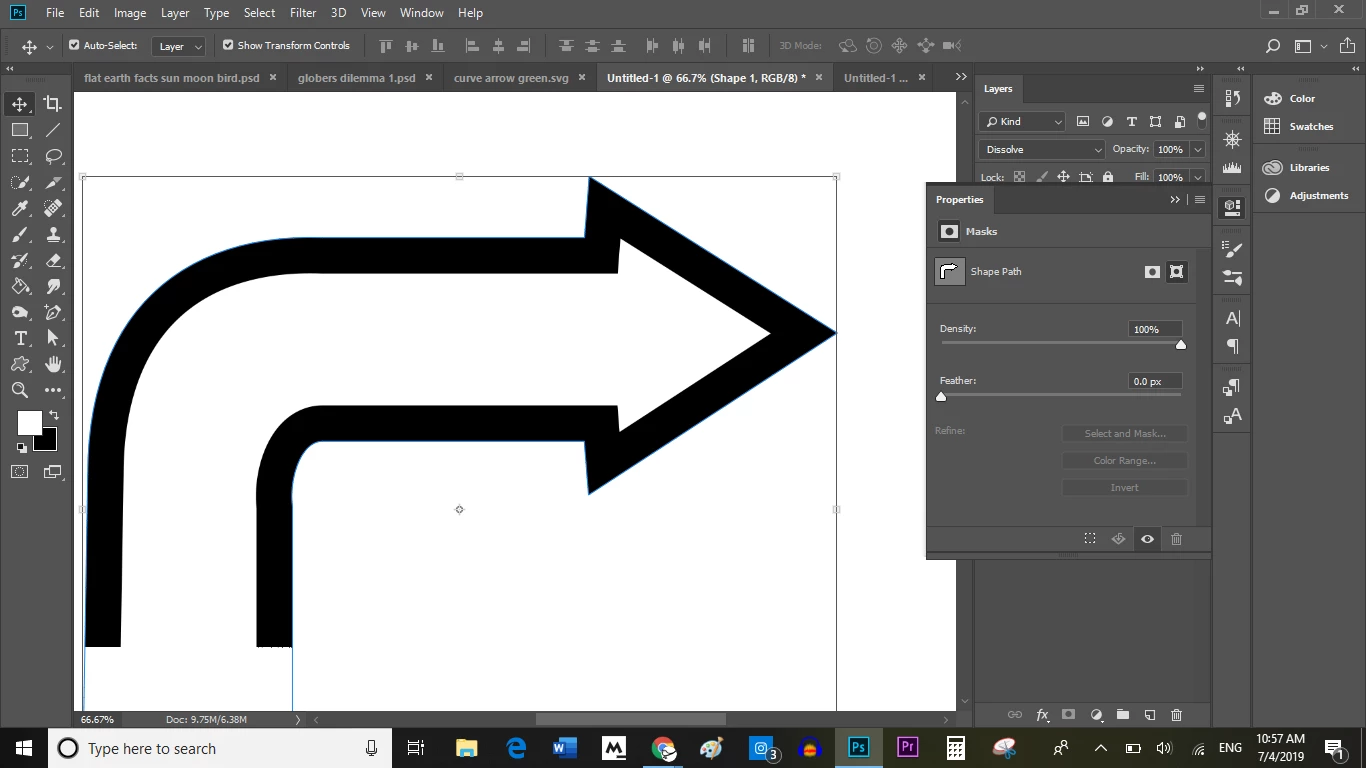
When I select Window, and Properties, this funky Properties window shows up.

I want the REGULAR ONE, that shows Fill, Stroke, Pixel size, etc.

Please advise.
Ged Traynor

This topic has been closed for replies.

2 replies

lesley_hilton
Known Participant
July 4, 2019

When I first create the custom shape, it has those options. But afterwards, they disappear, and I can't get them back.

Ged Traynor

Sahil.Chawla
Community Manager
Community Manager
July 4, 2019

Hi there,

As the options first appear then disappear, that shouldn't be happening, could you please let us know the exact version of Photoshop you're working with? You can check that by going to Help > System Info

Could you try resetting the preferences of Photoshop and see if it helps? Preferences in Photoshop

Note: Make sure that you back up all your custom presets, brushes and actions before restoring Photoshop's preferences. Migrate presets, actions, and settings

Regards,

Sahil

July 4, 2019

Hi Lesley

That panel is only available for live shapes and not custom shapes
