



How to apply “Front Image” dimensions from one image to another using an Action or Script?
Hi All,
This is my first post ,
I’m using Photoshop version 24.7, and I’m not familiar with scripting.
I want to use the “Front Image” option in the Crop Tool to copy the width, height, and resolution from one image, and apply those exact crop dimensions to a different (target) image.
When I try to record this using an Action, Photoshop does not store the Front Image dimensions — it only records the crop, not the size reference.
Is there any way to copy dimensions from one image using “Front Image” and apply them automatically to another image, either through an Action or a ready-made script?
I’m looking for a solution where I don’t have to manually type the width/height every time.
Since I’m not familiar with scripting, I’d appreciate it if someone could share a script that does this.
Thank you in advance!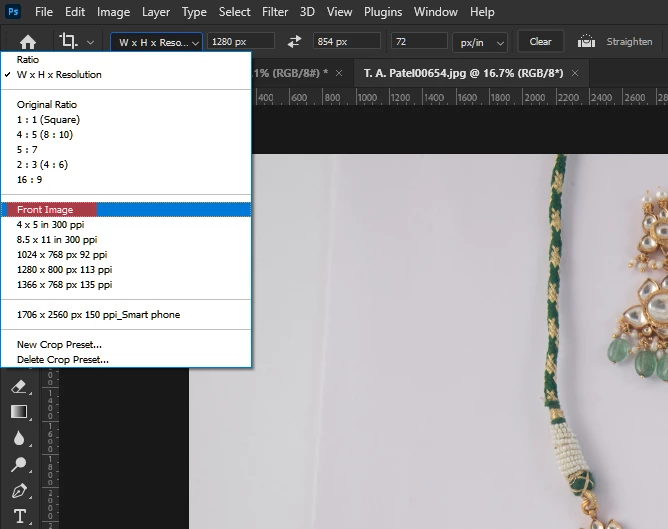
 AdChoices