Pablo1989
New Participant
March 12, 2017
Answered

How to color background layer?

  • March 12, 2017
  • 1 reply
  • 652 views

Hi!

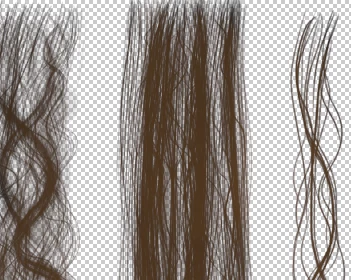
Ive wanna retexture black hair for my friend 3D model

http://www.mediafire.com/view/pj3jc4amrq30bb5/hair_d.png#

I wanna change black to brown or blonde, How i can color that?

Ive used previously Photofiltre 7. as brown colored layer placed on background and change blend mode to maximum. but after saved my work as .pnd whole image turn brown.

Using same technique on Photoshop black element are still black only transparent color changes,   .ive had photoshop CS5 btw.
    This topic has been closed for replies.
    Correct answer davescm

    Add a layer above the hair layer.

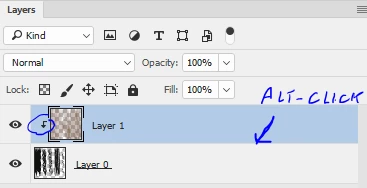
    Alt Click on the border between the layers so that a small down arrow appears next to the layer. This means that the layer below acts as a clipping mask so paint on the new layer will only appear where the layer below is not transparent.

    Now paint on the new layer with your required colour(s).

    Dave

    1 reply

    davescm
    davescmCorrect answer
    Community Expert
    March 12, 2017

    Add a layer above the hair layer.

    Alt Click on the border between the layers so that a small down arrow appears next to the layer. This means that the layer below acts as a clipping mask so paint on the new layer will only appear where the layer below is not transparent.

    Now paint on the new layer with your required colour(s).

    Dave