


Known Participant
January 20, 2025
Answered

How to convert a Tiff file to Jpeg when Photoshop's "save a copy" no longer includes Jpg?

  • January 20, 2025
  • 3 replies
  • 1212 views

Hello,

In LR this morning I developed a shot and used HDR, an available LR option.  However, when I sent the finished product to photoshop, it comes through as a TIFF, but when I try to save a copy to JPEG, photoshop no longer gives me the JPEG option. 


I have to save the shot as a small file for my website, but I can't find a way to do this.  Is there a way to convert or save a copy as a JPEG some other way?  I tried saving it as a pdf, but while that looked ok in photoshop, it was almost completely black online.  I need JPEGs of my TIFFs.


Thank you,

Erin
Correct answer Stephen Marsh

@Erin T Evans 


The JPEG file format is limited to 8 bpc, with no alpha channels and flattened layer content.


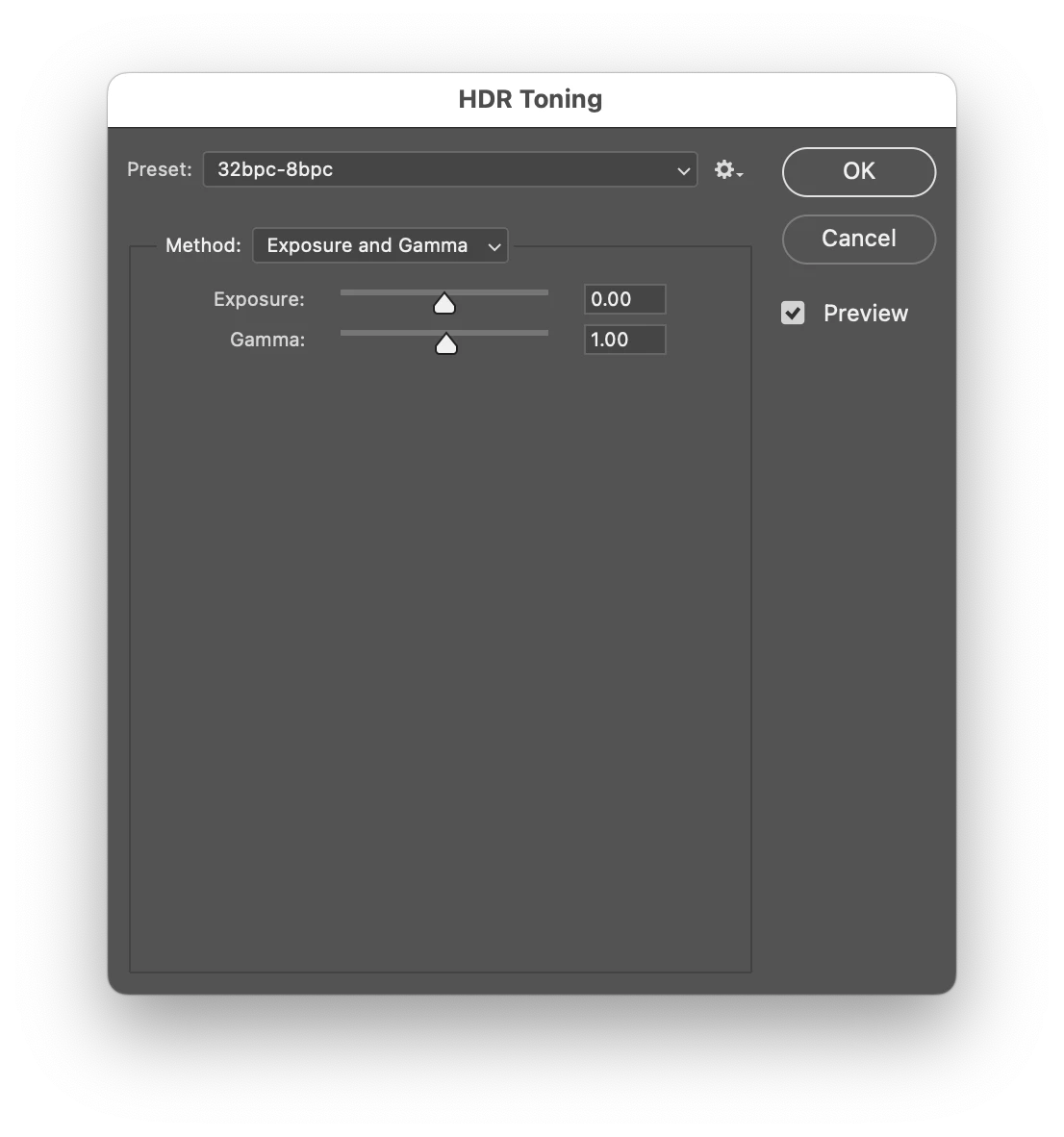
HDR is 32 bpc and requires tone mapping down to 16 or 8 bpc for Save a Copy to include JPEG.


Export As has an automated "silent" built-in conversion from 32 bpc to 8 bpc using Exposure 0 / Gamma 1.0 via HDR Toning to preserve "what you see on screen".


3 replies

Legend
January 21, 2025

When you File>Save As, four other formats in addition to TIFF are the only choices, but not JPEG.

However, if one clicks on the Save as copy... button just to the right of Format, two dozen formats are available, including three flavors of JPEG.

File>Save a copy... offers the same two dozen choices.


P.S. I see that creative explorer came to rhe same conclusion. GMTA!

Larry
Stephen Marsh
Community Expert
Stephen MarshCommunity ExpertCorrect answer
Community Expert
January 21, 2025

@Erin T Evans 


The JPEG file format is limited to 8 bpc, with no alpha channels and flattened layer content.


HDR is 32 bpc and requires tone mapping down to 16 or 8 bpc for Save a Copy to include JPEG.


Export As has an automated "silent" built-in conversion from 32 bpc to 8 bpc using Exposure 0 / Gamma 1.0 via HDR Toning to preserve "what you see on screen".


Known Participant
January 22, 2025
Thank you. You fixed it. I'll be storing your response in my favorites
files.

Again, thank you!!!
Stephen Marsh
Community Expert
Community Expert
January 22, 2025
quote
Thank you. You fixed it. I'll be storing your response in my favoritesfiles.Again, thank you!!!
By @Erin T Evans


You're welcome!

creative explorer
Community Expert
Community Expert
January 20, 2025

@Erin T Evans if you are saving this as an image for the web, have you tried the 'Save for the Web' option, where you can save either as a JPG or PNG format. This will save the image as an RGB color mode and at 72 ppi

Also, you can also the 'Save As' function to save it from a TIFF to JPG.

I have an open TIFF file, and even tried 'Save as a Copy,' but, I was able to save as a JPG with no issues.

What version of Photoshop are you using? MAC or PC?

m
Trevor.Dennis
Community Expert
Community Expert
January 21, 2025

Could this be as simple as enable legacy Save As?  It fits what Erin is saying.


Legend
January 21, 2025

Trevor knocked it out of the ballpark, again! (I had that setting unchecked)

Larry