


Inspiring
September 2, 2022
Question

How to convert curve of path to line shape?

  • September 2, 2022
  • 2 replies
  • 2713 views

Dear all?

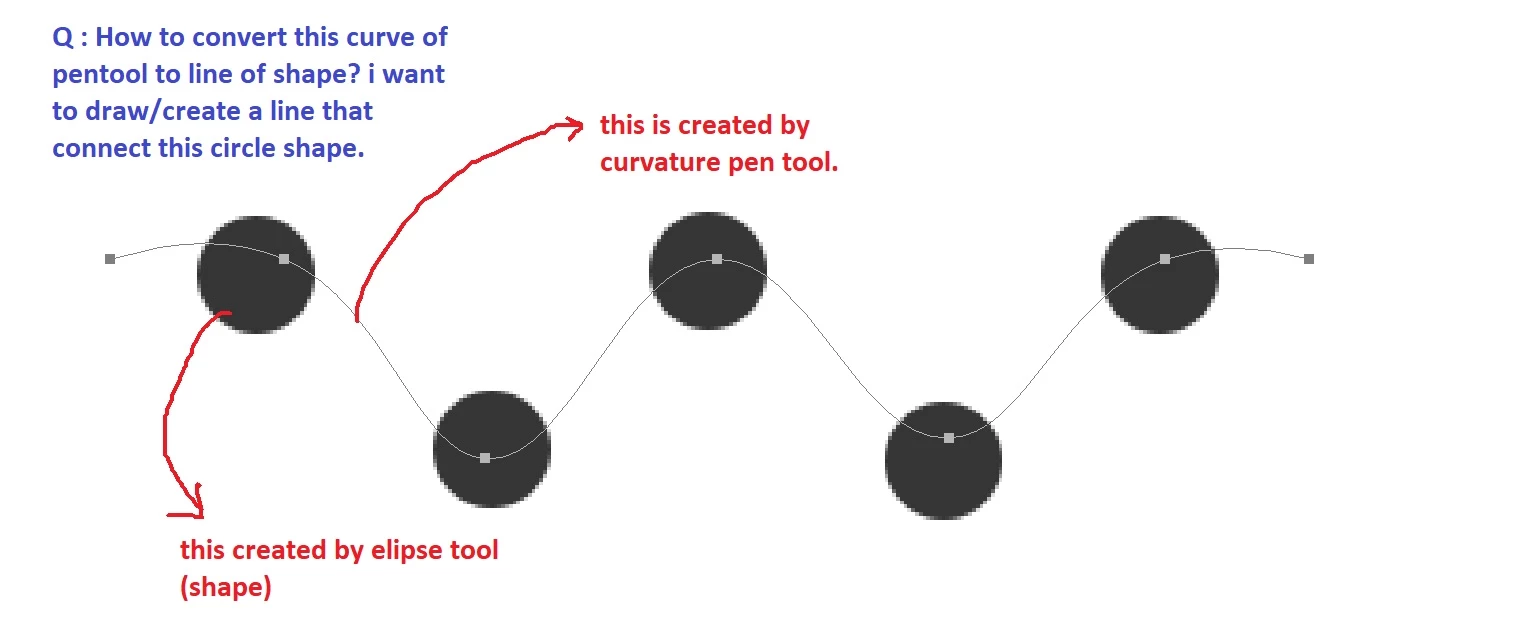
I never create a line using pen tool. Can anyone tell me how to convert the curve of path to line of shape?

Like the picture below, i have just created a nice line using curvature pentool, now i don't have idea how to make it bigger, change the color, ect. I think this curve of path should be converted to line of shape.

Thanks.
This topic has been closed for replies.

2 replies

Inspiring
September 2, 2022
######Raizen 7, 40Gb Ram, RTX 3060, Win 11 -- All of Software in the world are just tools. Buy it if it works for you :)
Ged_Traynor
Community Expert
Community Expert
September 2, 2022

Hi

You can set the curvature pen tool to shape in the options bar, and then you can use the fill and stroke

c.pfaffenbichler
Community Expert
Community Expert
September 2, 2022

And with an existing Path selecting it and Layer > New Fill Layer > Solid Color will create a Shape Layer, the settings of which one can edit by selecting the Direct Selection Tool (A) for example.