yeah_not
Known Participant
December 23, 2017
Answered

How to convert the distance from/to the text in Photoshop into CSS margin/padding?

  • December 23, 2017
  • 4 replies
  • 4013 views

Distances from text elements (paragraphs) in Photoshop do not correspond to margins/paddings in the CSS. Distances are measured, for example, using smart guides:
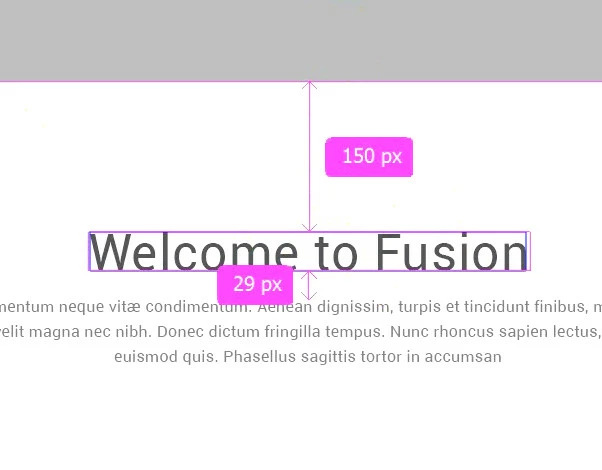
All because the line height is not used in the distances calculation. Therefore, the first recommendation I found is to use the formula:

margin_in_CSS = distance_in_PS - (line-height - font-size) / 2

or shorter:

CSS = PS - (line-height - font-size) / 2

This is the distance from some obvious border (line) to the text element. For the distance between two paragraphs we use, respectively:

CSS = PS - (line-height_1 - font-size_1) / 2 - (line-height_2 - font-size_2) / 2

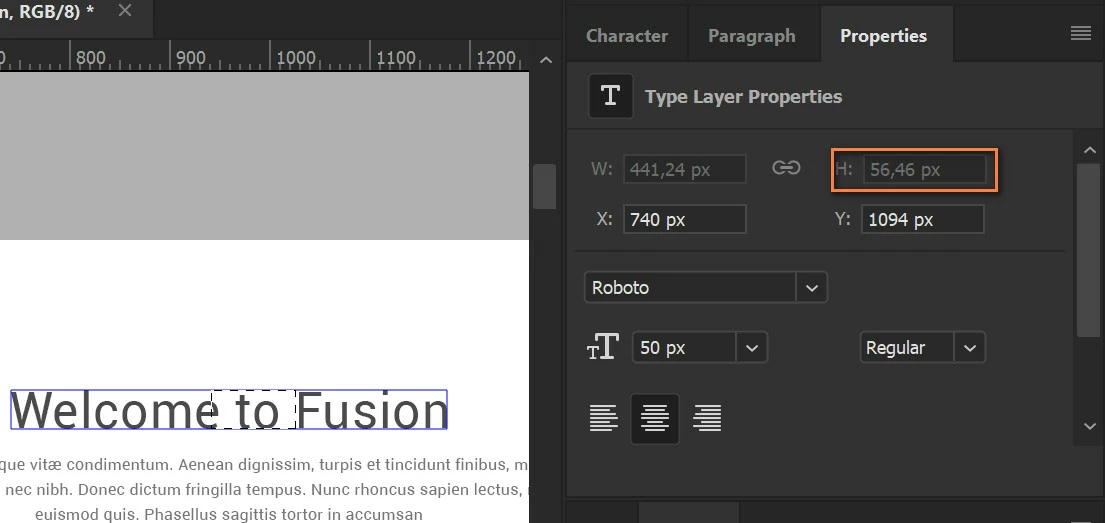
As the font size increases, it becomes clear that this formula is not enough. The actual height of the line (obtained with the selection tool) in Photoshop is even less than the font size!
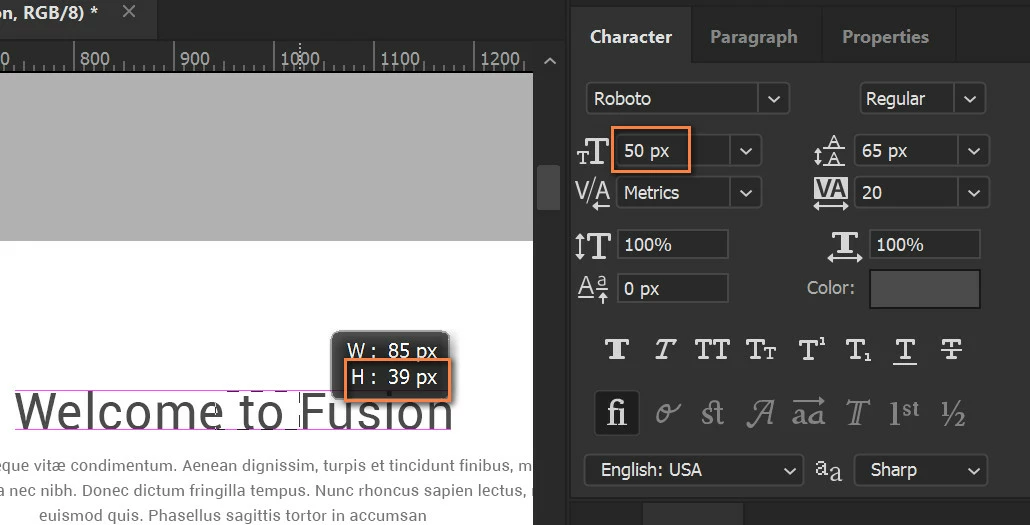
Although the photoshop still considers the height of the element to be approximately equal to the font size, which does not affect the distance to it , for example on the Properties tab:

I calculated that the difference between the real height of the line and the font size is about 30% or 15% at the top and bottom of the text (I'm not saying this is 100% true!). And now I use the formula:

CSS = PS - (0.15 * font-size + (line-height - font-size) / 2)

Or between two paragraphs:

CSS = PS - (0.15 * font-size_1 + (line-height_1 - font-size_1) / 2) - (0.15 * font-size_2 + (line-height_2 - font-size_2) / 2)

Similarly, we can not rely on the correct definition of the height of a paragraph in several lines by Photoshop. But here the situation is simpler, the real height of the paragraph in the CSS will be:

height = line-height * num_of_lines

The question is, is there a simpler way?

Sorry for my English

This topic has been closed for replies.
Correct answer rob day

The actual height of the line (obtained with the selection tool) in Photoshop is even less than the font size!

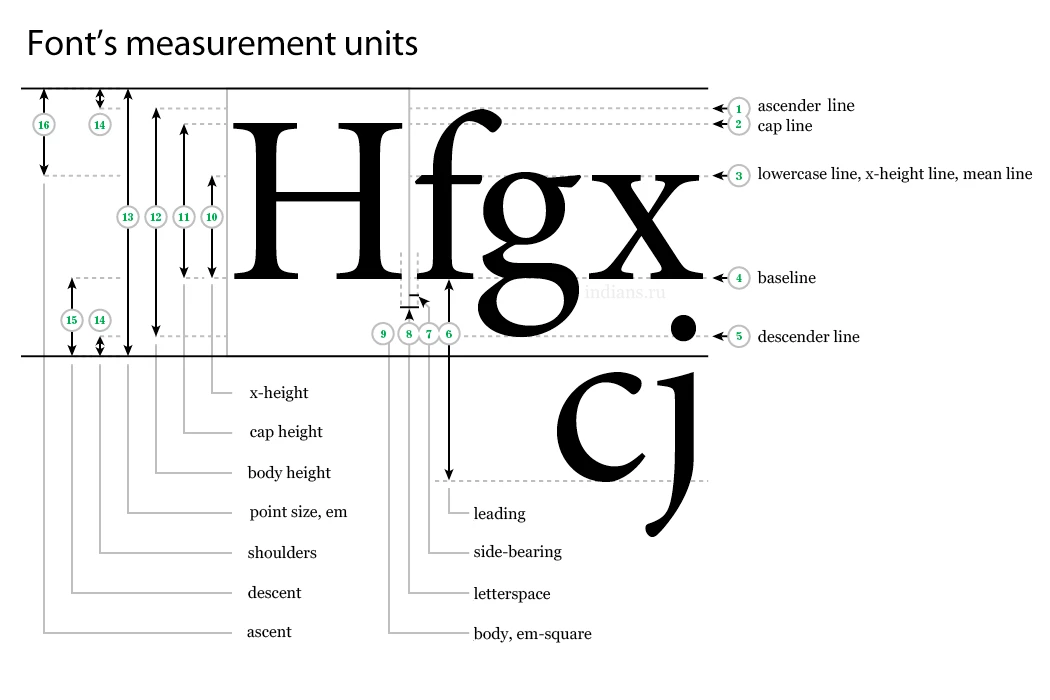
In your formula it looks like you are expecting the font's cap height to equal the font size, but the font size is usually the distance from the font's descender line to the ascender line plus some amount for the shoulders:

Unfortunately I don't think there's any way, even with scripting, to get any font's actual cap height. The size of the cap height relative to the font size would vary depending on the font's design.

4 replies

postrophix
Participating Frequently
December 23, 2017

Hi

You might be interested in The Mathematics of Golden Ratio Typography

Pierre

Martin_Bns
Inspiring
December 23, 2017

Hi,

I suggest to change approach to the problem. Since we are in the responsive world, you should not look for mathematical but aesthetic solutions. It's not need to be 100% pixel perfect but it needs to feel right.

Use your eye and it will work.

I know my answer can sound like super short but actually it's what really matters. The user experience is the most important thing and it's not about math but about perception.

Wish you the best,
Martin

rob day
Community Expert
Community Expert
December 23, 2017

Not sure if this helps, but you can get the bounds of a text layer via scripting and translate that into margins. So this gets the margins of the active layer (assuming the canvas doesn't extend outside of the document bounds):

var doc=app.activeDocument;

var tb =doc.activeLayer.bounds;

var tm=tb[1];

var rm= doc.width-tb[2];

var lm=tb[0];

var bm= doc.height-tb[3];

alert("Active Layer Bounds:\rmargin-top: " + tm + "\r" + "margin-right: " + rm+ "\r" + "margin-bottom: " + bm+ "\r" + "margin-left: " + lm);

For space between paragraphs, you might be able to define it as space after in the Paragraph panel and use that as the paragraph's CSS bottom margin?

yeah_not
yeah_notAuthor
Known Participant
December 23, 2017

Thanks for the participation, but this script gives the same margin values as the smart guides - just from the borders of the document...

But If I could count the distance between two text fields, and get their font size and leading, I could include my formula in the script.

Is it possible?

Screenshot with such a functional from Adobe Assets (I selected 2 layers by shift and got distance)

yeah_not
yeah_notAuthor
Known Participant
December 24, 2017

But If I could count the distance between two text fields, and get their font size and leading, I could include my formula in the script.

Is it possible?

It looks to me like CSS/HTML calculates the margin from the font's full body and not the baseline or cap height. So in Photoshop you would have to get the ascender and descender positions—I don't think you can do that via scripting. Firefox developer tools shows the margin relative to the font's body. Here I can see the bottom-margin in yellow, doesn't start from the baseline, it starts from the descender line.


Firefox developer tools shows the margin relative to the font's body. Here I can see the bottom-margin in yellow, doesn't start from the baseline, it starts from the descender line.

rob day​,

This is not entirely true. In your screenshot, it seems that the default line-height is 120%. If the line-height is 100% the text will be cut off from below. The boundaries of the view clearly define the height = line-height. And margins/paddings are applied start from these boundaries. Screenshot from Chrome, but in Firefox - all about the same.

In Photoshop, the boundaries of the text layer (Point text), from which distances are calculated, go clearly along the edge of the letters. Sticking letters, like "j" and "g", affect both height and distance, but the leading does not (on 1 row).

If you use 1 line with a capital letter without sticking ones, like "j" and "g", for example "Foobar" - you can macth Photoshop and the browser and get gaps from above and from below about 15%, which I used in the formula.

rob day
Community Expert
rob dayCommunity ExpertCorrect answer
Community Expert
December 23, 2017

The actual height of the line (obtained with the selection tool) in Photoshop is even less than the font size!

In your formula it looks like you are expecting the font's cap height to equal the font size, but the font size is usually the distance from the font's descender line to the ascender line plus some amount for the shoulders:

Unfortunately I don't think there's any way, even with scripting, to get any font's actual cap height. The size of the cap height relative to the font size would vary depending on the font's design.

yeah_not
yeah_notAuthor
Known Participant
December 23, 2017
In your formula it looks like you are expecting the font's cap height to equal the font size, but the font size is usually the distance from the font's descender line to the ascender line plus some amount for the shoulders

rob day​, yes, but this is how Photoshop measures the height of the text line to calculate the distance to it, apparently. You are right, I used cap height. Only in this way I managed to make the formula work. Importantly, the last (or only) line in the paragraph should NOT contain "shoulders", for example, the letters "y" or "j".

It's interesting that Adobe Assets shows the height of the text, as I indicated on the first screenshot.

The size of the cap height relative to the font size would vary depending on the font's design.

I understand it. That's why I need something else than my "great" formula

Actually, I need simple way to measure (or get it somehow) CSS text margin/padding in the Photoshop...