


Participating Frequently
November 6, 2021
Question

How to create a slope in a circle with elements around it ?

  • November 6, 2021
  • 2 replies
  • 922 views

Hi, guys hope you doing well I have a question I want to achive results as below but I am not sure how to create this 3d type slope on circle as shown in the actual watch. I have created the image but IDK how to create this slope if someone knows how to do so please help me!

This is what I have created but I am not able to create slope I tried shadow and other stuff but I am not able to extract same results.
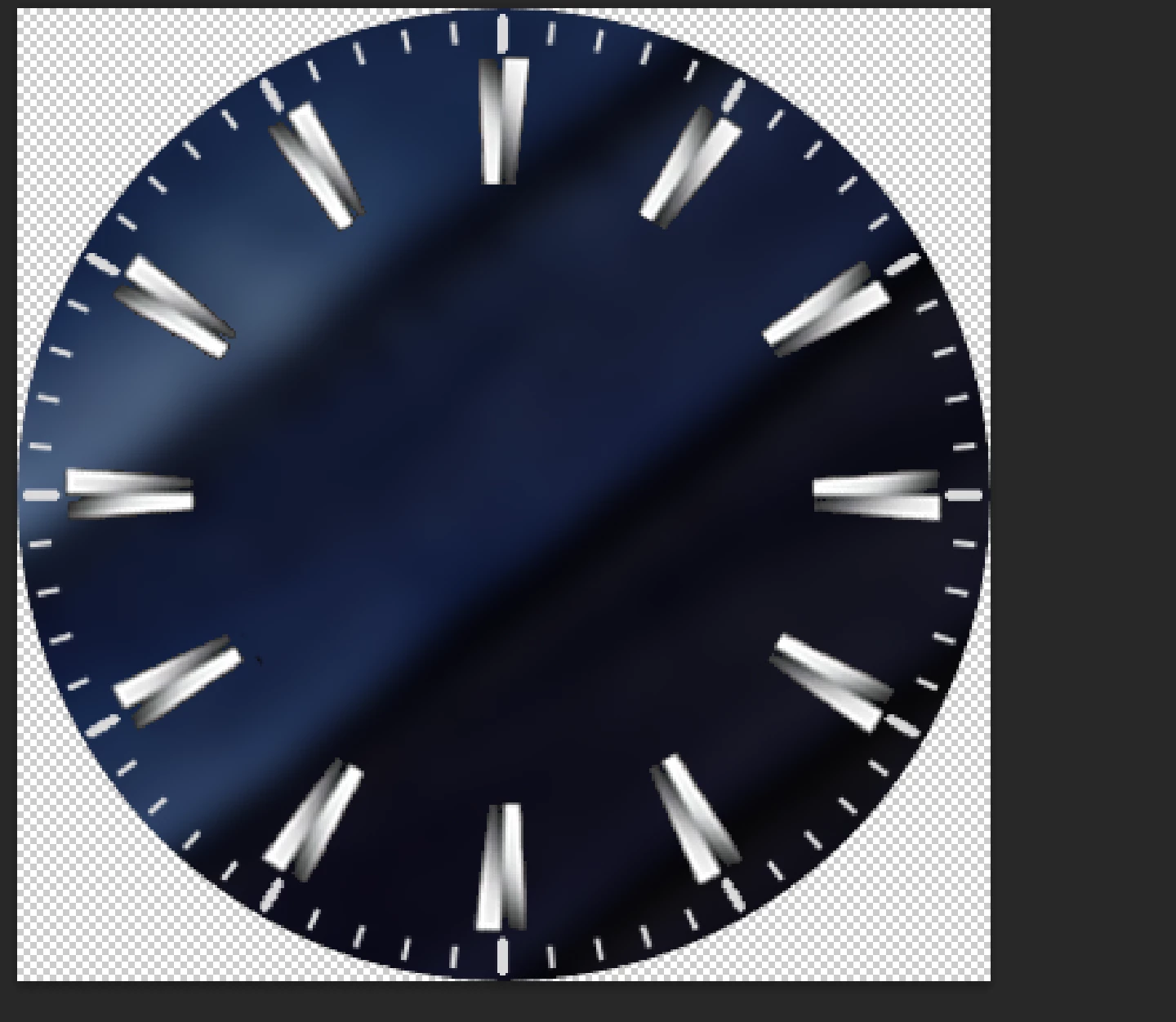
This topic has been closed for replies.

2 replies

davescm
Community Expert
Community Expert
November 6, 2021

Hi

I would probably model that in a 3D application , however you can illustrate it in Photoshop 2D using a combination of  gradients, as I have done here over your screenshot.

One radial gradient arount the rim. Then on the middle disk I used two angle gradients one to get the left shape and one the right.


Dave

Participating Frequently
November 6, 2021

But, I wanted slope around the corners not a rim tho. Like those white lines going down toward the main watch face see these white lines going towards the main circle thats what i want to achieve! 

davescm
Community Expert
Community Expert
November 6, 2021

Hi

I'm not sure what you are pointing out. If you mean the concentric rings then here I added a pattern of horizontal lines using Fill > Pattern then used a polar co-ordinate filter. In addition I added some noise with a radial blur filter.


Dave


lambiloon
Community Expert
Community Expert
November 6, 2021

Hi add circle in middle use gradient in proper way...regards

Ali Sajjad / Graphic Design Trainer / Freelancer / Adobe Certified Professional
Participating Frequently
November 6, 2021

I tried but no success! Can you help me to achieve it ?