


Participant
May 13, 2020
Question

How to create dynamic brush without different colors on the edges?

  • May 13, 2020
  • 1 reply
  • 809 views

Hello,

I am experimenting with drawing in Photoshop CC (19.1.6 20180808.r.398 2018/08/08: 1185588 x64) with my Wacom Intuos S (Gen 1) and for some projects I need dynamic brushes, where the thickness of the lines is determined by the pressure of the pen. Moreover, I want to have no additional colors on the edges (and smooth lines if possible 😉 ).

For some time I was sure I had accieved this already, until I filled (with paint bucket tool) an area I had outlines with a brush:
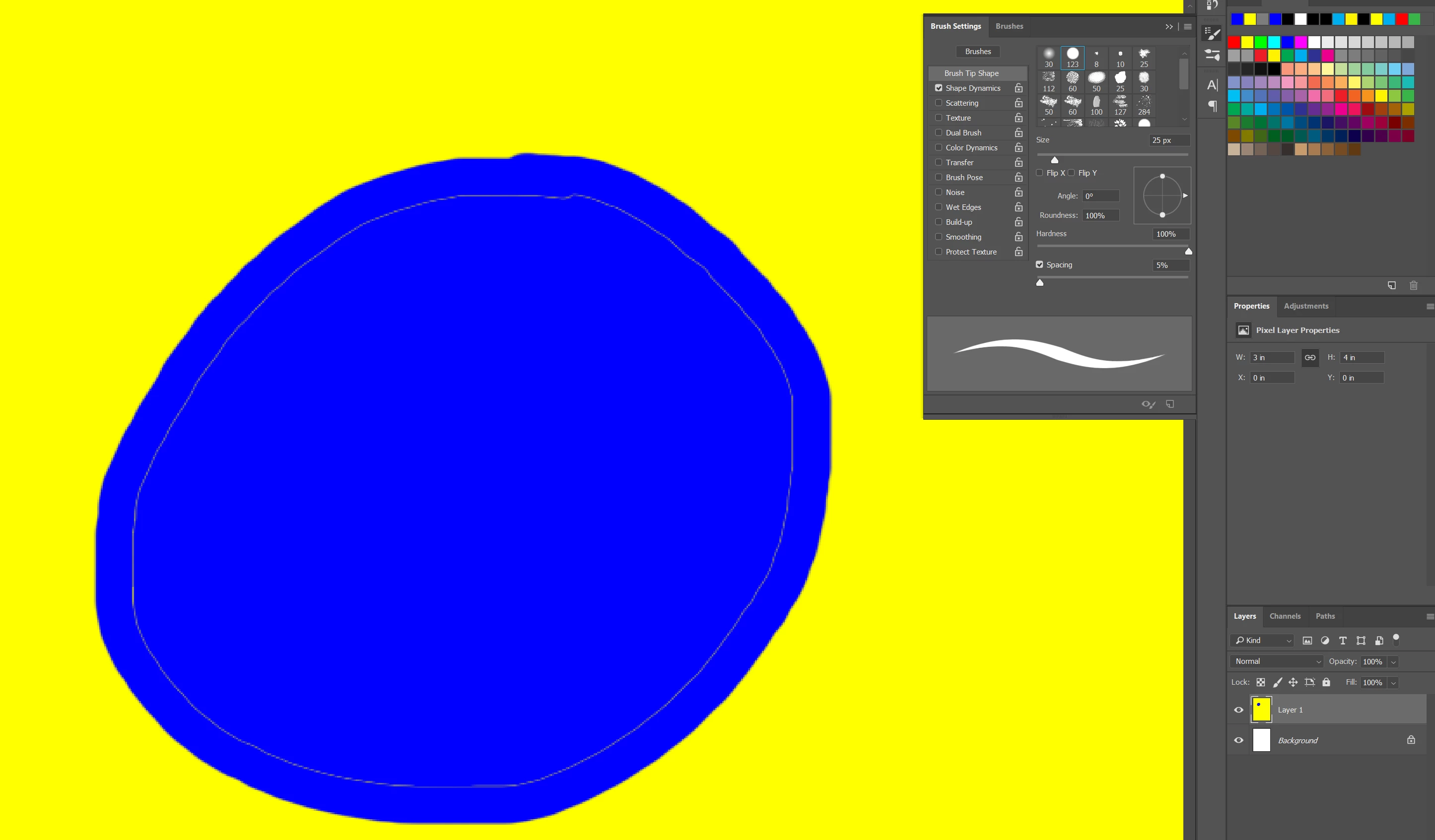
Here a closer look on the edges of the brush:
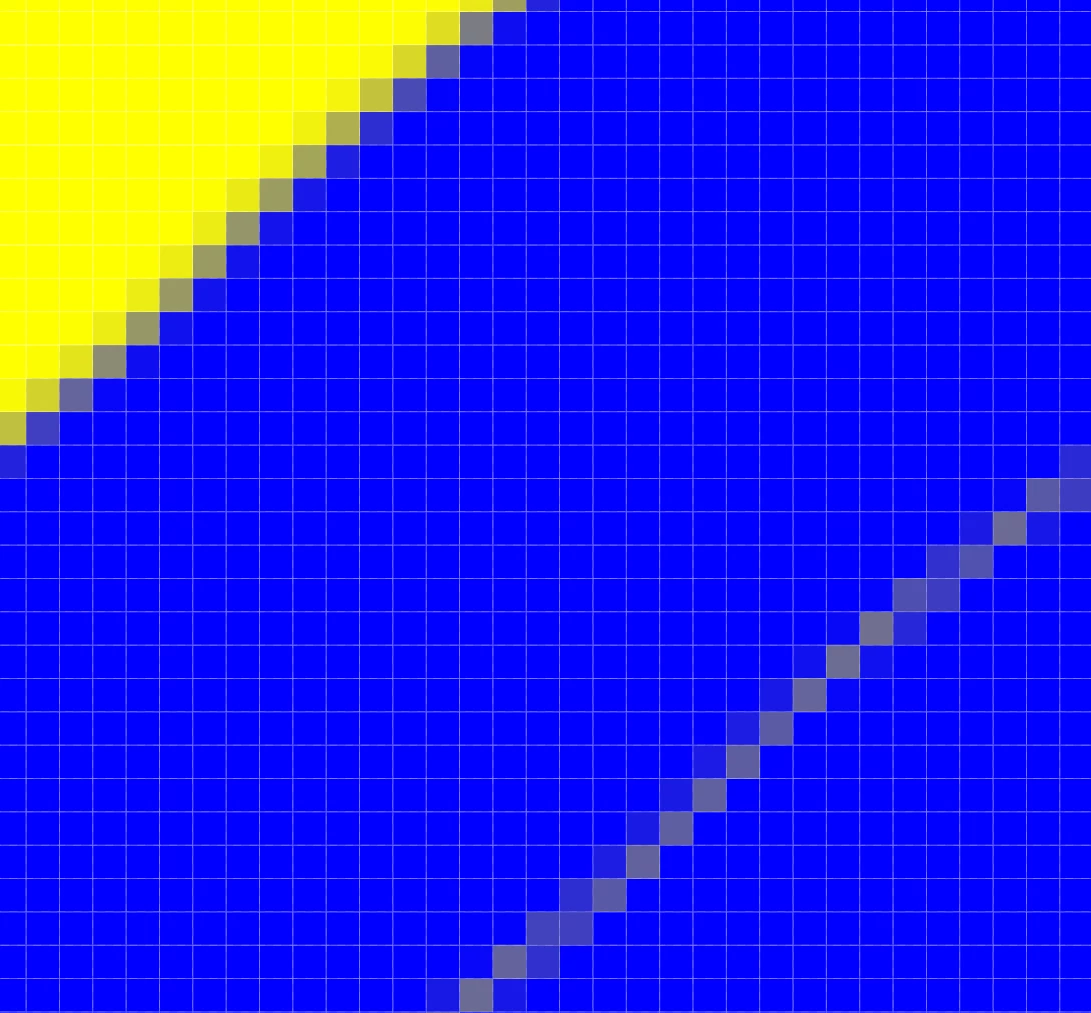

I attempted to search for a solution by myself, however, I seem to have missed the correct search terms so far. Any hint on what to change or where to look would be very welcome! 🙂


Background:

Beside the anoying behaviour when filling an area, I can only use a limited number of colors for a project. These "soft" edges increase the number of colors, which means, I cannot use them currently...

This topic has been closed for replies.

1 reply

davescm
Community Expert
Community Expert
May 13, 2020

The soft transition at the edge of a brush is anti-aliasing. Without it you would have very harsh, stepped edges on diagonals. If you want those harsh steps without anti-aliasing, then use the pencil tool rather than the brush tool.


The issue with the paint bucket fill can be overcome by adjusting the Tolerance value in the options bar.


Dave

syrillAuthor
Participant
May 14, 2020

Dear Dave,


Thank you very much for your reply. It seems to lead me into the right direction!


I understand the benefits of anti-aliasing for brushes, however, for my current use case it is challenging when I cannot control the number of colors used in a file. But I'll look into using the pencil tool.


The paint bucket issue solution was more straight forward, but led to curious results. While I was able to increase the tolerance, as you proposed, the result would not become better. Playing with the tolerance and the anti-aliasing checkbox beside it, however, I was able to change the outcome, for the worse, though! 😄

Nevertheless, this issue is not my main concern. 🙂


Are there soft brushes which use other ways to create a soft outline than anti-aliasing? Like for example the density of the pixels in the chosen color?


davescm
Community Expert
Community Expert
May 14, 2020

No.

Any soft brush is soft because it uses transparency along the edges. The greater the transparency transition, the softer the brush. But even hard brushes still use anti aliasing. In those semi transparent areas the colours blend with the colours behind, resulting in intermediate values.


Dave