



Answered
how to disable automatic activation of numbers field, when clicking on an adjustment layer?
hi,
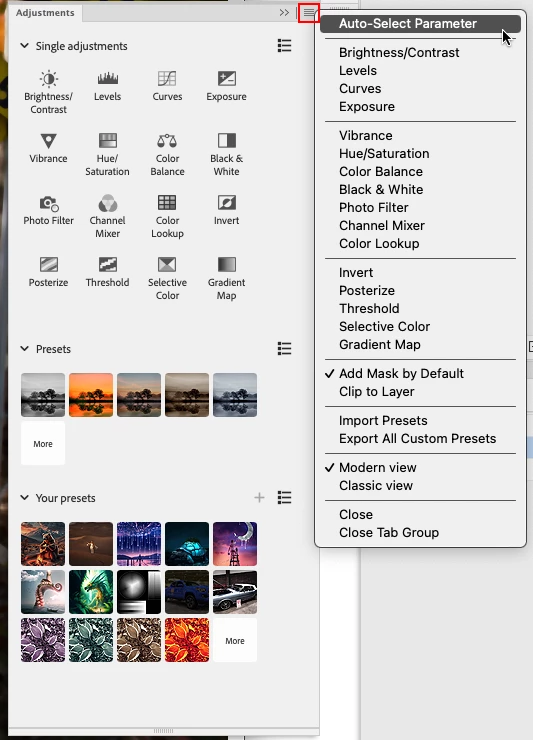
please, how can i disable automatic activation of a numbers field, when clicking on an adjustment layer?
it worked alway the opposite way, that the numbers field was not activated, since update to version 24, it changed behaviour.
issue is, that i want to fill the mask of a new created adjustment layer with black color, in a rush, and it wont let me, as my keyboard is staying in the text field of that new adjustment layer. so i have to type "enter", and the text field is set to "0". then i can fill the mask with black with my keyboard shortcut "option backspace"
thanks
 AdChoices