



Answered
How to duplicate layer AND at the same time move the copied layer by 'x px' to the left, right, top or bottom?
I'm using Photoshop 2015.5.1 (June 2016 version), some plugin from my previous PS version (CC 2014) doesn't work on this new version.
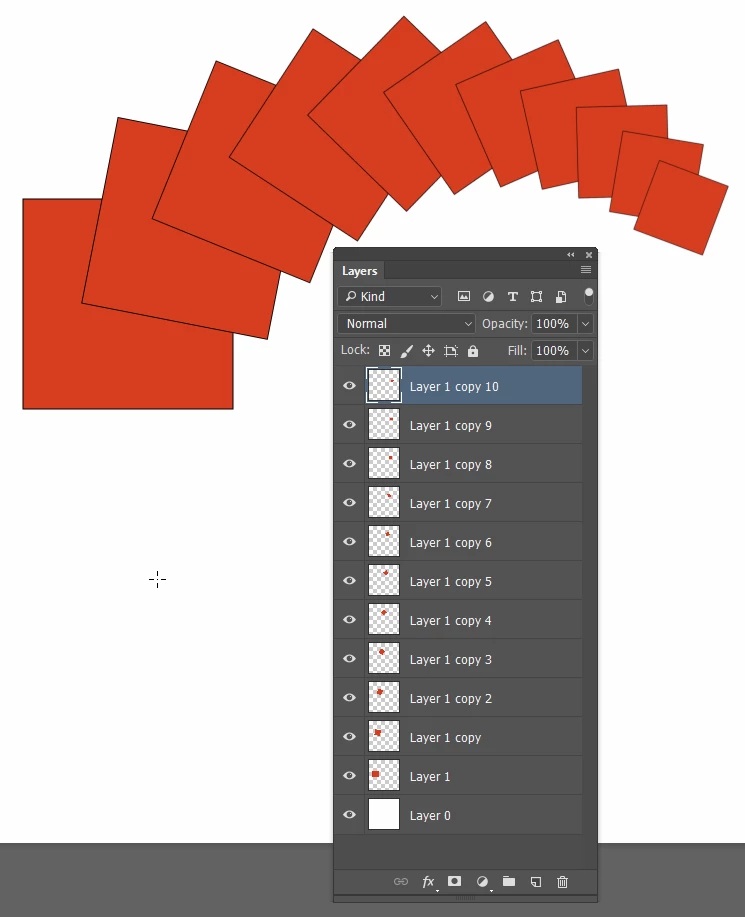
Previously I used Dupplicator if I want to duplicate a layer to (let say) 15 copies, and each of the copy will progressively move by 10px to the right. So at the end you'll see 16 layers with 10px horizontal space between each of them. I couldn't find built in feature to behave something like this on PS CC 2015.5.1, and also Dupplicator plugin only support up to CC2014, so they don't release plugin for CC2015.
Can you tell me if there are any features or free plugin that maybe can help easing this tedious task of copying and moving many (sometimes more than 30 layers) layers?
Thanks,
Happy New Year!!!
 AdChoices