


Participant
June 12, 2022
Question

How to fix text out of text box in Photoshop?

  • June 12, 2022
  • 3 replies
  • 2188 views

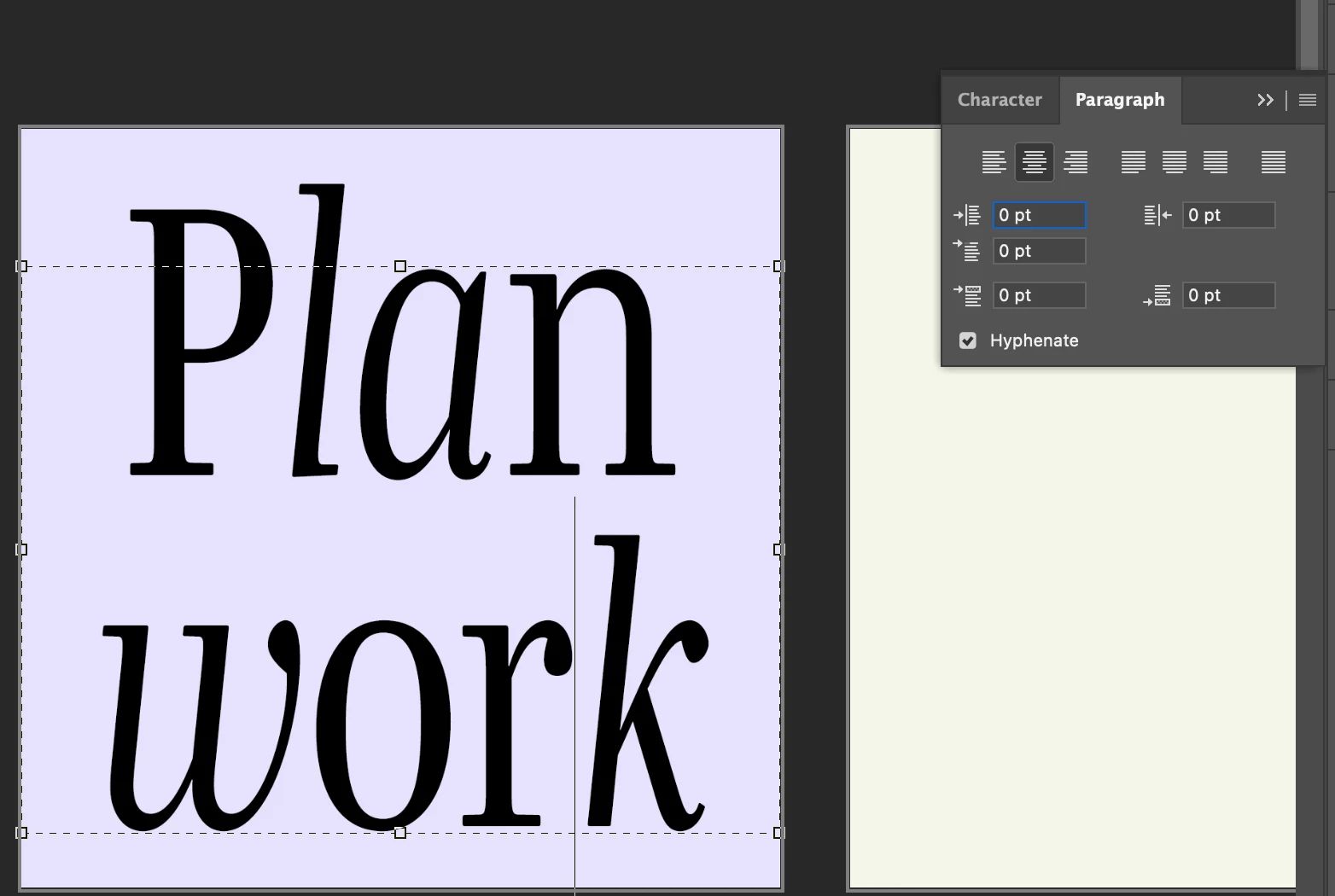
Sorry if this has already been asked - I've read multiple forums and none of the solutions worked for me. As you can see, the text is falling outside the text box and I can move the bottom, however, moving the top drags the text with it. 
3 replies

barbara_a7746676
Community Expert
Community Expert
June 13, 2022

If you want the text to be 140% height and be within the text box, you can select the text with the Type tool and change the baseline shift.

lambiloon
Community Expert
Community Expert
June 12, 2022

Hi try to reset your photoshop preferences this will make everything like new software there are two way of text type in Photoshop one is a paragraph and the other is point bast text you can choose what you like...regards

Ali Sajjad / Graphic Design Trainer / Freelancer / Adobe Certified Professional
Jumpenjax
Community Expert
Community Expert
June 12, 2022

It looks like you have played with the text height in the text panel. The height you chose  make the type look like it is set outside the text box. It should not affect anything unless you need it to fit inside the text box exactly. 

Lee- Graphic Designer, Print Specialist, Photographer
Participant
June 13, 2022

Hi Lee! Thank you very much for your response. You are right, the height is set to 140%, but I still need it to be set inside the text box, because it throws off the alignment.