lumberfoot
Participant
April 13, 2021
Answered

How to get Mac workspace on Windows PC?

  • April 13, 2021
  • 3 replies
  • 664 views

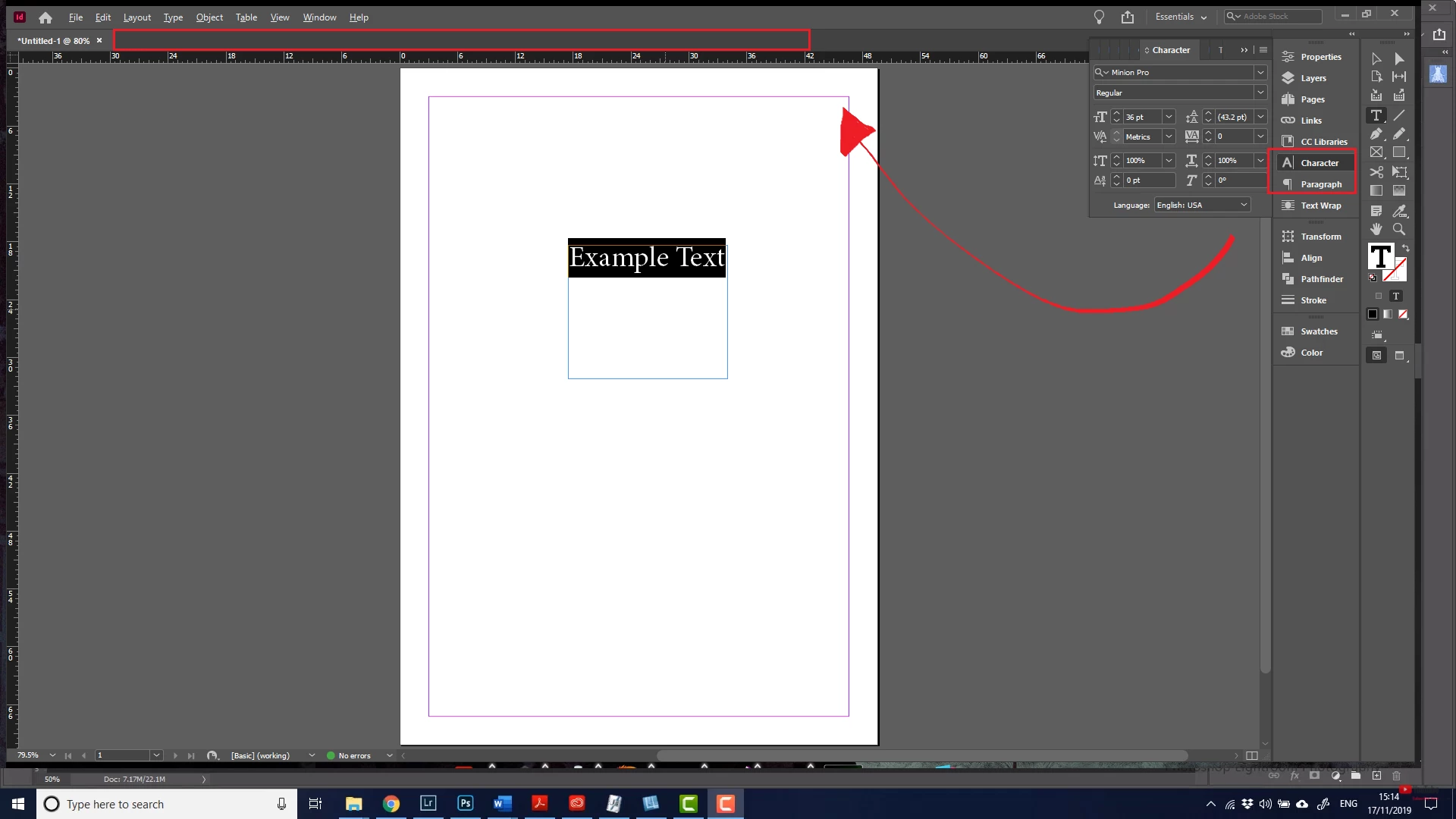
This is how my current layout looks:


This is how I would like my layout to look:
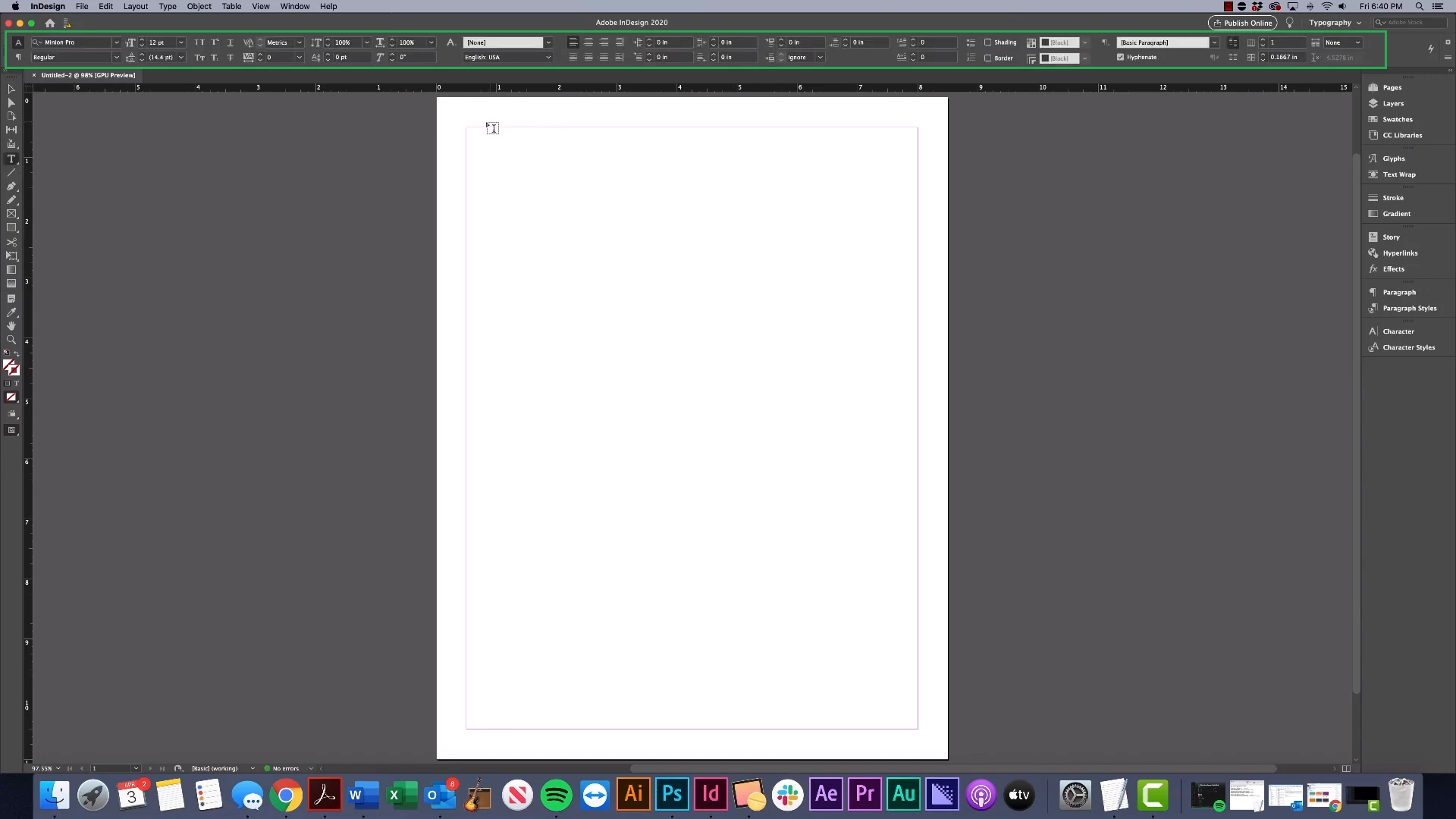
 

I am "relatively" new to the adobe suite, so... I don't know if this is a Mac exclusive thing since I'm on a Windows PC. However, I'm currrently taking online classes and my professor does everything much faster with the above layout. In contrast, I have to open up a panel and scroll every single time I want to do a simple character/paragraph change. I'm having this problem in Photoshop, Illustrator, and Indesign. My workspace is set to "Essentials."
This topic has been closed for replies.
Correct answer Warren Heaton10841144

You're looking for the Tool options/controls.  And yes, it's extremely helpful to have that visible while working in Photoshop, Illustrator, and InDesign.


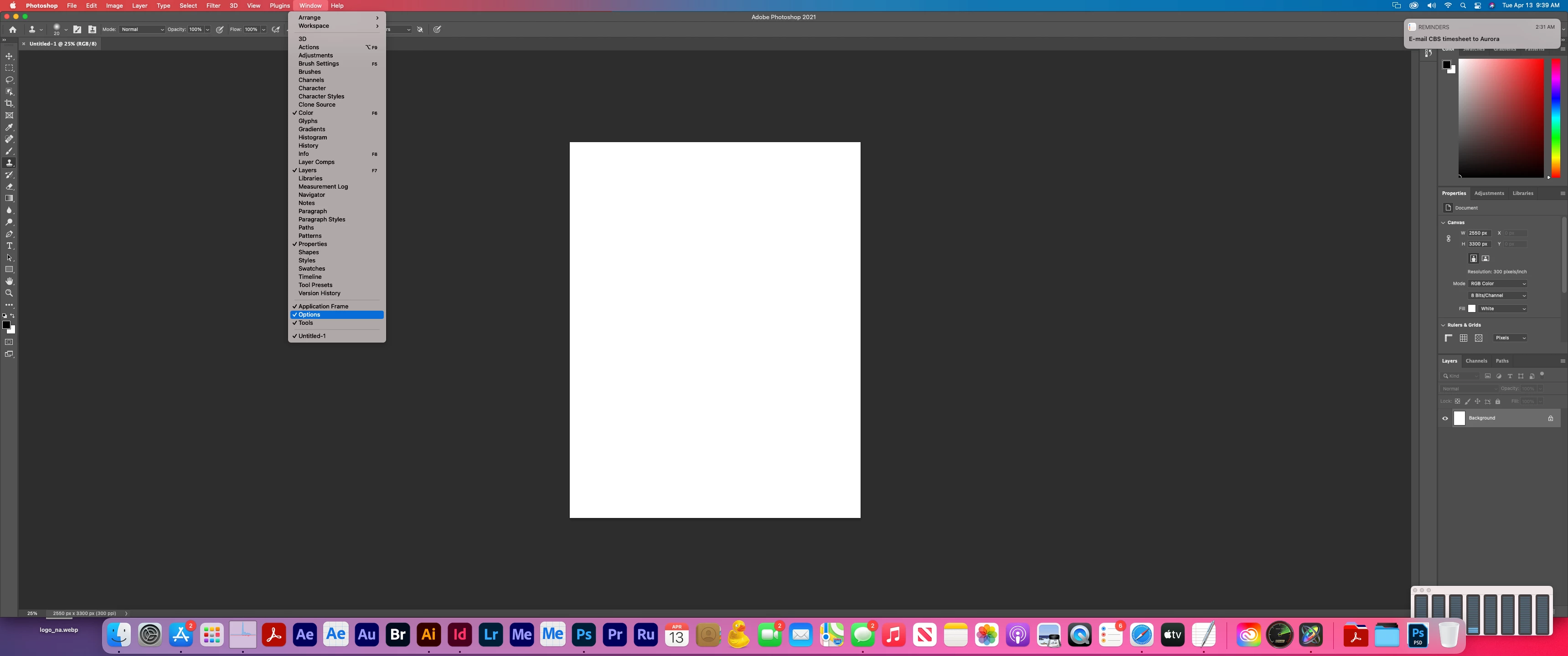
In Photoshop, it's called Options and you can find it under Window > Options.


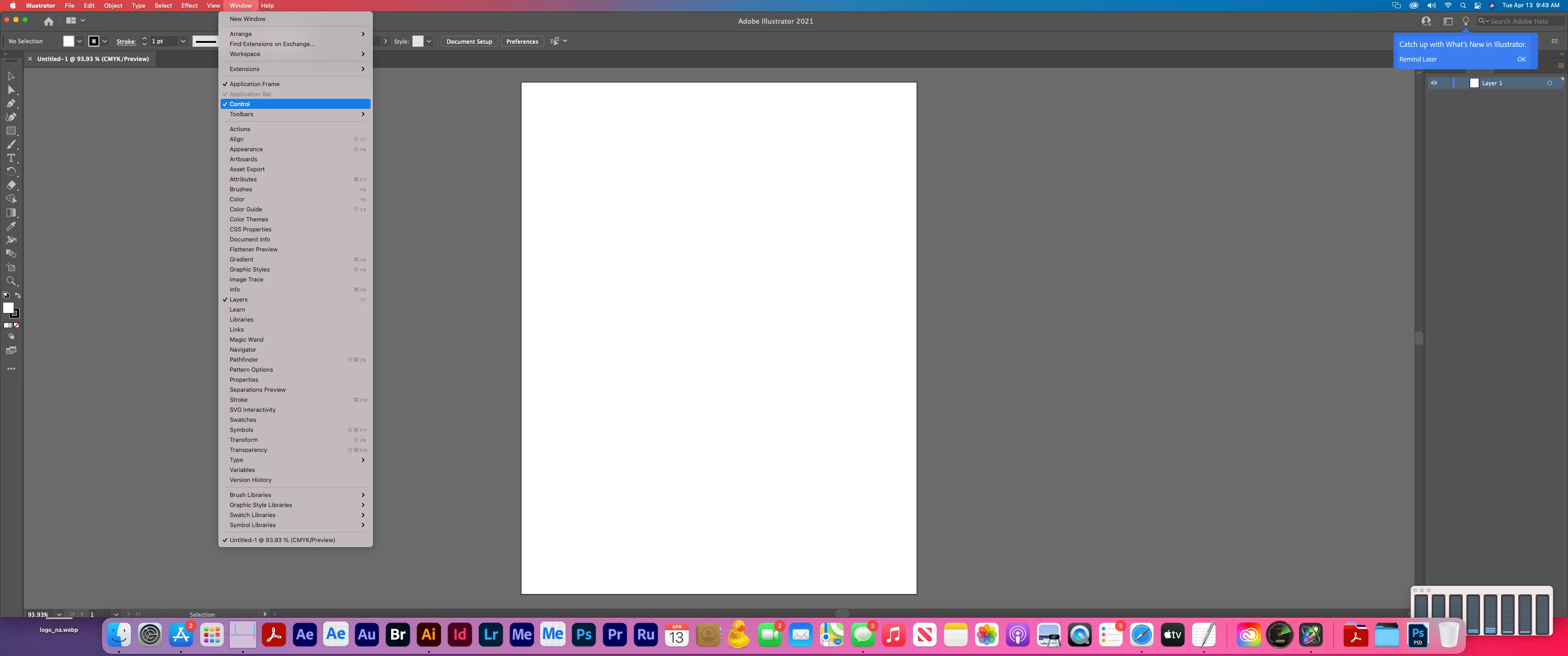
In Illustrator, it's called Control and you can find it under Window > Control.


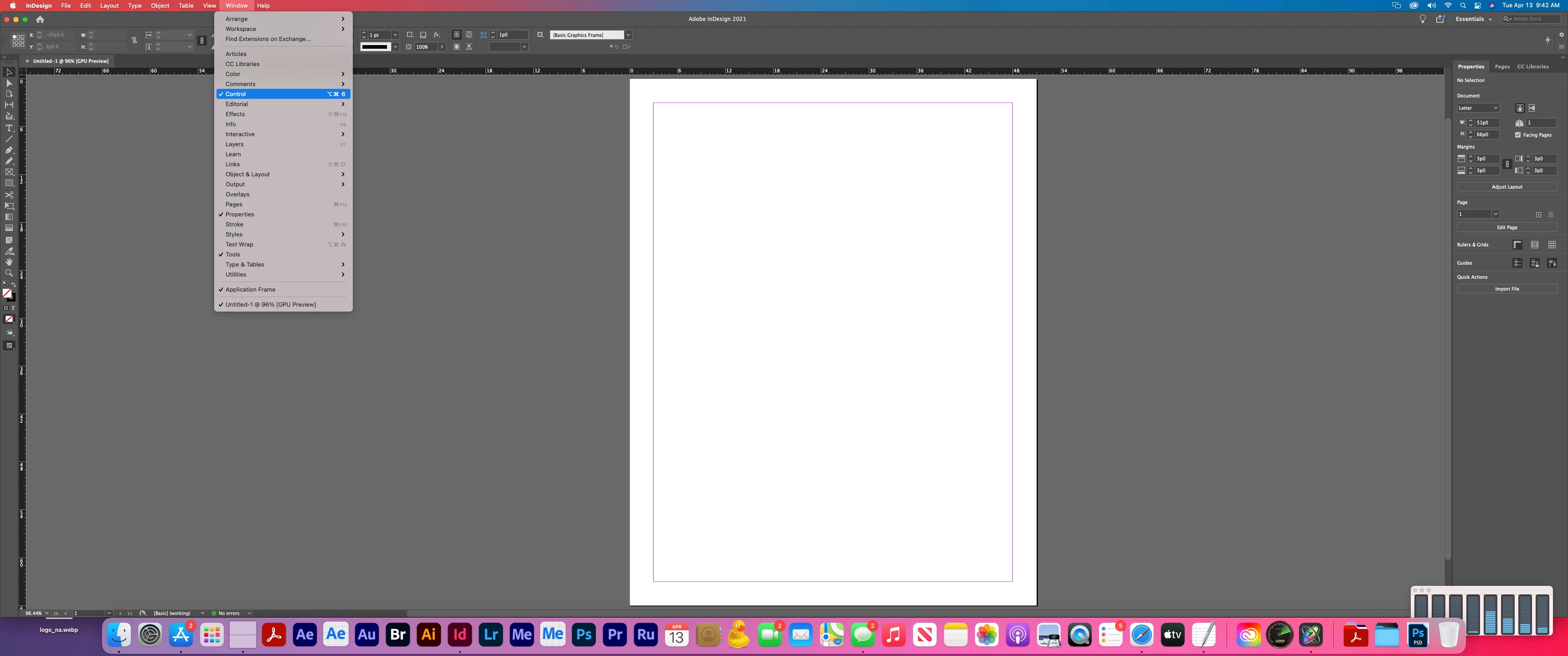
In InDesign, it's called Control and you can find it under Window > Control.


I've inlcuded macOS Big Sur screenshots, but it's the same for both macOS and Windows OS.

3 replies

Warren Heaton10841144Community ExpertCorrect answer
Community Expert
April 13, 2021

You're looking for the Tool options/controls.  And yes, it's extremely helpful to have that visible while working in Photoshop, Illustrator, and InDesign.


In Photoshop, it's called Options and you can find it under Window > Options.


In Illustrator, it's called Control and you can find it under Window > Control.


In InDesign, it's called Control and you can find it under Window > Control.


I've inlcuded macOS Big Sur screenshots, but it's the same for both macOS and Windows OS.

lumberfoot
Participant
April 13, 2021

Thank you so much! I was able to turn this feature on for all three applications following your instructions! Now, I should be able to optimize my workflow 🙂

marliton
Community Expert
Community Expert
April 13, 2021

Hi. Just select the same workspace on both computers in Window > Workspace.


Marlon Ceballos
jane-e
Community Expert
Community Expert
April 13, 2021

Hi @lumberfoot 

You posted to the Photoshop forum and your screenshots are in InDesign. Your first image uses the "Essentials" Workspace and your second uses "Typography". You can switch in Window > Workspace (or use the Workspace Switcher).


https://helpx.adobe.com/photoshop/using/workspace-basics.html