


How to have 2 shapes in different layers using the same stroke
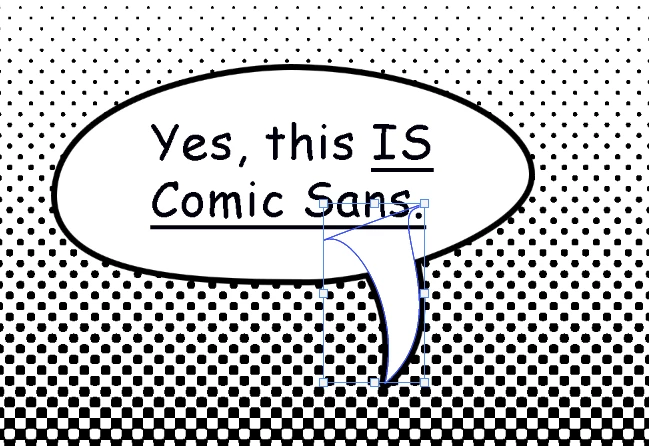
I'm trying to make speech bubbles in photoshop, so I make a custom oval shape that changes depending on the text and I made a separate tail for the speech bubble, I want the speech bubble to have a stroke on it, so I used the options to combine the shapes and it worked alright.
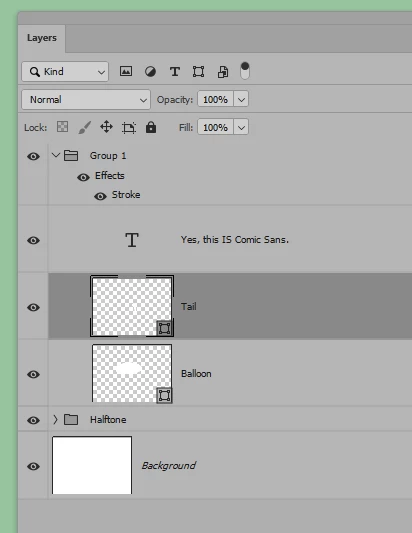
My problem is that sometimes I change the text and I need to re-align the text inside the bubble to be in the exact center, but now that the bubble is merged with the tail if I try to use the Command and click the layer of the shape in order to select it the tail will also be selected, and the only way I know to deal with this is manually deselecting the area of the tail. I tried having both shapes in different layers but because they both need a stroke the result is that they not merging visually, so I wanted to know if there's a way to solve my problem, either by having them on different layers and making the stroke work or just a simple way to select just the oval shape without the tail that I don't know of.
 AdChoices