


Answered
How to hollow out text in Photoshop
Hi all,
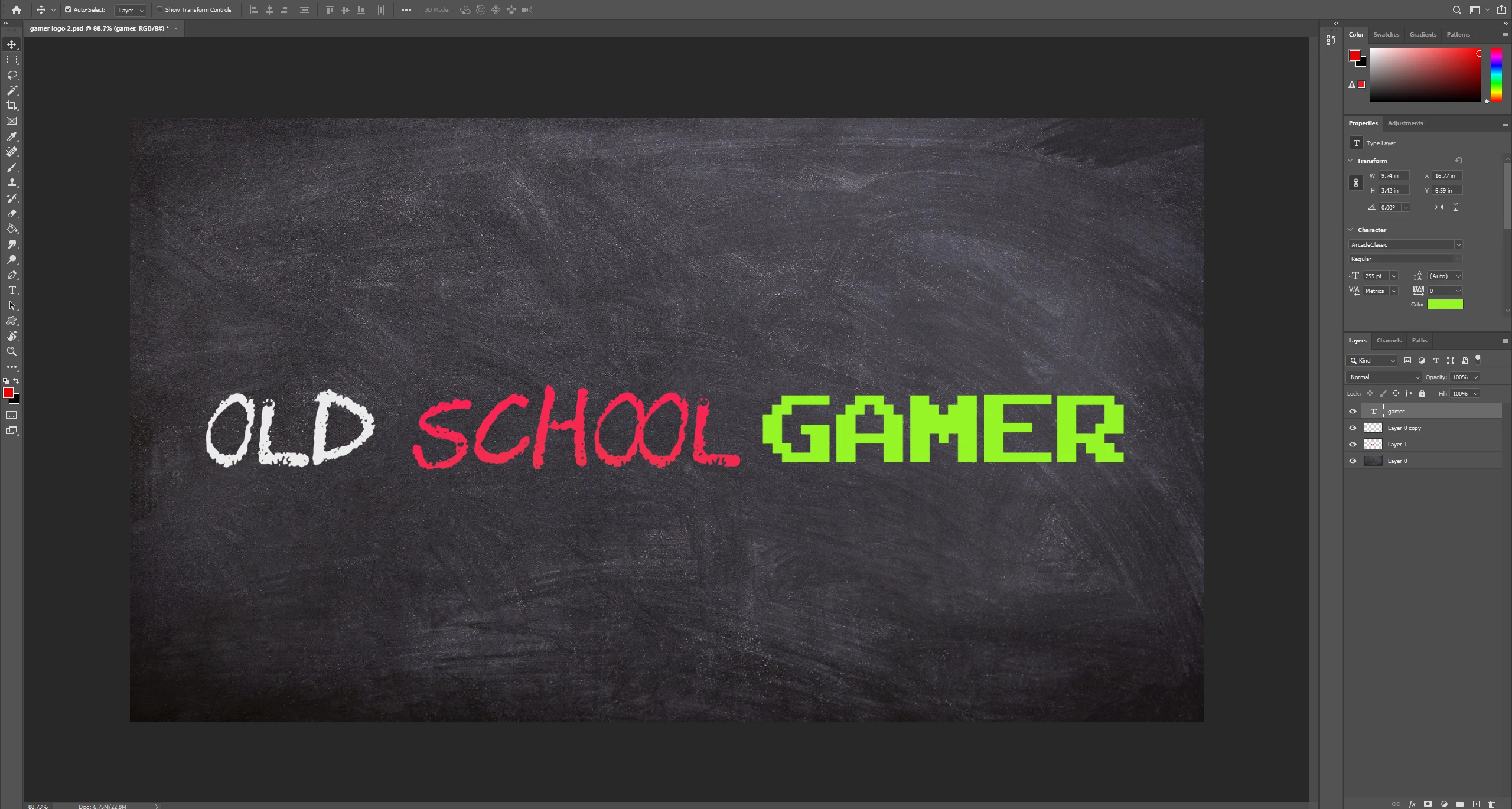
Can somebody please explain how to hollow out this text in Photoshop. I have spent hours looking at different suggestions on these forums but nothing works.
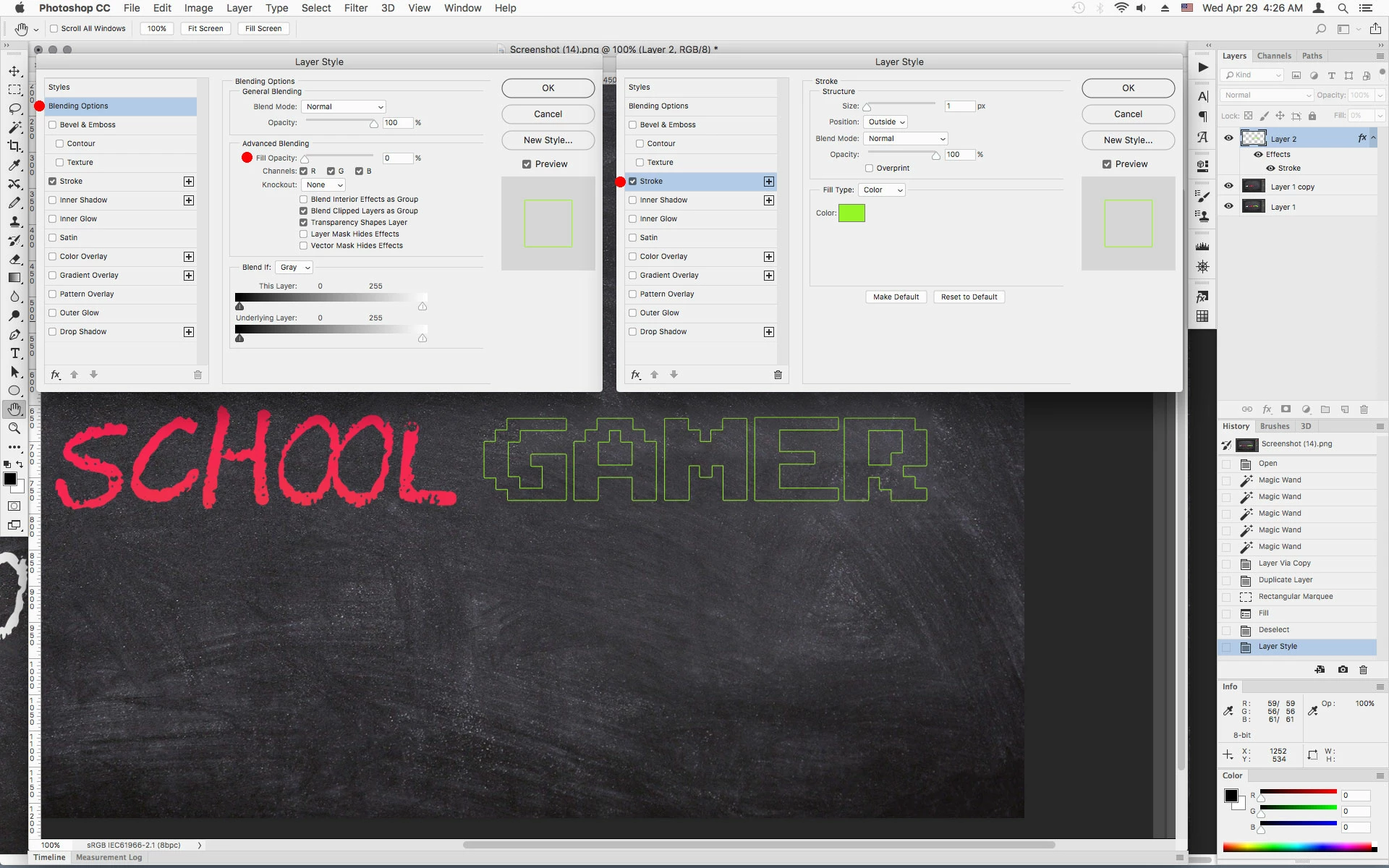
It seems like the stroke option starts to work by putting a boarder around the inside and outside of the text but then I can't remove the inside area, so I am left with a transparent fill if you like. I only want the outline of the "GAMER" text, not solid. So that the inside is transparent so that you can see the background behind it. Surely this should be a very basic thing to do, I can't understand why its so complicated. People must want to do this all the time.
Any help would be great. Thanks
 AdChoices