


Participating Frequently
October 7, 2022
Question

How to install older version of photoshop CC 2019 on Older Mac OSX (High Sierra):

  • October 7, 2022
  • 1 reply
  • 10650 views

Please help me unstuck from the 41 error when installing!


I will keep High Sierra for now since other programs are depending on that older Osx for now so it is for me out of the question to Updrade the Osx in order to have a newer version of Photoshop.


I have downloaded this installer "AdobePhotoshop20-mul.dmg" which is suppose to be the CC2019 installer, which I found on this page which was recommended on this forum.

I get the "41 error" during trying to install;
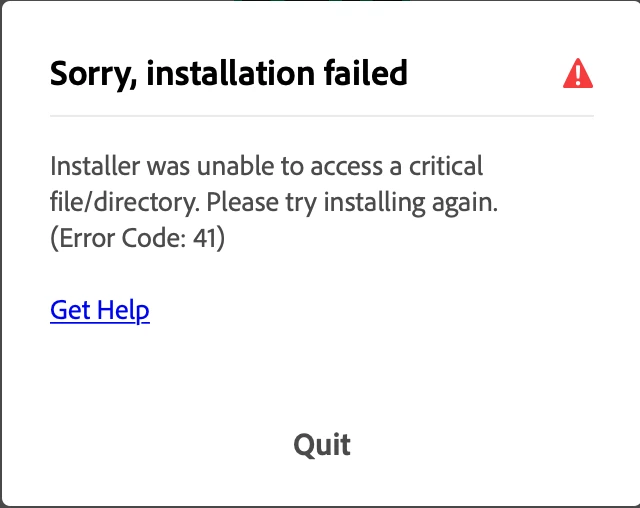


I am installing using my main user which is an admin profile.


I HAVE TRIED THIS:


I have tried to repair Creative Cloud via the "repair" option which you get when you try to run the "uninstall Creative Cloud" fule. I have tried to install previous versions of CC (2018) which worked btw, but I really would like the 2019 CC of Photoshop, so then I did uninstall CC 2018 again.


I have tried a lot, so please guys, how to solve this?

1 reply

jane-e
Community Expert
Community Expert
October 7, 2022

@Norwegian_Veteran 


Did you follow the "Very Importand Instructions" for downloading at ProDesign Tools?

https://prodesigntools.com/adobe-cc-2015-direct-download-links.html#download-instructions


Jane


Participating Frequently
October 7, 2022

Thank you @jane-e , I did not follow the guidelines you are recommending above, I was not aware of them. Anyways the ".dmg" install file: "AdobePhotoshop20-mul.dmg" did download at "1 755 867 476 byte (1,76 GB) and the DMG verified which OSX did without any errors, so it is hard to believe that anything could be wrong with the installer file..... And it does start to install, but ends with the 41 Error not being able to complete the installation. So I am puzzeled how such things as browsers settings could have anything to do with it.....

jane-e
Community Expert
Community Expert
October 7, 2022

Hi @Norwegian_Veteran 


Here's what Adobe Help says about Error Code 41:

https://helpx.adobe.com/creative-cloud/kb/troubleshoot-download-install-logs.html#error41


I noticed that you have a link in your screenshot to "Get Help". Where does that take you?


Jane