


Participating Frequently
June 7, 2017
Question

How to keep depth from another layer

  • June 7, 2017
  • 1 reply
  • 562 views

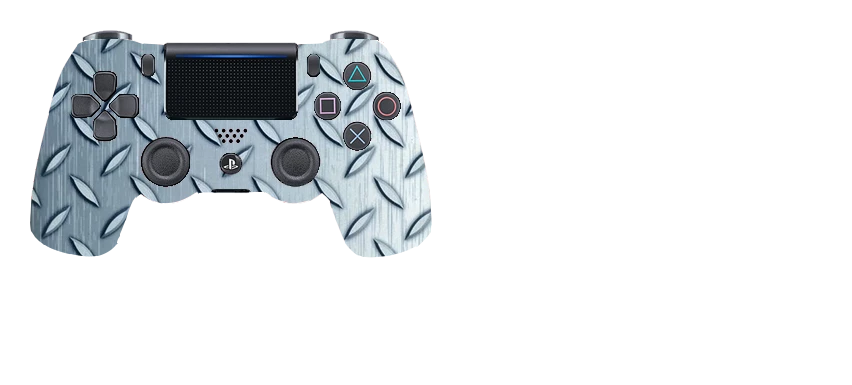
Is there a way to be able to keep the "depth" from a layer underneath.  I am using the paste into option for the image you see below and I would like to be able to keep those lines that you see around the joysticks, buttons, dpad on the controller so it looks more realistic instead of just pasted into.  Is this possible?
    This topic has been closed for replies.

    1 reply

    Norman Sanders
    Brainiac
    June 8, 2017

    I am not certain whether this is the effect you are aiming for.  If it is:

    Drag  the diamond plate version over the color image.

    Choose both Layers, then Edit > Auto-Align Layers

    Change the Mode to Lab Color and with the diamond plate layer chosen, create a new L channel.

    It will read Lightness Copy

    Select the entire new channel and  Edit > Copy

    Return to RGB, Layers panel and Paste the Lightness channel copy

    Change its Opacity to 50% and the Blending Mode to Multiply. (Or adjust Opacity level if desired.)

    This is the L channel

    This is the  Layers panel

    This is the result

    Norman Sanders
    Brainiac
    June 8, 2017

    I omitted a step. After returning to RGB  you may delete the diamond plate layer.