

Answered
How to make squeezed paper?!?
Hi to all!
First, sorry for my bad English.
How to make squeezed paper!?!?
Just like this:

Hi to all!
First, sorry for my bad English.
How to make squeezed paper!?!?
Just like this:
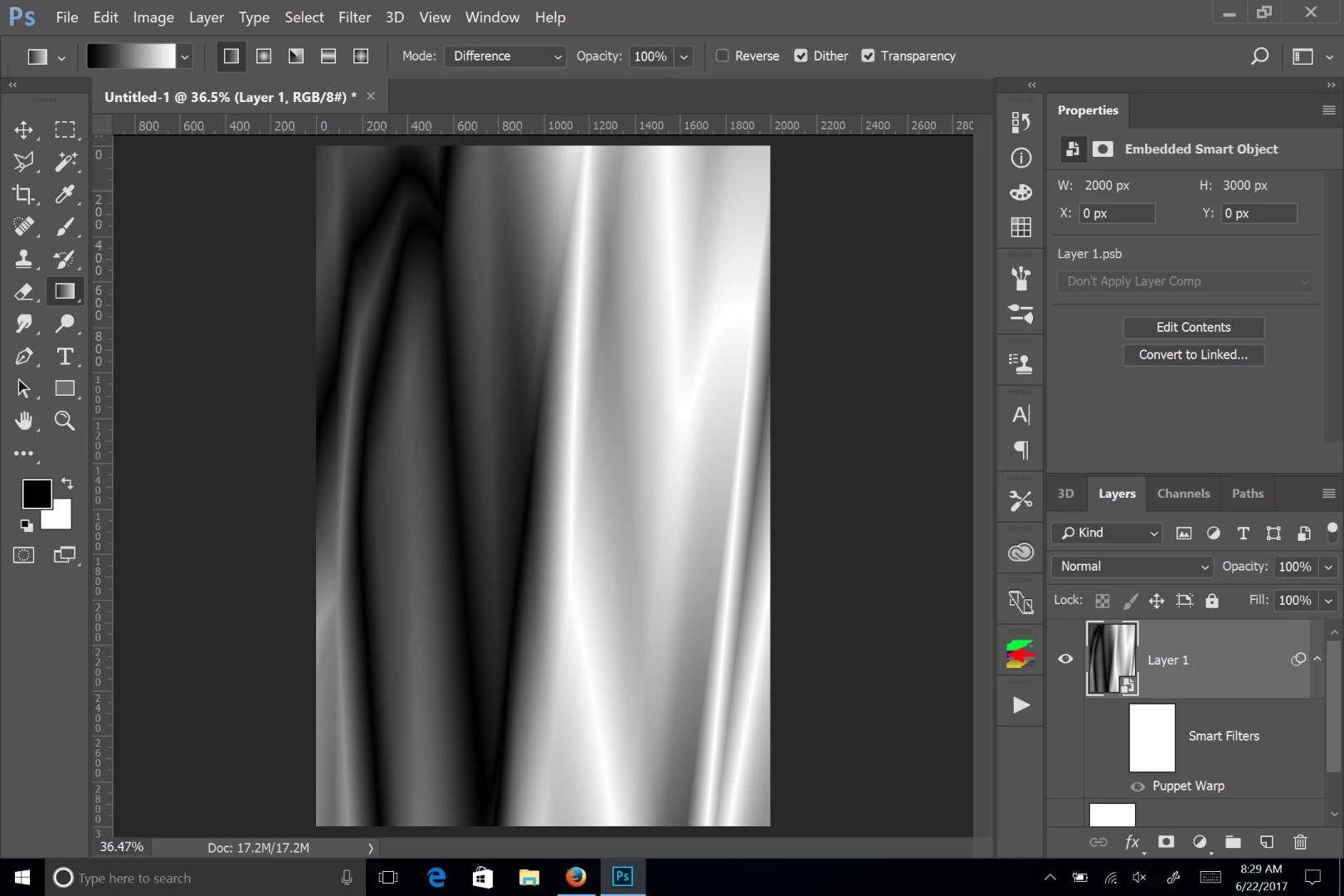
Other than drawing it, you can try creating a blank layer, then using the gradient tool with the colors set to black and white, and the blend mode set to difference.You'll get something like this:
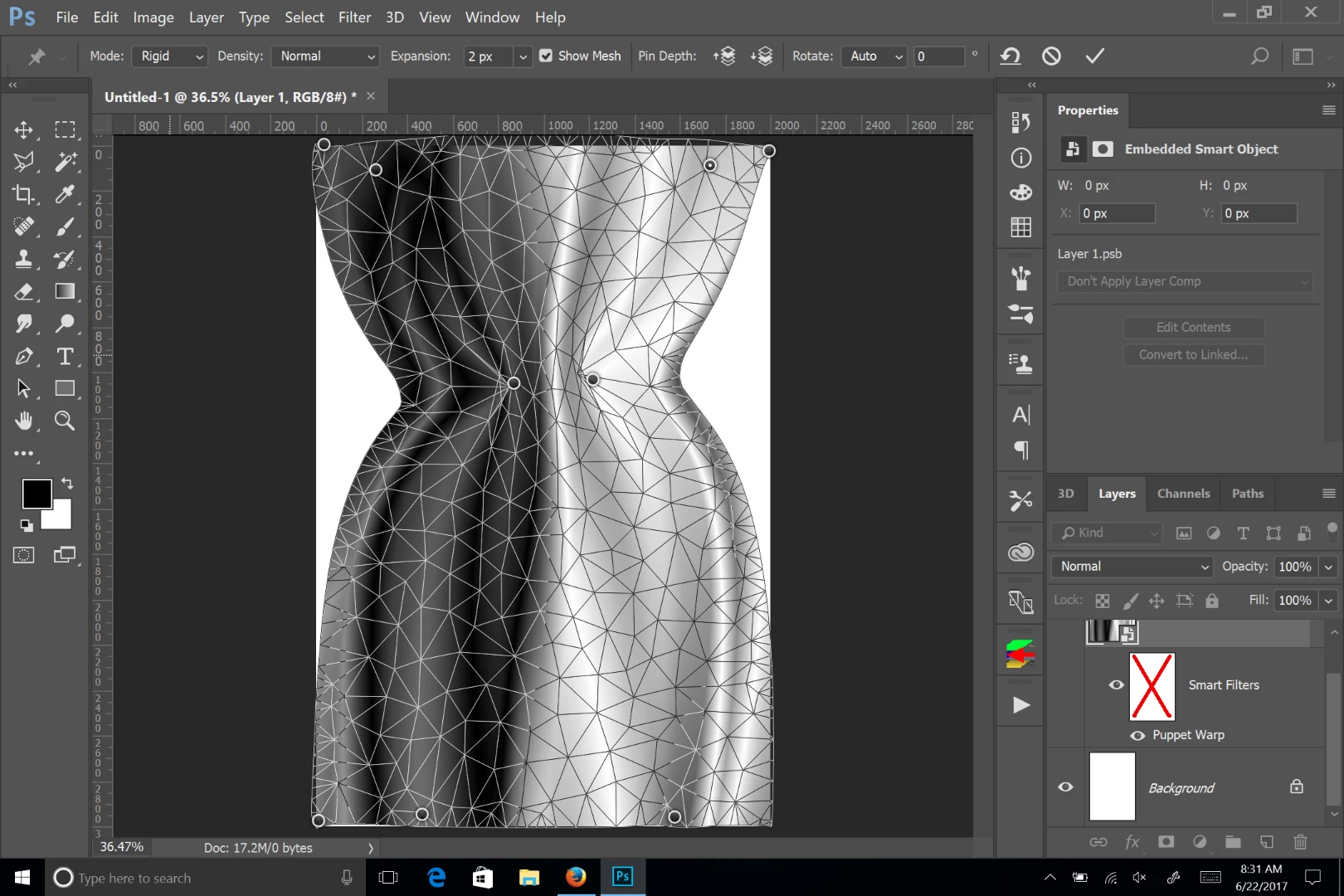
Turn the layer into a smart object, and use warp or puppet warp to "Squeeze" the layer:
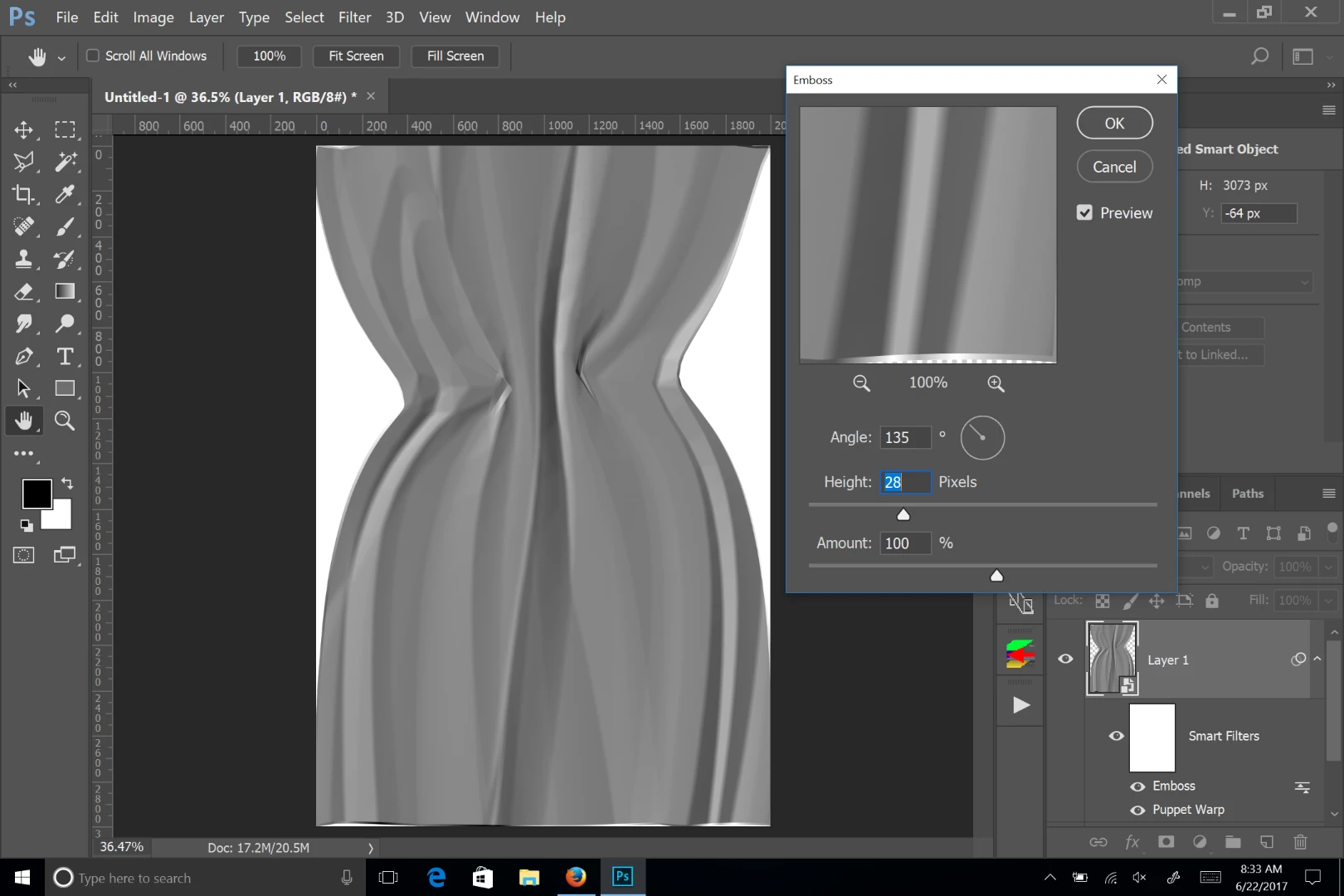
Next use the emboss filter to make it look like paper:
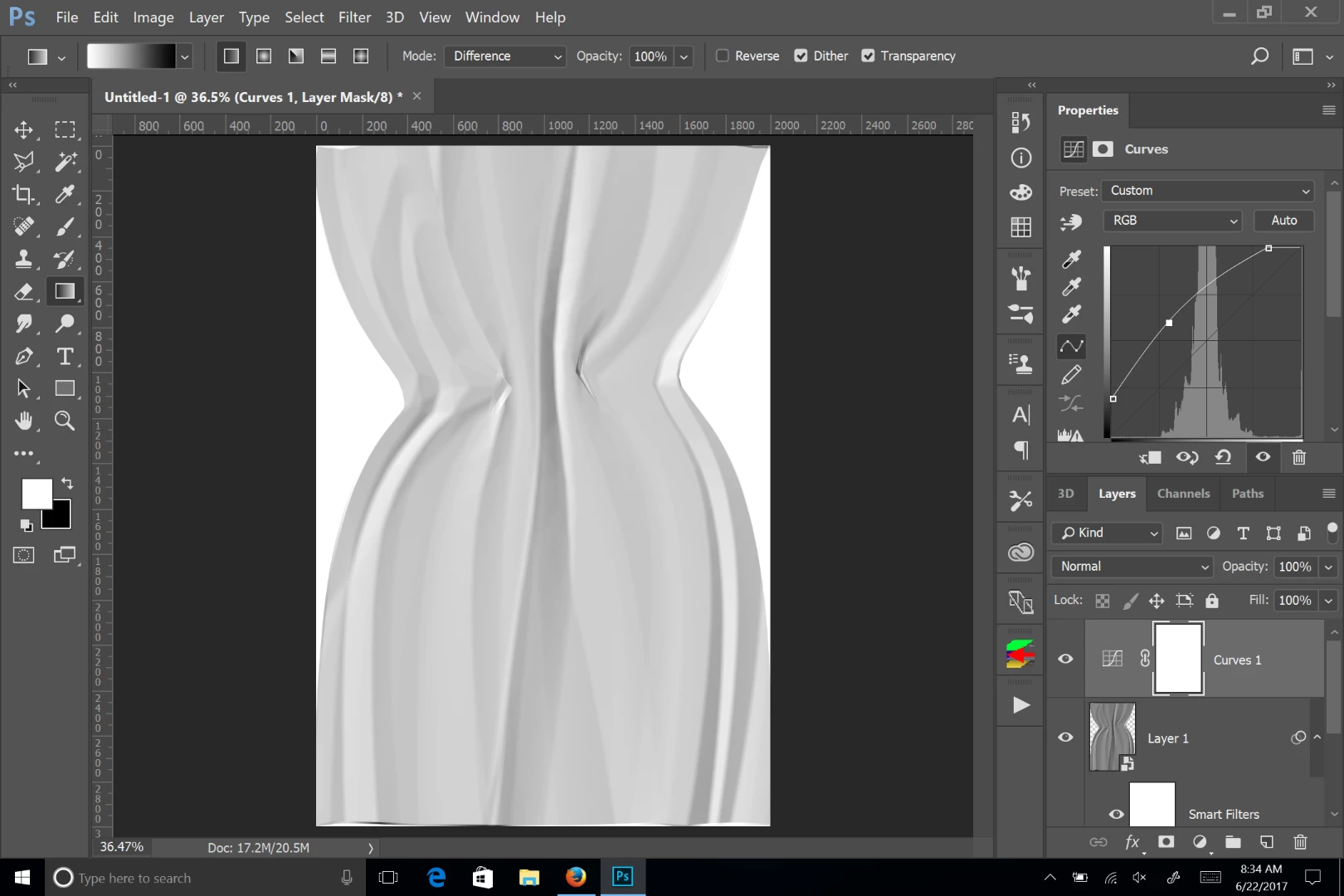
Use curves or levels to adjust the look. You can also make a displacement map of the layer to distort other layers.
Already have an account? Login
Enter your E-mail address. We'll send you an e-mail with instructions to reset your password.
 AdChoices