Participant
March 30, 2020
Answered

How to make text follow INNER circle of Path but not inverted

  • March 30, 2020
  • 2 replies
  • 12101 views

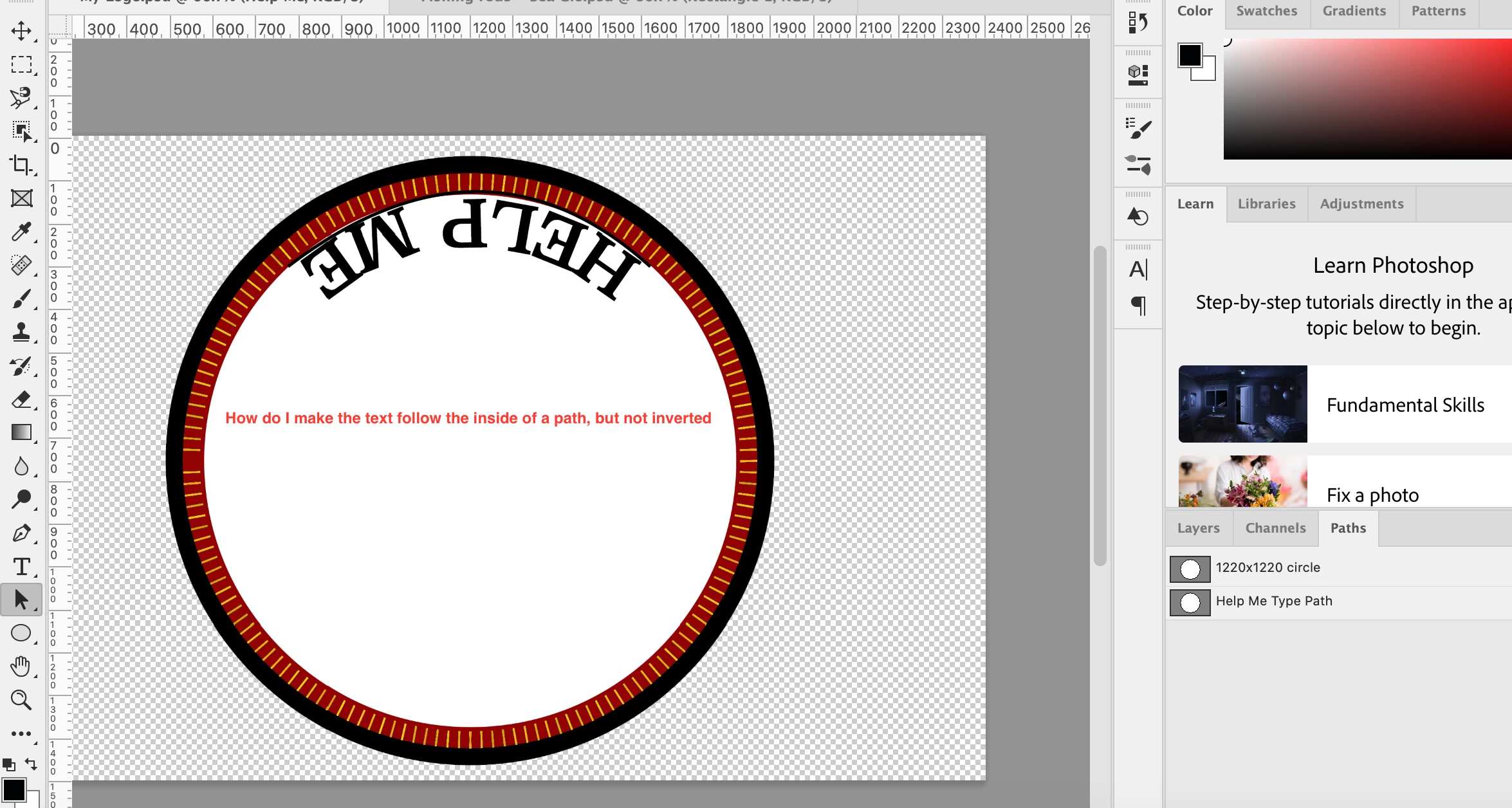
I have spent far too long trying to figure out how to make text follow the inner path of this circle.


I would like the text to follow the inner top portion of the circle path in teh screen shot, but the text to read left to right and not be inverted. Any help will be greatly appreciated 
This topic has been closed for replies.
Correct answer Semaphoric

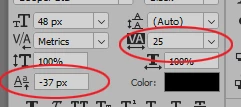
Put the text on the top of the circle, reading normally, and then, in the Character panel or the Properties panel for the type layer, set the Baselin Shift to some negative value. The text may start to look "pushed together", so you may also set the Tracking value to greater than zero.


2 replies

Semaphoric
Community Expert
SemaphoricCommunity ExpertCorrect answer
Community Expert
March 30, 2020

Put the text on the top of the circle, reading normally, and then, in the Character panel or the Properties panel for the type layer, set the Baselin Shift to some negative value. The text may start to look "pushed together", so you may also set the Tracking value to greater than zero.


Participant
March 30, 2020

this is the answer I was looking for. While the other worked, this is the one. Thanks!

War Unicorn
Community Expert
Community Expert
March 30, 2020

Try not to overthink this too much; use another path to place inside that circle, then resize as appropriate to fit with the type outside the circle.

(Use Cmd/Ctrl + T to transform, hold down Opt/Alt to resize proportionally in place with the path selected.)

Participant
March 30, 2020

Funny, I tried this before and became frustrated because the curve wasnt matching...turns out my workspace wasnt centered.


This fixed it, appreciate your help!