


Inspiring
September 4, 2020
Answered

How to parse JSON from jsx to js

  • September 4, 2020
  • 2 replies
  • 3430 views

Hi There,

I'm trying to parse a JSON Object from a .jsx file to .js. I've searched the forum but i cant seem to find the answer. When i use a plane String it does work, but i dont know how to include the json2.jsx in the .js file. And is there a way to debug the .js code?. I'm using Visual Studio Code with extendscript debugger so i can debug the .jsx but not the .js


Any help would be appreciated. Thanks.


My code looks like this.
JS File


// how do i include json2.jsx here? (it doesnt seem to work)
function init() 
{
  var layerSettings = document.getElementById("layerSettings");
  
  csInterface.evalScript("getJson()", function (result)
  {
    var r = JSON.parse(result)
    layerSettings.innerHTML = r.name;
  });
}


JSX File


//@include json2.jsx

function getJson()
{
   var ar  = {name: "John", age: 31, city: "New York"};
   var stringAr = JSON.stringify(ar);
   return stringAr;
}


This topic has been closed for replies.
Correct answer NH5EAB

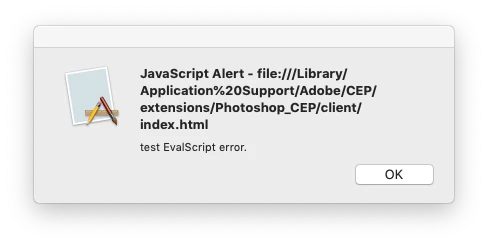
I did manage to alert the result within photoshop. This is what i get.


Ok so i did get it to work, but i dont know if it is correct. I embedded the entire json2.js in the JSX following a stackoverflow comment. Now it works. 


As you can imagine, EvalScript probably won't work because any type of include depends on an actual file location and a script inside EvalScript has no physical location. I had a similar problem when using evalJSXFile and obviously it didn't work neither as ExtendScript would not fetch that included script. You can work around by embedding the entire json2.js into your script, if you have to use JSON in your script. – toyssamuraiMay 13 at 19:23


https://stackoverflow.com/questions/56375138/need-to-json-stringify-an-object-in-extendscript 


2 replies

Community Expert
September 4, 2020

In fact, I checked and it seems that you don't need to include anything for JSON parsing on the js end. It seems to support it natively

So using the following with any includes is working for me

var obj = JSON.parse('{ "name":"John", "age":30, "city":"New York"}');
console.log(obj)

For js debugging see the following

-Manan

NH5EABAuthor
Inspiring
September 4, 2020

Hi Manan,


Thank you for the quick response. I will look into this.


Regards, Nico

Community Expert
September 4, 2020

This is indeed working


var obj = JSON.parse('{ "name":"John", "age":30, "city":"New York"}');
console.log(obj)


 The problem i have is retrieving the json from the .jsx. When result is a plane string then it can be logged.


csInterface.evalScript("getJson()", function (result)
{
 // parsing result seems to be empty
 var r = JSON.parse(result)
}


I used your exact code in a CEP extension in InDesign and it works for me, JS is able to parse the JSON sent by jsx. Can you check what value you get in the result variable, maybe the code on the jsx end is crashing.

-Manan

Community Expert
September 4, 2020

Hi there,

On the js end you can use the script tag to load the js file. You can also search for nodejs packages that can parse json and use them. Regarding the debugging of js code you can use the chrome debugger, once the extension is loaded with the .debug file set launch chrome and open the address localhost:<the port number you have mentioned in the .debug file>

-Manan