kellybellis
Known Participant
July 23, 2018
Answered

How to reassign channels within open document?

  • July 23, 2018
  • 1 reply
  • 726 views

RE: Windows 10 64-bit, PS CS6

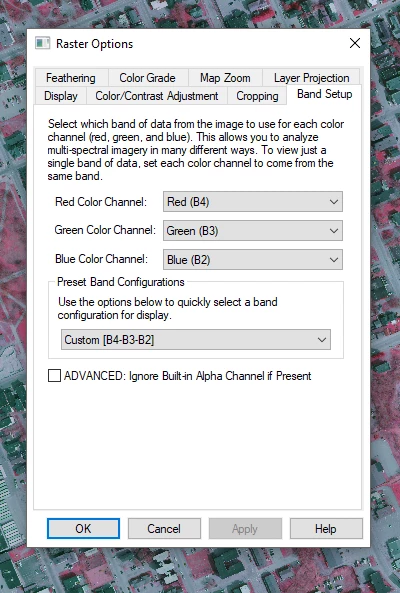
Above: Global Mapper's Raster Options panel

GIS applications like Global Mapper are able to read 4-band imagery and recognize the 4th channel as near infrared (NIR), also sometimes referred to as color infrared (CIR), and when chosen, the user can reorder RGB (B1,B2,B3) to involve the 4th band (B4) while excluding the 1st band. For example, one classic combination that is used is R=B4, G=B3, B=B2. From such so-called false color composites, vegetation studies, crop health, drainage, etc., can be facilitated. (More on remote sensing and possible band combinations here).

Using Photoshop's Split and Merge options (from the Channel's Panel Menu), this reordering of channel assignment can be created and merged into a new document; however, it isn't at all clear, how this might be done within an open document, not unlike what's happening in GIS programs.

If it's possible, how can I reassign the ordering of RGB channels within an open document?
This topic has been closed for replies.
Correct answer c.pfaffenbichler

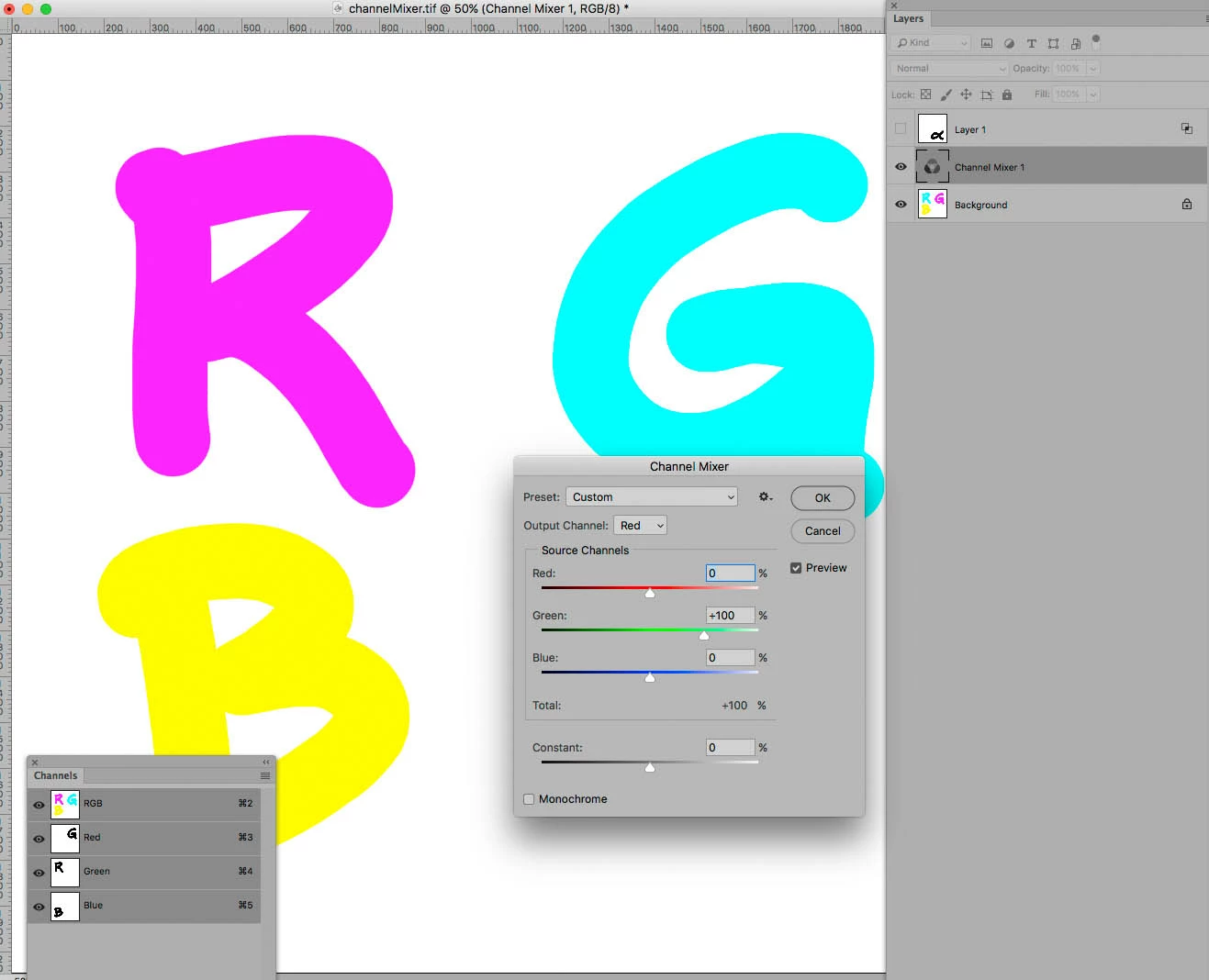
As for the composite Channels (R, G, B) Layer > New Adjustment Layer > Channel Mixer provides an approach to redefine the Channels.

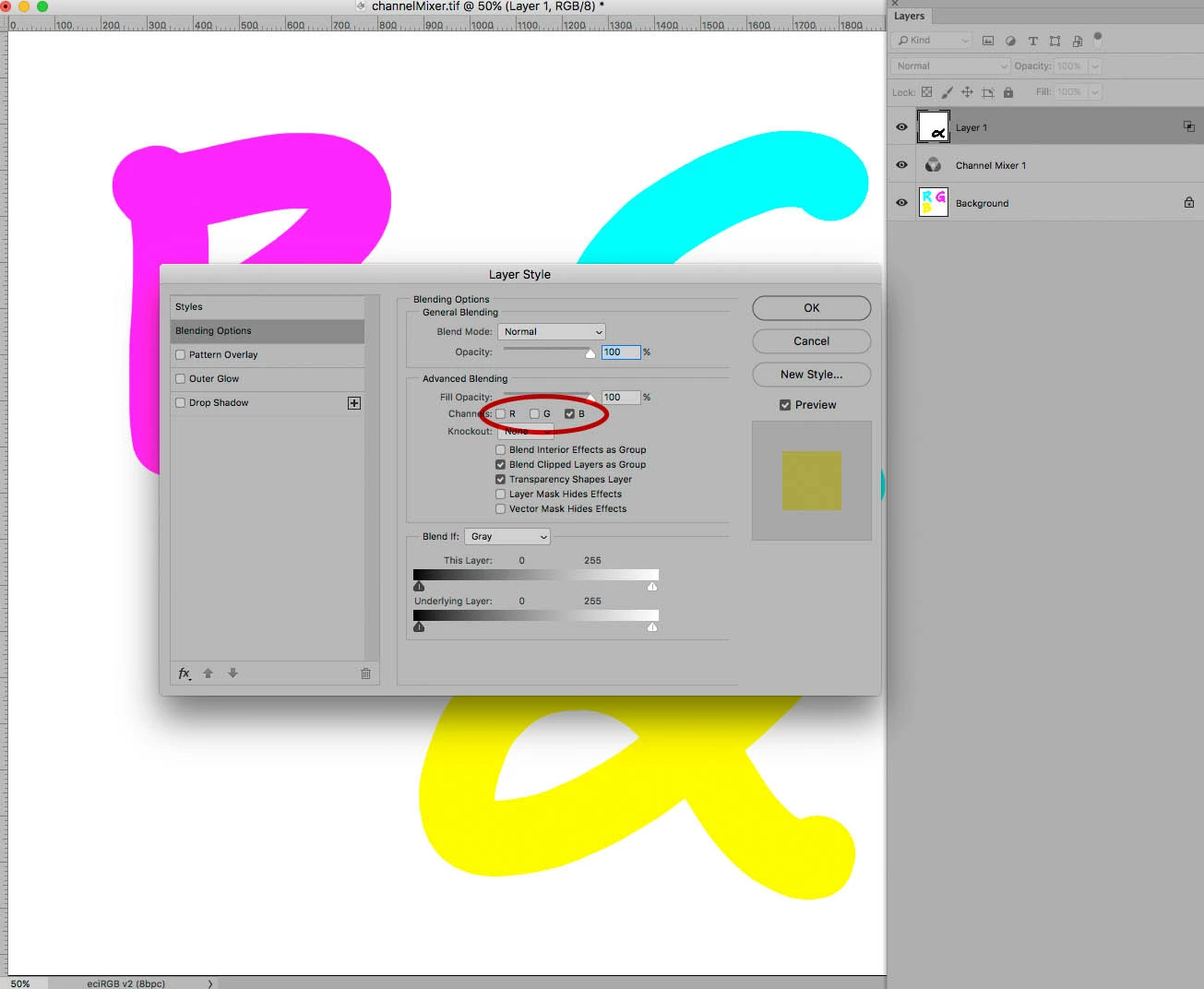
As for the fourth you could create a Layer that contains the 4th Channel in all three composite Channels and then limit its effect to any one of the three composite channels you want to replace with it.

Not quite sure this helps in your intended workflow, but the screenshot may help illustrate.

Edit:

1 reply

c.pfaffenbichler
c.pfaffenbichlerCorrect answer
Community Expert
July 23, 2018

As for the composite Channels (R, G, B) Layer > New Adjustment Layer > Channel Mixer provides an approach to redefine the Channels.

As for the fourth you could create a Layer that contains the 4th Channel in all three composite Channels and then limit its effect to any one of the three composite channels you want to replace with it.

Not quite sure this helps in your intended workflow, but the screenshot may help illustrate.

Edit:

kellybellis
Known Participant
July 23, 2018

Bravo! It took me a bit to parse this, but that worked splendidly! Thanks again !!

c.pfaffenbichler
Community Expert
July 23, 2018

And again Actions can be your »friend« in quickly creating the Adjustment Layer and in creating the Layer with the alpha channel’s content in all its three composite channel.