


How to remove a label-mark behind pattern
Dear scrollers,
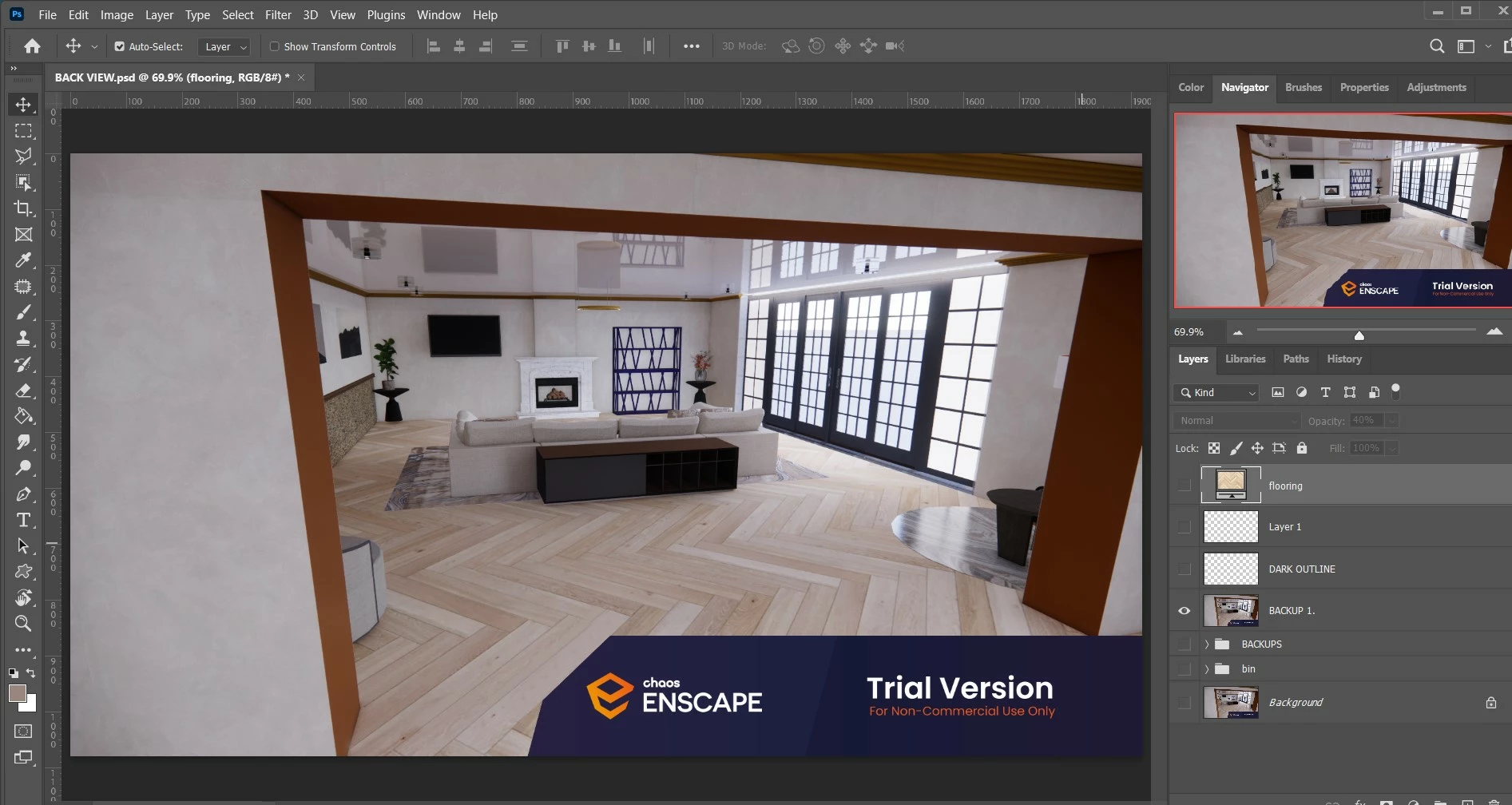
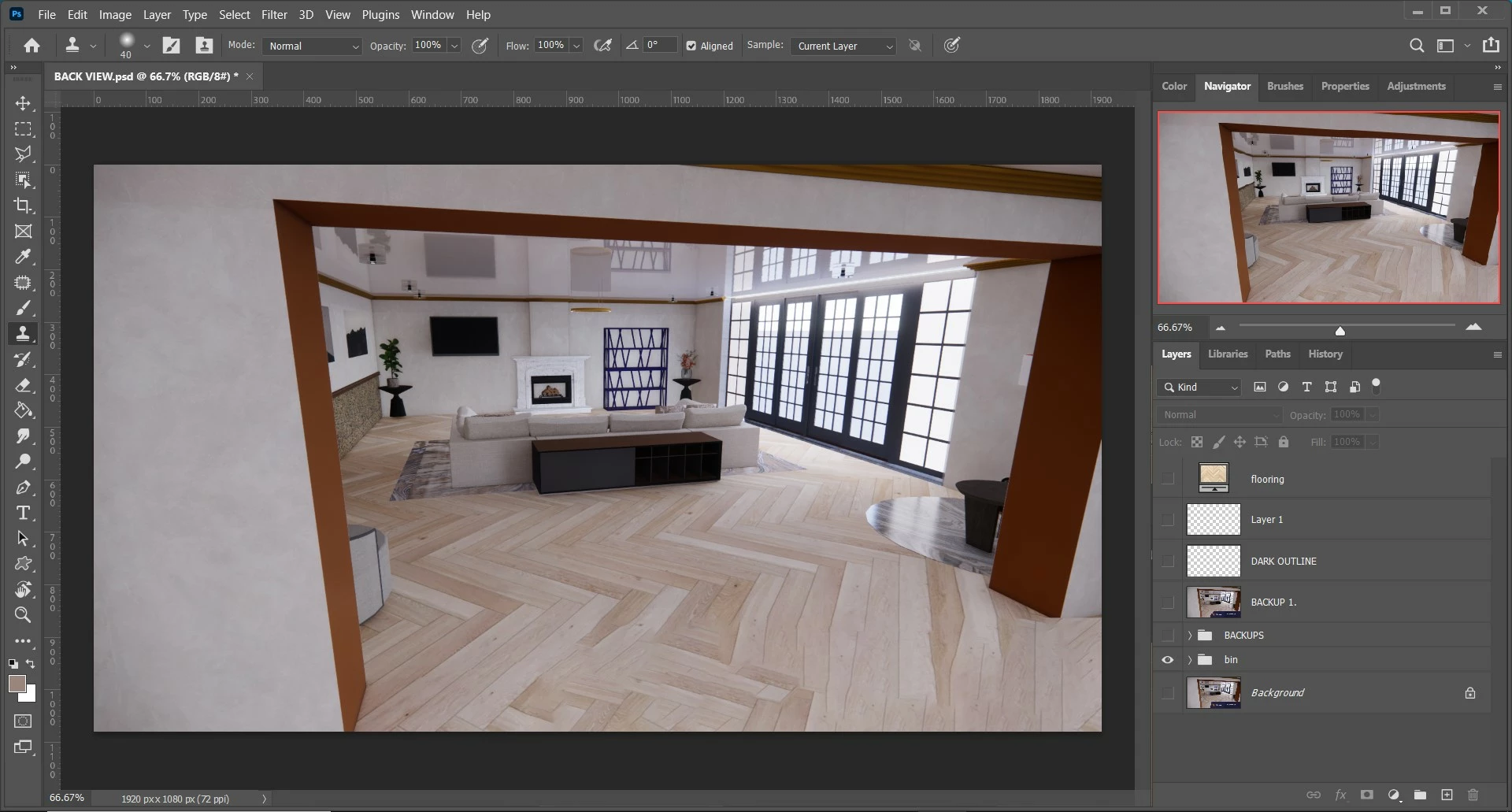
I need your advice on how I can remove this label from my render.
I'm using Windows version 2022 (I know I need to update asap).
I have used:
- The clone stamp tool, the pattern stamp, object selection, the magic wand and Quick-mask mode: to select individual planks and then use the stamp/clone tool to blend it in.
- I have used the path tool: - which I would think would be more effective, but sadly not as my render of a pattern is slanted ORRRR I'm probably not doing it right.
I have used the content aware tool - removed the label but was replaced with FUSED and WONKY planks - preventing me from using the stamp tool to copy straight lines.
- I have used the spot healing brush and the healing brush to clone the pattern, but having problems as my render that has a pattern is at an angle, making it difficult for me to line up each click to blend out the label.
What tools would you guys and ladies use?
Please give different options of how you could tackle this as I would like to learn from this. 😕😕
 AdChoices