


Participant
May 3, 2022
Question

how to remove checkered background from an eps file?

  • May 3, 2022
  • 3 replies
  • 6147 views

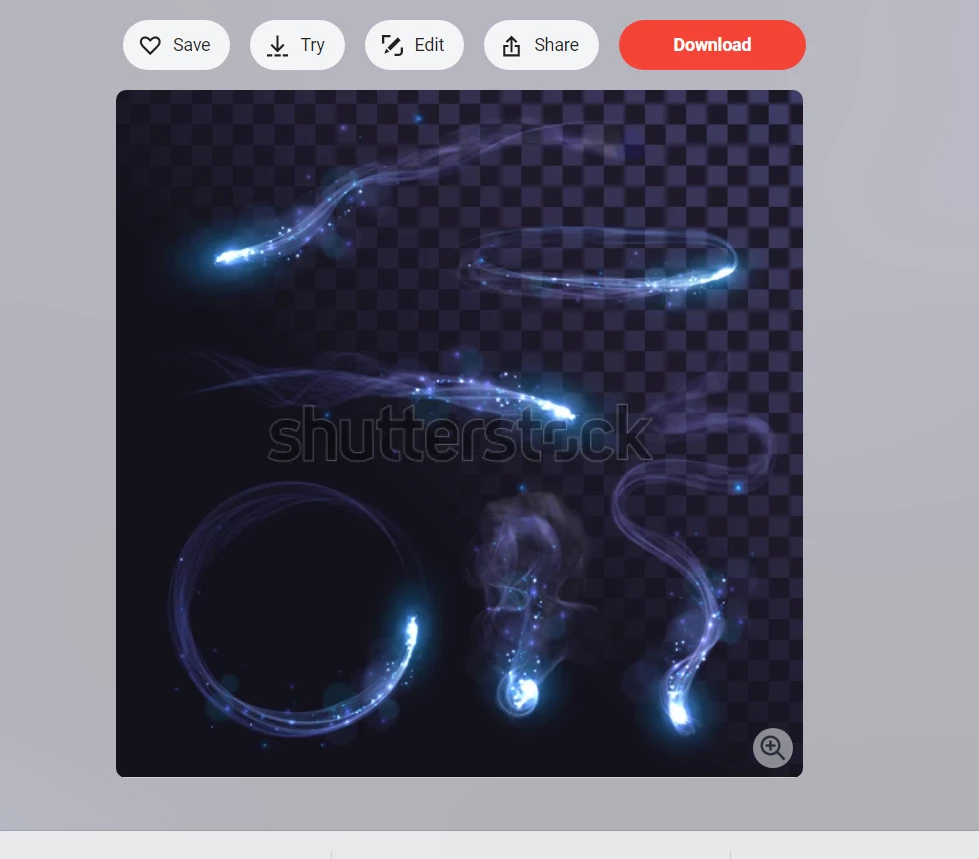
New to photoshop. Bought these effects from shutterstock.com for my projects. However I now feel scammed because I cant figure out why the transparent background doesnt move over when I open the image in Photoshop. It only gave me an .eps option. Someone please help me

Set Blue Sparks Smoke Fire Blue Stock Vector (Royalty Free) 1548400790 | Shutterstock
This topic has been closed for replies.

3 replies

Participant
May 3, 2022

thanks everyone for the advice. I never knew these were supposed to be opened in another application. not sure why photoshop cant handle these type of documents.

Semaphoric
Community Expert
Community Expert
May 3, 2022

Adobe Photoshop and Illustrator have always been separate programs for artwork, Photoshop for raster, and Illustrator for vector. There has been increasing crossover over time, but they are still specialized, with support for their style of work (raster/vector) and file types.


I've always thought Adobe would merge them into a super graphics app — I've been expecting it  about twenty years now. For the present, they remain distinct.

jane-e
Community Expert
Community Expert
May 3, 2022


@Semaphoric wrote:

I've always thought Adobe would merge them into a super graphics app — I've been expecting it  about twenty years now.


Something like "Adobe InDillushop/XD", replacing Photoshop, Illustrator, and InDesign?

https://creativepro.com/adobe-launches-all-in-one-creative-app-indillushop-xd-replacing-photoshop-illustrator-and-indesign/

😊


Jane


Stephen Marsh
Community Expert
Community Expert
May 3, 2022

Also, take a look at the "Related Conversations" links on the side of this page to see if other posts answer your question, or do a wider search of the forums.

c.pfaffenbichler
Community Expert
Community Expert
May 3, 2022

According to the filename it is »Vector« so you need to edit it in Illustrator. (edit: or a comparable vector oriented application, Illustrator is not the only such application …) 

jane-e
Community Expert
Community Expert
May 3, 2022

@default8t5wqljhof8t 


To add to what @c.pfaffenbichler said, when you open the .eps in a vector application (such as Illustrator), you can toggle open the layer it is on and hide or delete the checkerboard object, which is probably a group of squares. Then you can bring it into Photoshop if that's where you want to work on it.


The checkerboard is the standard "clue" that there is transparency in the .eps/.ai vector file.


Jane