


How to resize an image while maintaining its aspect ratio without pressing Shift
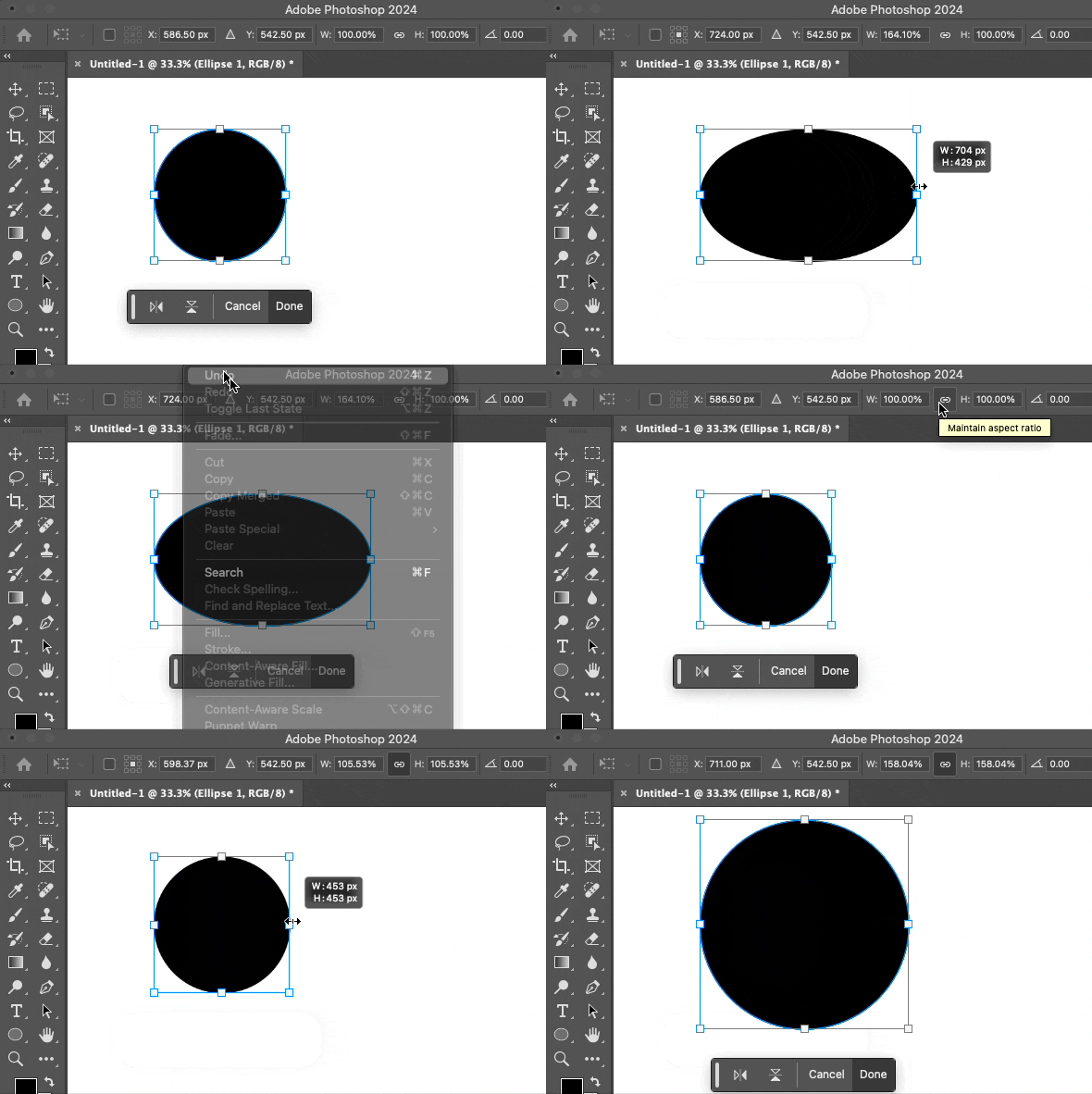
The Problem: Today I'm sitting inside a project and I insert an image in a new layer, I take my mouse to drag the image to make it bigger. Usually when I do this, the image I'm expanding will expand while maintaining its proportions (ex: If it's a square image, it will stay as a square as I drag its corners to make it bigger) however now, I go to grab a corner and expand it and the image doesn't maintain its proportions and becomes distorted. I now have to hold shift down while dragging for the image to maintain its proportions.
If there's some kind of setting that'll allow me to go revert back to how it used to be, that'd be great. If possible I'd rather not have to hold shift down everytime I want to expand an image/make an image larger withoit its aspect ratio being affected. I'm just not used to it and its just another extra button I have to press.
 AdChoices