


Known Participant
August 15, 2023
Question

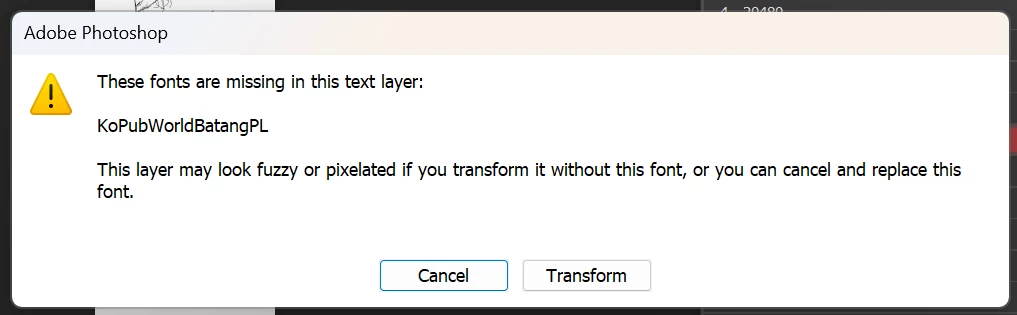
How to turn off Missing font dialog box when open PSD file?

  • August 15, 2023
  • 1 reply
  • 329 views

I work with a lot of files like this at the same time. And action execution is often interrupted by dialog boxes like this. How to hide this dialog or automatically select Transform when opening such a file?


This topic has been closed for replies.

1 reply

c.pfaffenbichler
Community Expert
Community Expert
August 16, 2023

Can you provide the file? (Feel free to trash all layers expect the type layer.)

Known Participant
August 17, 2023

I would like to elaborate a little more. That is, if I change the width of a file (specifically from 1500px to 1280px) this dialog box will appear. The problem is that I have to work with a lot of files like that at the same time using action.

Link here: https://drive.google.com/file/d/1oWPc6b_YItR2m2slhgI__xbuoXaAfzOv/view?usp=sharing

c.pfaffenbichler
Community Expert
Community Expert
August 19, 2023

I cannot reproduce the issue when changing just the Canvas Size (either via menu or Crop Tool), only when forcing resampling (like scaling or rotation). 

And in those cases I cannot think of a way to avoid the alert, either. 


If working with missing fonts is impossible to avoid I would recommend converting all Type Layers with missing Fonts to Smart Objects before performing the other tasks.