

Question
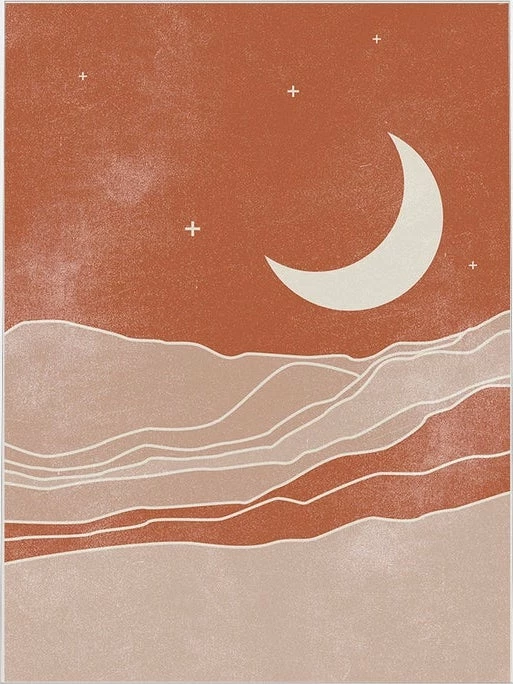
How would you create this texture?
I really liked this subtle texture, and I was wondering how it was created. Most of the textures that I create tend to be quite harsh on darker coloured backgrounds.
Does anyone have any ideas?

I really liked this subtle texture, and I was wondering how it was created. Most of the textures that I create tend to be quite harsh on darker coloured backgrounds.
Does anyone have any ideas?
Already have an account? Login
Enter your E-mail address. We'll send you an e-mail with instructions to reset your password.
 AdChoices