Exit
  • Global community
    • Language:
      • Deutsch
      • English
      • Español
      • Français
      • Português
  • 日本語コミュニティ
  • 한국 커뮤니티
0

Hue and saturation change to same colour (eyedropper?)

Community Beginner ,
Sep 26, 2022 Sep 26, 2022

Hi All,

I have several base images that I would like certain parts to be the same colour across all of them. We usually adjust the Hue and Saturation with a layer mask and go by eye, but we'd like to be more consistent. We can't use the same setting on the standard hue/saturation/lightness as the base image colours are all slightly different. Is there a way to use the eyedropper tool to select the right colour from say a different file which will then make the masked part that same and consistent colour? 

1.4K
Translate
Report
Community guidelines
Be kind and respectful, give credit to the original source of content, and search for duplicates before posting. Learn more
community guidelines
Adobe
Community Expert ,
Sep 26, 2022 Sep 26, 2022

Hi

Can you tell us which Adobe application you're using so we can move the thread to the correct forum

Translate
Report
Community guidelines
Be kind and respectful, give credit to the original source of content, and search for duplicates before posting. Learn more
community guidelines
Community Beginner ,
Sep 26, 2022 Sep 26, 2022

Whoops, yes sorry! Using Photoshop.

Translate
Report
Community guidelines
Be kind and respectful, give credit to the original source of content, and search for duplicates before posting. Learn more
community guidelines
Community Expert ,
Sep 26, 2022 Sep 26, 2022

I'll move the thread to the Photoshop forum

Translate
Report
Community guidelines
Be kind and respectful, give credit to the original source of content, and search for duplicates before posting. Learn more
community guidelines
Community Expert ,
Sep 26, 2022 Sep 26, 2022

You can use a masked adjustment layer set to Hue blend mode - but I'm actually not sure it will be more consistent or look better. The problem is light falloff, so it depends on the lighting and shape/volume of the objects in the image.


I'd normally do that by eye as first option - and probably with Selective Color which is less disruptive to the pixel structure than Hue/Sat. But it depends. Can you show a screenshot, or a crop from the image, just so we know what we're discussing?

Translate
Report
Community guidelines
Be kind and respectful, give credit to the original source of content, and search for duplicates before posting. Learn more
community guidelines
Community Beginner ,
Sep 26, 2022 Sep 26, 2022

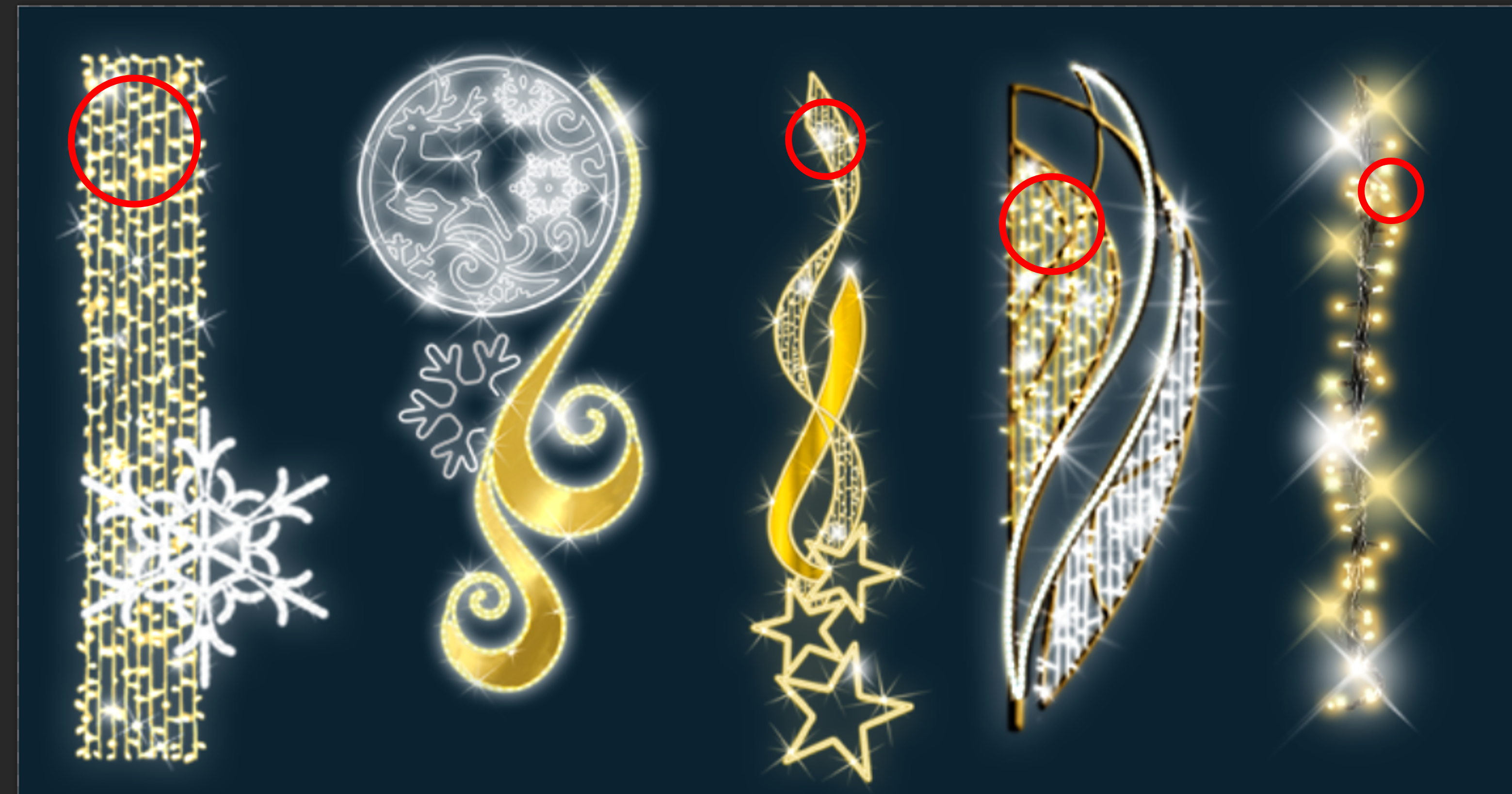
Attached screenshot. It's all the red dots (the light strings/fairy lights). We would like them all the same gold-y colour, which so far we've done by eye. The second image is without the Hue/Sat layer masks off to show original colours.

Translate
Report
Community guidelines
Be kind and respectful, give credit to the original source of content, and search for duplicates before posting. Learn more
community guidelines
Community Expert ,
Sep 26, 2022 Sep 26, 2022
LATEST

Well, maybe someone can come up with a clever solution - but I'd do that by eye. Much quicker and more accurate than trying to match numbers IMO.

Translate
Report
Community guidelines
Be kind and respectful, give credit to the original source of content, and search for duplicates before posting. Learn more
community guidelines
Community Expert ,
Sep 26, 2022 Sep 26, 2022

Please post a couple of sample images. 


A Hue Saturation Layer may simply not suffice, an additional (lower) Curves Layer could help level out the luminance variations. 

Translate
Report
Community guidelines
Be kind and respectful, give credit to the original source of content, and search for duplicates before posting. Learn more
community guidelines