Inspiring
June 1, 2022
Répondu

I can not unuse swirl of a font

Hi, I have installed some fonts which has swirl features. I want to use swirls at the beginning and end of the text but even when I select a charachter from Glyphs with no swirl, it gives me the character with a swirl. So the text ends up looking like a mess. How can I fix this? I am using Photoshop 2022 on MacOS.

Ce sujet a été fermé aux réponses.
Meilleure réponse par ktaki

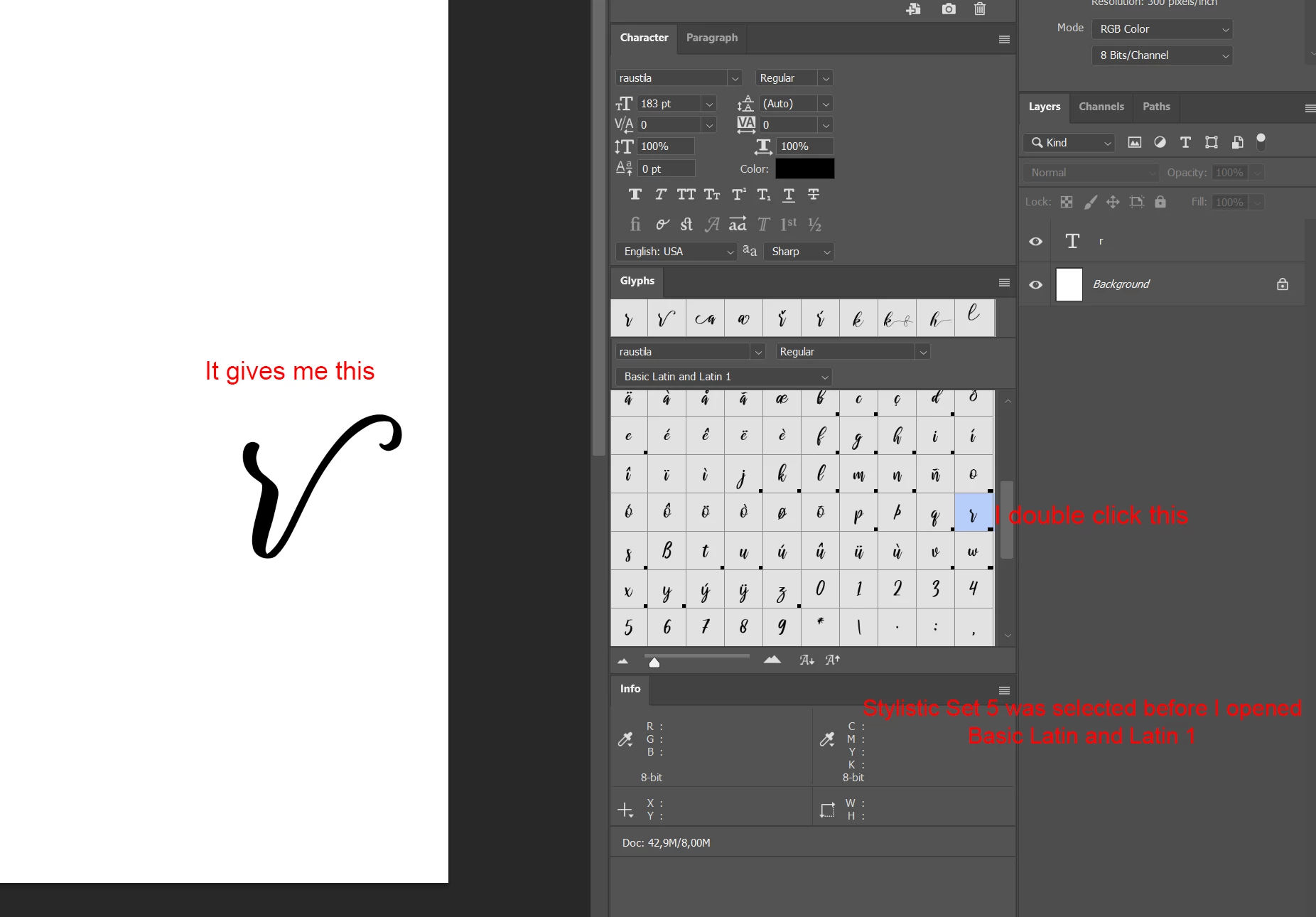
Thank you for your response. So the Character menu is a bit different on me. I don't have the Stylistic Sets button, but I do have a dropdown menu. With stylistics alternatives off, I get the same results with you using Stylistic Set 1 through 5. But to achieve the "no stylistic set selected" of yours, I selected "Basic Latin and Latin 1" because that gives the "correct" letters. So what happens when I double click a letter from "Basic Latin and Latin 1" is that  it gives me letters from the last Stylistic Set I selected. I hope what I meant was clear. I am not able to get the top right style from the image you sent and that's what I want to achieve.

The Stylistic sets control is not in Character panel. Open Properties panel and find the icon. (See the panel picture I posted.) Click on it to open the pop-up menu. Make sure none of the stylistic sets is selected. Deselect it if any.

2 commentaires

jane-e
Community Expert
Community Expert
June 1, 2022

@Muhammed5E44 


It could be that Swash is turned on in OpenType. 


Can you select some of the text with the Type tool and show the Character panel (Window menu). Click the panel menu in the upper right and show the options for OpenType.


Jane


Inspiring
June 1, 2022

Thanks for answering. Right after I posted the topic somehow it got fixed and then it happened again. I don't know if I click something that I'm not supoosed to.

ktakiRéponse
Adobe Employee
June 20, 2022

Thank you for your response. So the Character menu is a bit different on me. I don't have the Stylistic Sets button, but I do have a dropdown menu. With stylistics alternatives off, I get the same results with you using Stylistic Set 1 through 5. But to achieve the "no stylistic set selected" of yours, I selected "Basic Latin and Latin 1" because that gives the "correct" letters. So what happens when I double click a letter from "Basic Latin and Latin 1" is that  it gives me letters from the last Stylistic Set I selected. I hope what I meant was clear. I am not able to get the top right style from the image you sent and that's what I want to achieve.


The Stylistic sets control is not in Character panel. Open Properties panel and find the icon. (See the panel picture I posted.) Click on it to open the pop-up menu. Make sure none of the stylistic sets is selected. Deselect it if any.

c.pfaffenbichler
Community Expert
Community Expert
June 1, 2022

Could you please post screenshots with the pertinent Panels (Toolbar, Layers, Character, Glyphs, Options Bar, …) visible?