


March 5, 2023
Answered

I can't make a straight diagonal line with a brush tool

  • March 5, 2023
  • 2 replies
  • 14457 views

Hi,
I'm a beginner when it comes to Photoshop, so I have a problem because I can't make a straight diagonal line with a brush. When I try to do this, I get strange bold lines ending in a sharp tip.
Is it possible that the pen I'm using for the graphic tablet has some bug and is not allowing me to create normal lines?
I am currently using XP-PEN Deco 01 V2 tablet and Photoshop 24.2.
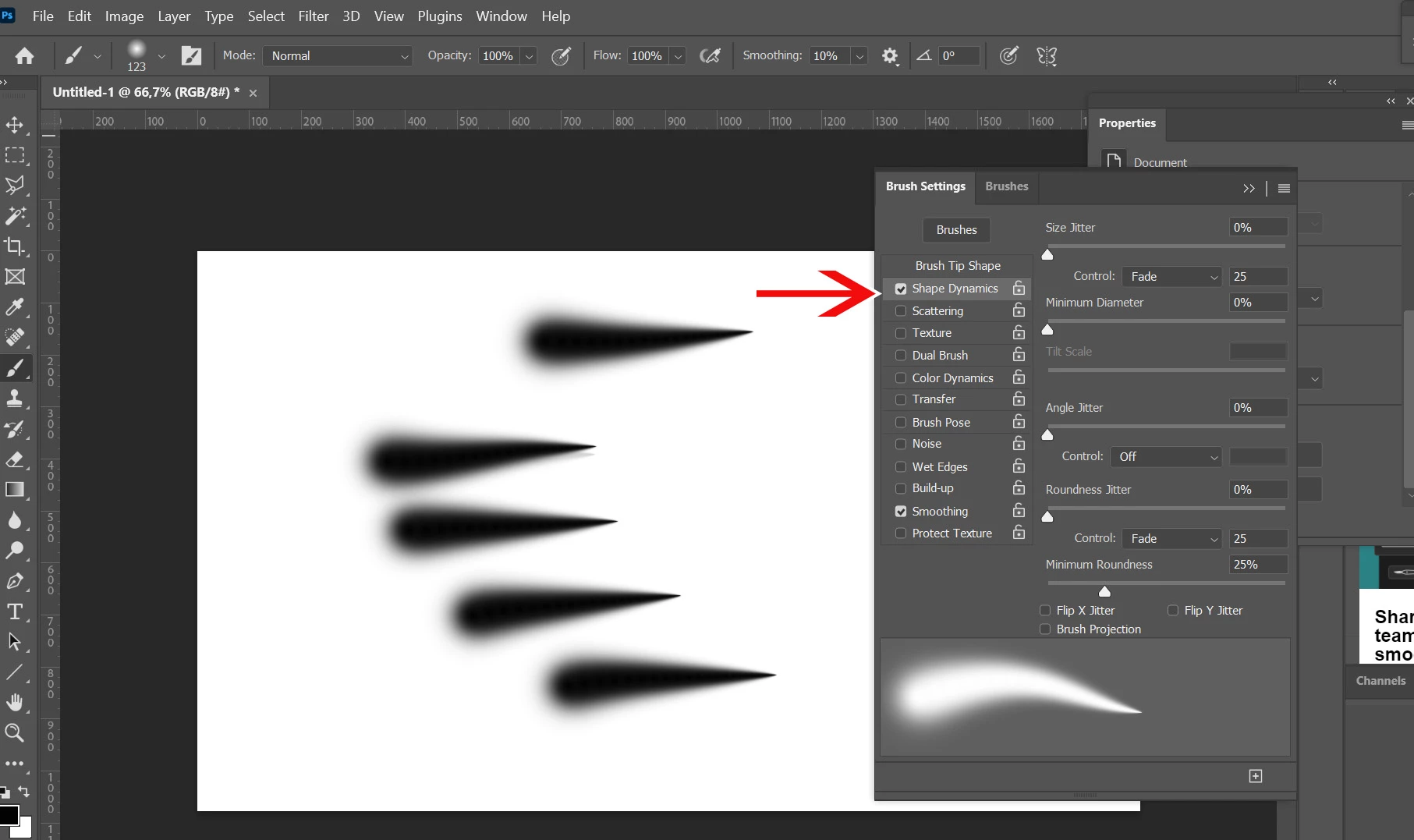
Correct answer Bojan Živković11378569

2 replies

Myra Ferguson
Community Expert
Community Expert
March 5, 2023

Oh, also... here's a quick tip for making a straight, diagonal line when using the Brush tool: click once where you want the line to start, hold Shift, and click where you want the line to end. Photoshop will draw a line between the 2 points.

Yifan Wang
Participant
November 8, 2023

Thank you Myra! This is most helpful.

Myra Ferguson
Community Expert
Community Expert
November 8, 2023

You're very welcome. 🙂

Myra Ferguson
Community Expert
Community Expert
March 5, 2023

It could be a function of the brush that you're using. You might try selecting one of the Default Brushes.

Bojan Živković11378569
Community Expert
Community Expert
March 6, 2023

March 6, 2023

Yeees! This option was checked and I didn't pay attention to it, thanks for all the suggestions