Roberto_MM86
New Participant
December 29, 2017
Answered

I need help with filter!

  • December 29, 2017
  • 3 replies
  • 442 views

Hello guys!!!

Long time ago i made this picture ----> http://i68.tinypic.com/o5an2b.jpg like u can see in the picture im added this filter from photo shop...its like a scratch or ruined filter...i dont remember....but im pretty sure this filter was integrated inside PS!!!

So now i need to find again this filter but im looked everywhere inside PS  and i didnt find...so pls if u can help me im much apprecitate ty!!

    This topic has been closed for replies.
    Correct answer Trevor.Dennis

    I had a bit of trouble viewing the image, so I'll put it into the thread

    <br/><a href="http://oi68.tinypic.com/o5an2b.jpg" target="_blank">View Raw Image</a>

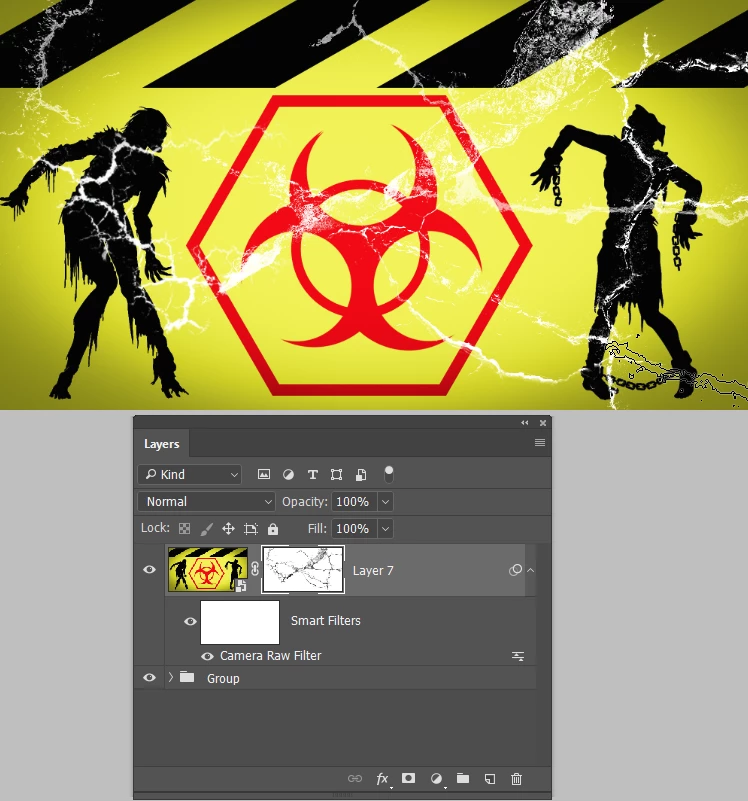
    So what Barbara is alluding to is to combine your layers into a single Smart Object or Group, and give it a layer mask.  Then paint with black in the layer mask to reveal the layer behind it, which would be white.  That's one way of achieving the sort of effect in your image.

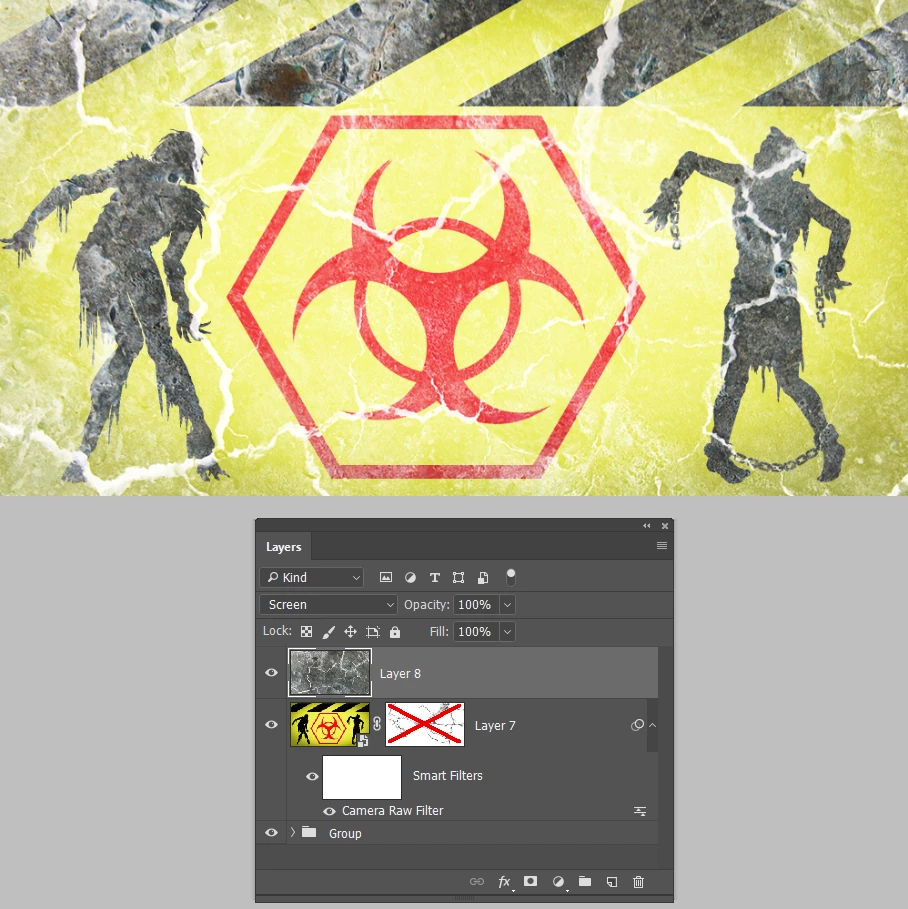
    Another metyhod might be to add a texture layer, and control how it looks with blend mode and opacity

    3 replies

    Trevor.Dennis
    Trevor.DennisCorrect answer
    Braniac
    December 30, 2017

    I had a bit of trouble viewing the image, so I'll put it into the thread

    <br/><a href="http://oi68.tinypic.com/o5an2b.jpg" target="_blank">View Raw Image</a>

    So what Barbara is alluding to is to combine your layers into a single Smart Object or Group, and give it a layer mask.  Then paint with black in the layer mask to reveal the layer behind it, which would be white.  That's one way of achieving the sort of effect in your image.

    Another metyhod might be to add a texture layer, and control how it looks with blend mode and opacity

    Roberto_MM86
    New Participant
    December 30, 2017

    hmmm i dont think so it was layer mask...im not sure 100% but it was a filter maybe?

    barbara_a7746676
    Braniac
    December 30, 2017

    It doesn't look like any of the filters that come with Photoshop. You may have used a third party filter.

    barbara_a7746676
    Braniac
    December 29, 2017

    Looks to me like you may have used the texture in a layer mask. Something like this: