


Participating Frequently
November 19, 2020
Question

Image Blurry

  • November 19, 2020
  • 2 replies
  • 628 views

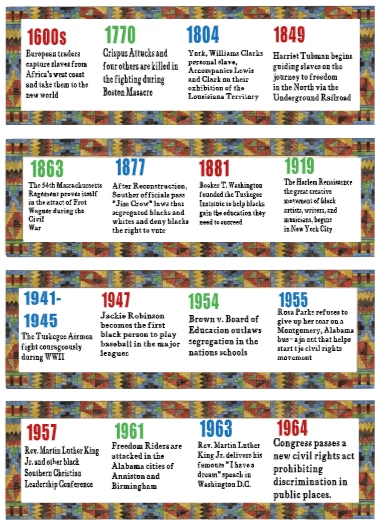
I did a screen capture using a tool call SNIPPING TOOL.  The image I captured has text.  I saved it as a PNG.  When I open the image up in Photoshop the image is very pixelated.  How do I go about making changes to the PNG file?  The images are not as bad as the wording.  The image has multiple pictures and the description of those pictures.  I am attaching the file so maybe someone can help.  
 

This topic has been closed for replies.

2 replies

jane-e
Braniac
November 19, 2020

Hi 

Your screen shot does not show the Zoom level. Be sure you zoomed to 100%, as higher Zoom levels will look more pixelated. Also, I thought the Snipping tool was replaced by Snip and Sketch?


You might also look at Snag-It. It's not free, but it comes with a free trial.

https://www.techsmith.com/blog/snagit-vs-snipping-tool/


~ Jane

Marja de Klerk
Inspiring
November 19, 2020

There is nothing you can do to make this text better, I think.  But you can make a new layer and cover the entire text with a white rectangle. Then you can type the new text on top of it.