


Known Participant
October 11, 2018
Question

Image selection is not to the edges

  • October 11, 2018
  • 5 replies
  • 839 views

Hello,

could anyone explain to me why is this happening:

I press CTRL and click on transparent layer with image in it. The image gets selected but not to its complete edges - there are some pixels left out.
Image:
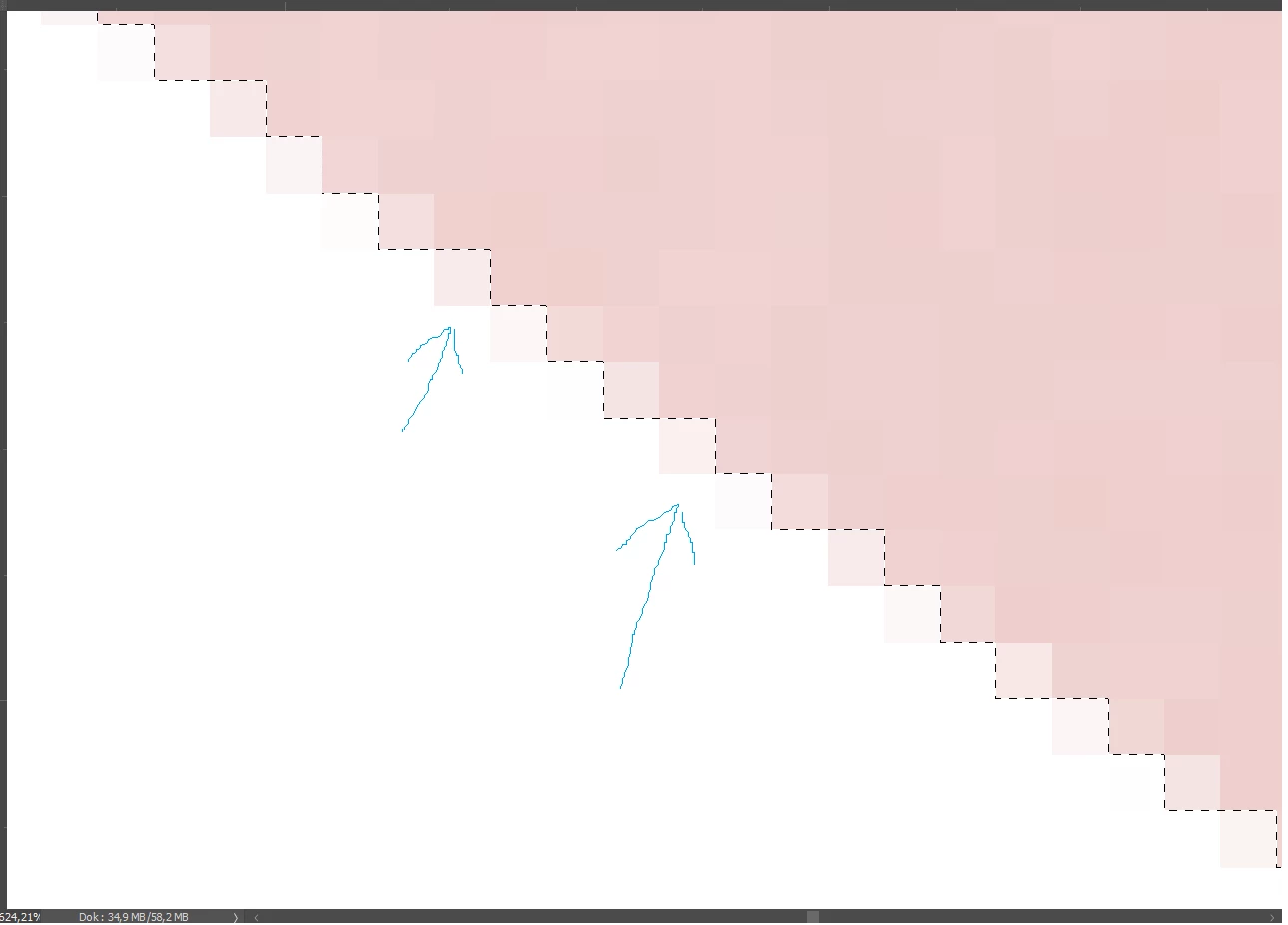

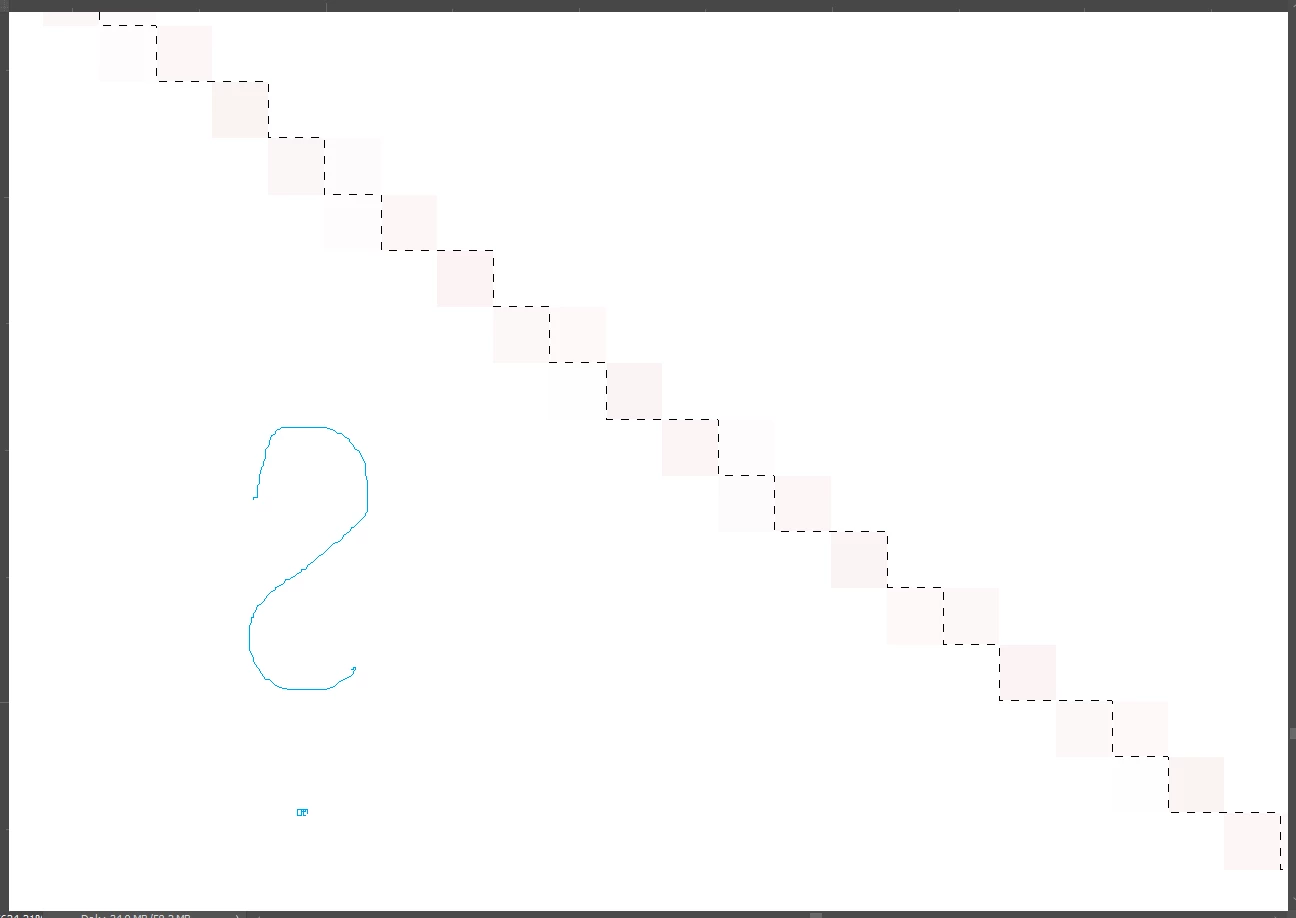
The bigger problem is when I click on delete button - the selection is removed but those few pixels stay.
Image:
This topic has been closed for replies.

5 replies

c.pfaffenbichler
Community Expert
Community Expert
October 11, 2018

I press CTRL and click on transparent layer with image in it.

If there is transparency in the Layer then what do you need a Selection for?

Please post a more meaningful screenshot including the Layers Panel.

Marja de Klerk
Inspiring
October 11, 2018

Or click on the transparent background to select it, and choose Select > Inverse to select the image

Marja de Klerk
Inspiring
October 11, 2018

You can easily select the whole image using the Magic Wand Tool. Just click on the image. If not alle pixels are selected you have to increase the number of Tolerance, that means a wider range of color will be selected.

D Fosse
Community Expert
Community Expert
October 11, 2018

It's fractional mathematics, actually. A half of a half is a quarter, not zero.

You have pixels with partial transparency. So when you ctrl-click, they are selected accordingly - in other words a partial selection.

To operate in a logical and predictable way, this is the way it has to be. It can be compensated by expanding the selection, but that's inherently unpredictable and random.

ParanoicAuthor
Known Participant
October 11, 2018

So in other words, there is no way to prevent partial transparency than with "expand selection"?

That is disappointing. I simply wanted to click on layer and remove the selection without pixels being left out  within 2 seconds :-/

D Fosse
Community Expert
Community Expert
October 11, 2018

I didn't say there was no way. I said there was a mathematical reason for it.

You can always expand the selection slightly. It's just that you have to do that on a case by case basis, as the feathering will vary. It's not a problem as long as you understand what happens.

In Photoshop, there is a God, and it's called Predictability, Consistency and Accuracy (that's the holy trinity). You can't instruct Photoshop to violate mathematics, that would open a can of worms and break something else.

1/2 * 1/2 = 1/4

Marja de Klerk
Inspiring
October 11, 2018

What tool is selected when you click on the layer? And where exactly do you click?

ParanoicAuthor
Known Participant
October 11, 2018

Standard CTRL + click on layer.

And usually the Move Tool is selected when clicking on layer - never realized that would matter.