

Participating Frequently
July 18, 2023
Question

import cmyk files problem
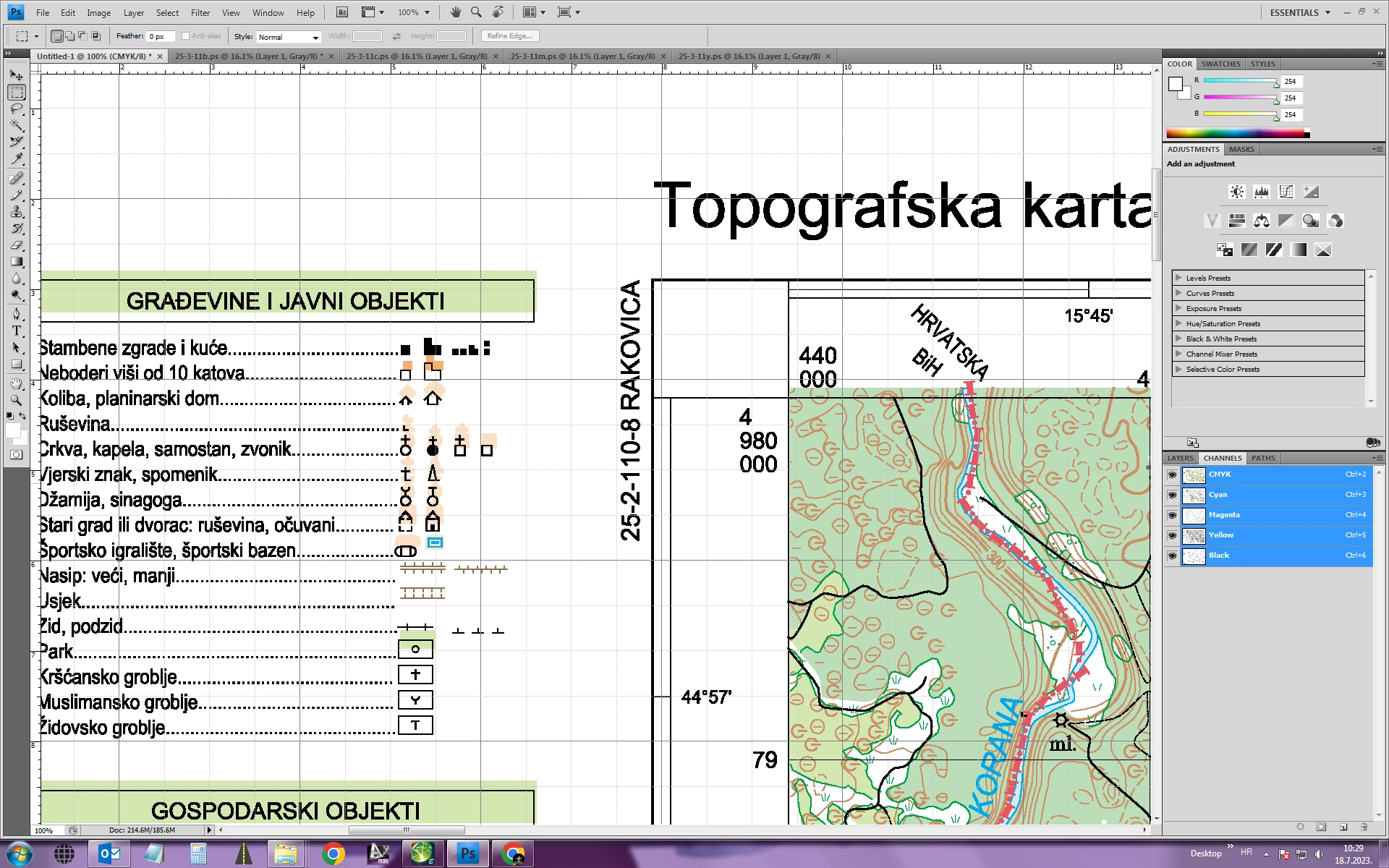
  • July 18, 2023
  • 3 replies
  • 855 views

Hi,

when I overlap my Cmyk files in photoshop,black colour is moved (as you can see in attached photo). Can you please help me with that, why is that happening?

Thank you,


Jasna 

 

This topic has been closed for replies.

3 replies

c.pfaffenbichler
Community Expert
Community Expert
July 18, 2023

Can Advanced Map Finishing export vector data? 

JasnaBAuthor
Participating Frequently
July 19, 2023

Input are vector data.

Map finishing can print in postscript, pdf and eps.

NB, colourmanagement
Community Expert
Community Expert
July 18, 2023

@JasnaB do you mean that the black image becomes misaligned compared to the original, I can't tell from your screenshot 


oops, apologies for this unnecessary question, when I opened the forum only your question was listed! No replies, so I was asking for more info 


I hope this helps
neil barstow, colourmanagement net - adobe forum volunteer - co-author: 'getting colour right'
google me "neil barstow colourmanagement" for lots of free articles on colour management

Stephen Marsh
Community Expert
Community Expert
July 18, 2023

@JasnaB - Can you please show your layer panel?


How exactly do you get the separate files stacked to overlap/layer? Do you use the Files to Stack script? Do you drag one file into another? Do you copy paste or something else?


Are all source files the same canvas dimensions and resolution values?


Can you provide sample files for troubleshooting?

JasnaBAuthor
Participating Frequently
July 18, 2023

I used Advanced Map Finishing to get cmyk files. Then I created a new file in PS. I opend each cmyk file separately in PS. I copy/paste each file in my new file (each cmyk file into proper cmyk chanel). All files are pasted right except the black one. 

c.pfaffenbichler
Community Expert
Community Expert
July 19, 2023

Thank you. Now the files match.

But, there is still a difference between when I paste files into a new files. When I open a black file in pS, the differnce exists no matter what I do. It doesn`t happen with other files. Because of that the border  line is not visible at the bottom.


What Border line are you talking about? The black line seems to exactly fit the green area.