



inconsistent colours, profiles not matching or displaying as expected.
Hi all, my first post here, so I am placing in the right section.
I've tried to research my way out of this, but unfortunately I've not understood or reached a solution that works for me, or seems to be specific to my issue.
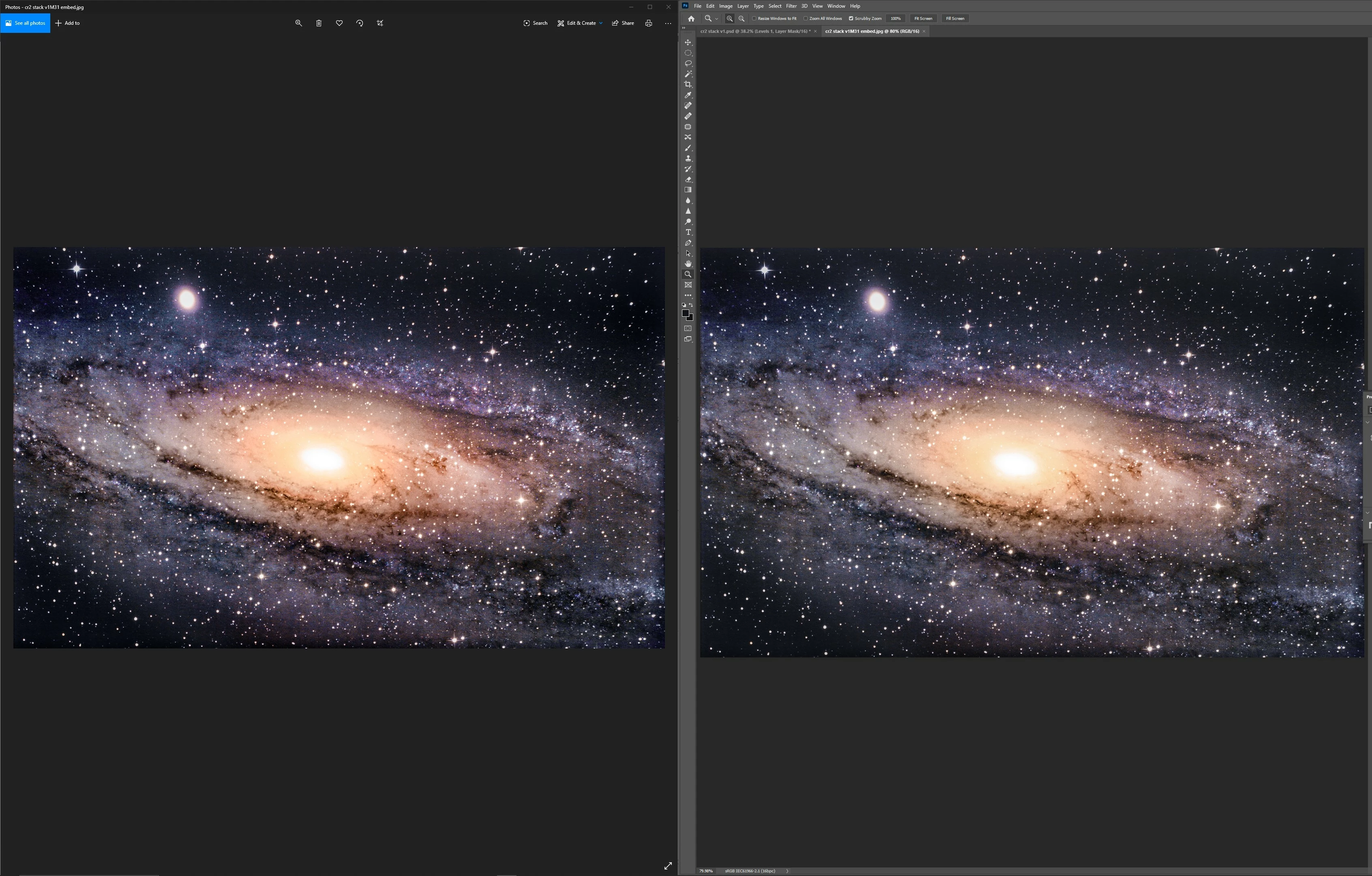
Core problem, I have to soft proof to Monitor RGB or my current calibrated colour profile in order to see what my exports will look like, regardless of assigned profile. Otherwise my photos will always export / save much darker and with higher saturation and contrast than what PS shows me unless I ensure soft proofing is turned on all the time. This is especially problematic when using Bridge, or camera raw, which both display the same way that PS does before soft proofing is turned on. It just means it's incredibly difficult to review any image, or that I can't simply work in camera raw only.
First I made sure the colour settings were all Europe web / Internet 2, that didn't work. Then using Monitor RGB, that doesn't work either (still need to go and set up soft proofing). I've changed my working space to sRGB and made sure the entire workflow was sRGB, that doesn't work. I've set my workspace and every colour profile to my calibration profile, still doesn't show how the image looks once exported. Regardless of what I do the colours always shift on export, unless I'm soft proofing to Monitor RGB.
Colours within photoshop are consistent, it's only outside which is the issue.
Programs outside of photoshop all render my exported image in the same way, windows photo viewer, web, chrome, edge (beta) for example.
So I'm really confused, why am I having to treat my monitor like a printer and do soft proofing to see what my output will actually be? How can I set it so it's always soft proofing?
Here is an example, the colour settings are the default Europe web / Internet 2. The image is using the sRGBice61966-2.1 as is the working space. Colour is different between PS and export.
However with proof colours set to my monitor's calibrated profile image matches the export. wonderful! How can I get it to display like this all the time?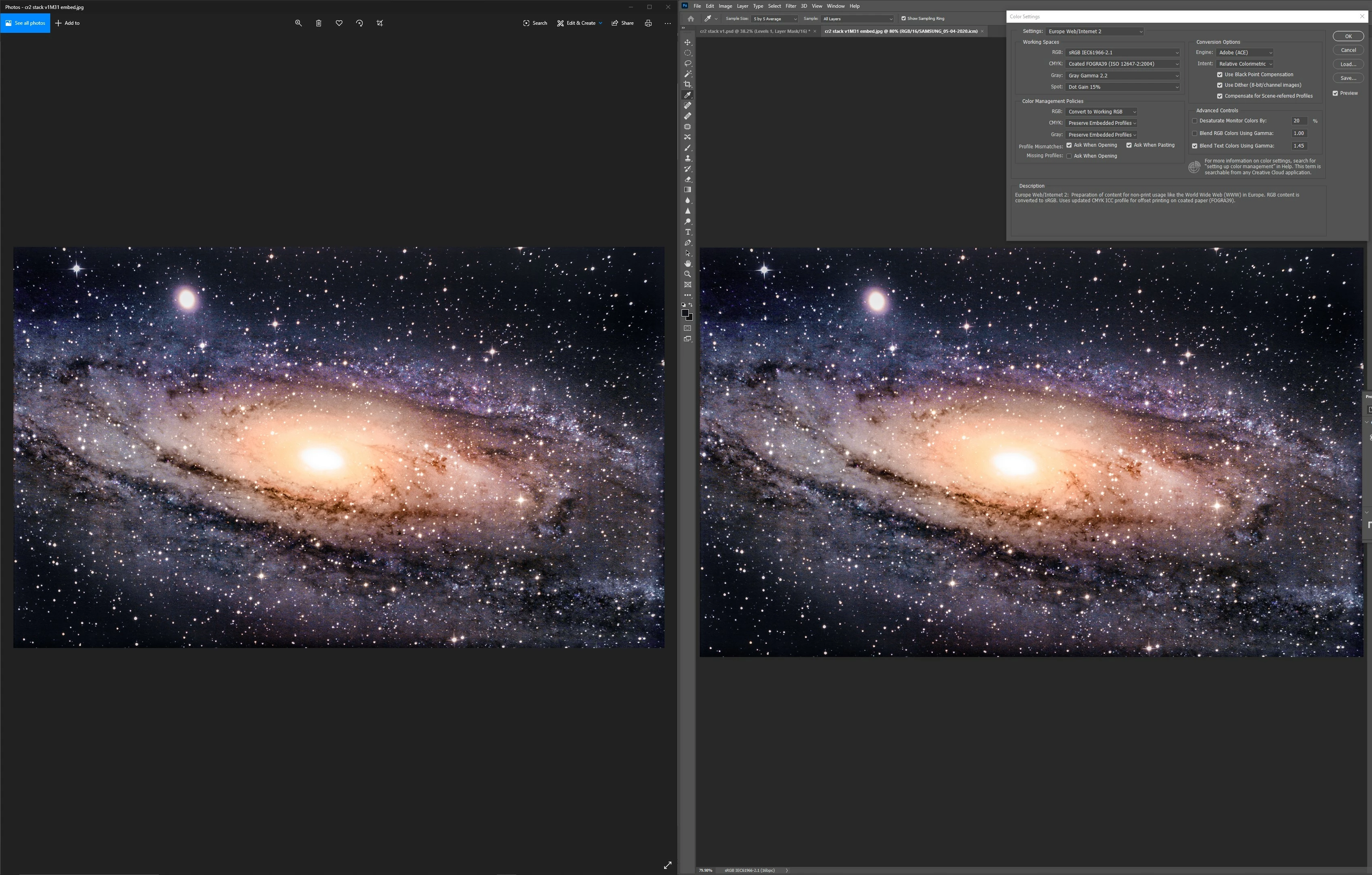
For reference my calibration and the profile is seen here.
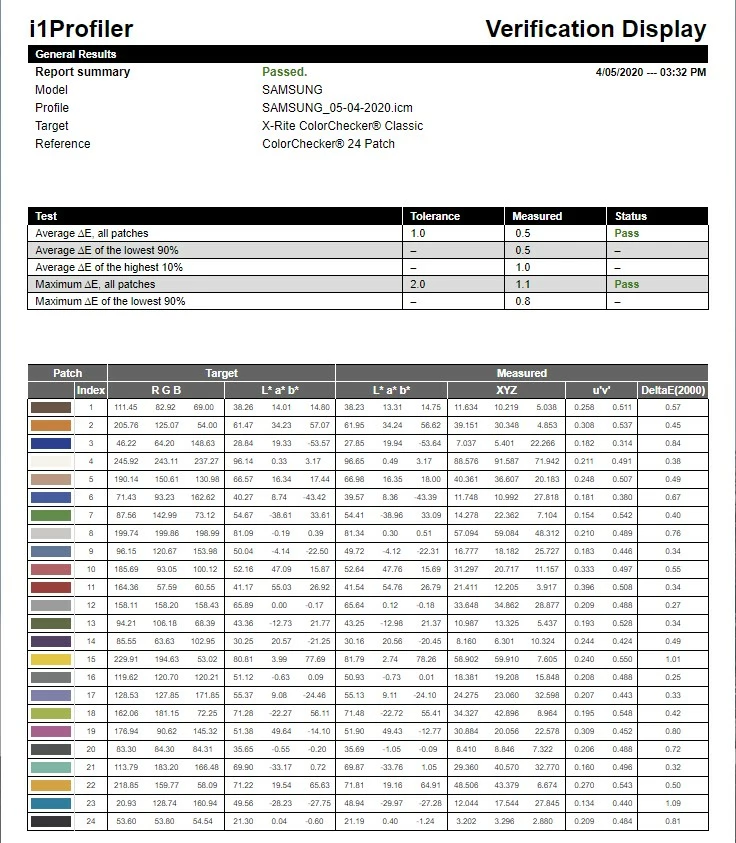
I think the calibration is set up correctly.
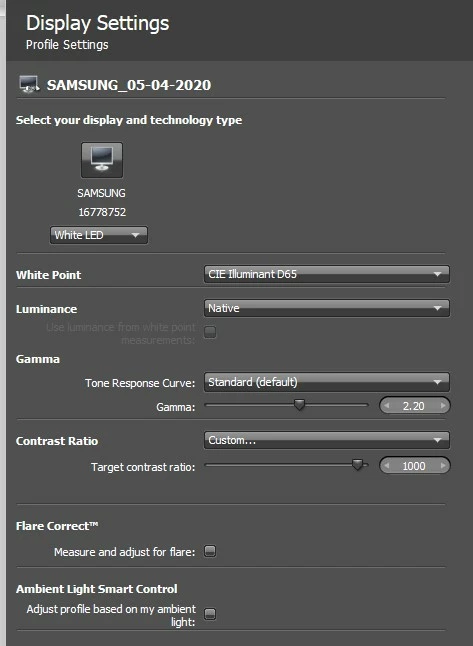
I'd really appreciate any advice. constant discrepancies in colour and brightness are really a drag!
 AdChoices