


danielw42205661
Known Participant
November 18, 2020
Question

Issue trying to hide file extensions when saving images

  • November 18, 2020
  • 1 reply
  • 680 views

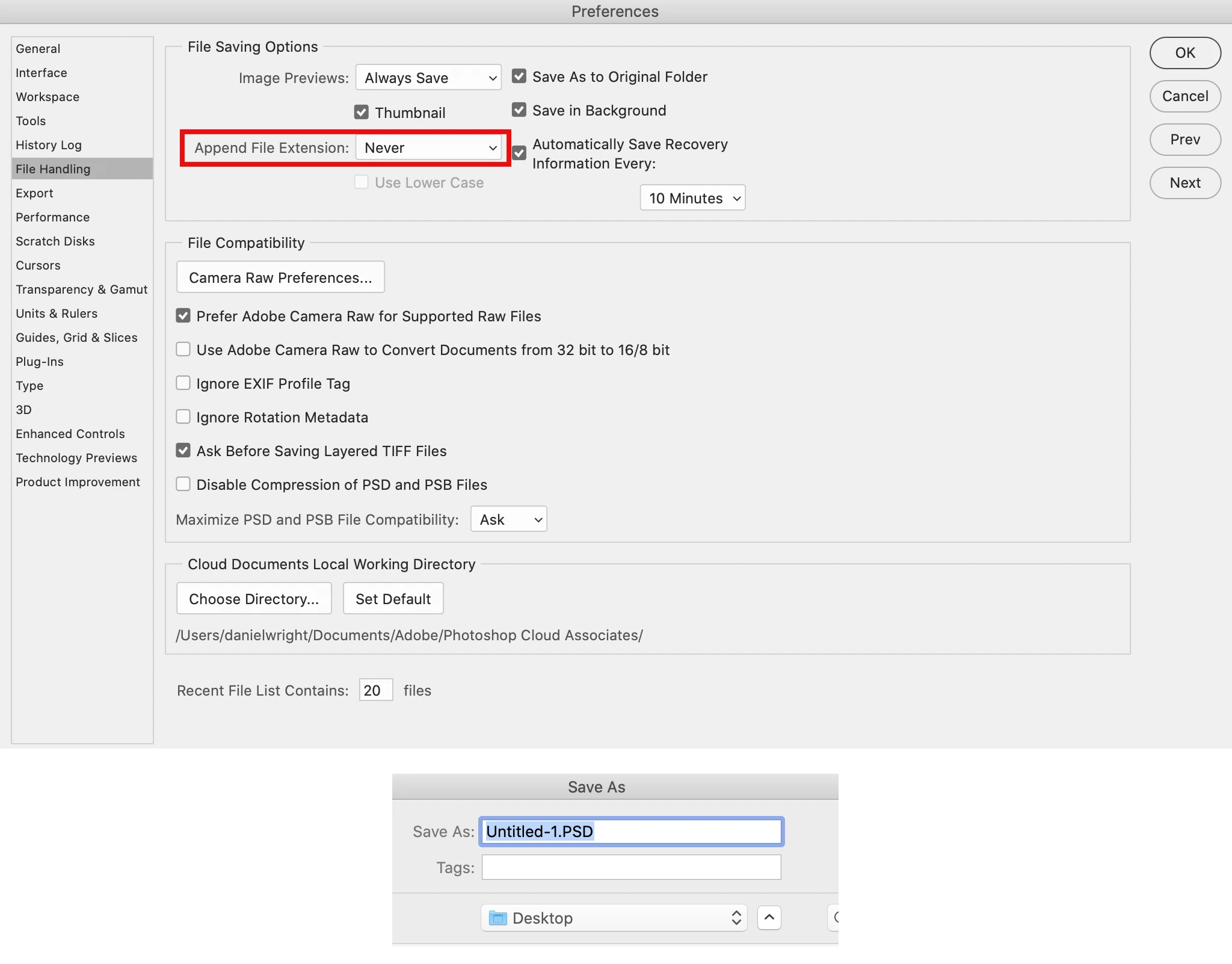
I want to make it so that the ".jpg", ".psd" etc file extension is not shown when saving images. 


I've changed this in Photoshop's settings (shown in screenshot), however the file extensions are still appearing when I go to save. I've restarted Photoshop and it still happens. Have I done something wrong?


This happens on both 2020 and 2021 versions of Photoshop. 


This topic has been closed for replies.

1 reply

JJMack
Community Expert
November 19, 2020

Are you using a Mac.  File extension do not seem to be optional on Windows.  Perhaps you have some Windows compatibility  option checked elsewhere on your mac,  So extension are included  in file manes.  File extension can be hidden on windows but the are present in the file system.

Photoshop preferences on windows for file handling look like this. Not like your  Screen  Capture  Windows file saving options are not like your see in your preferences


JJMack
danielw42205661
Known Participant
November 19, 2020

Yes I'm on a mac. 

Just got off an online chat with adobe. Apparently it's a known issue for Catalina on Photoshop 2020 and 2021 as well as a myriad of other Catalina based issues no doubt. This operating system sucks. 

JJMack
Community Expert
November 19, 2020

I believe you can install Windows on Mac machines. I do not thinks Apple BIOS prevents that.

JJMack