

New Participant
November 1, 2019
Answered

Issue with adding Fonts

  • November 1, 2019
  • 3 replies
  • 746 views

For some reason starting today, when I add content text to anything in PS, it is always being stretched!  Can anyone please help me.

Thank you so much

This topic has been closed for replies.
Correct answer

Open up the character panel from the Window menu
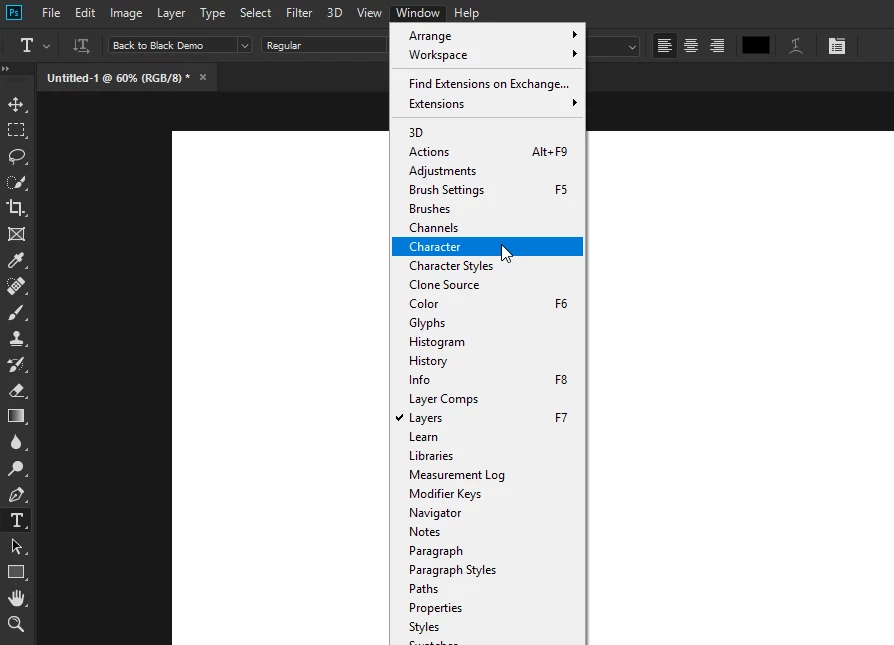
Double click on the type layers thumbnail to highlight the text
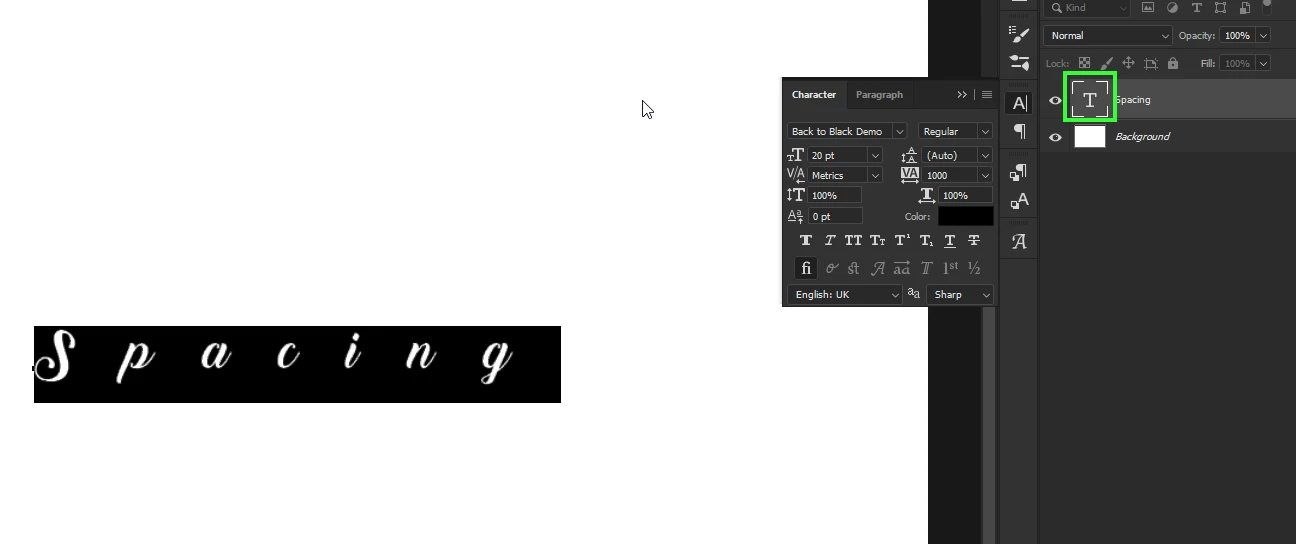
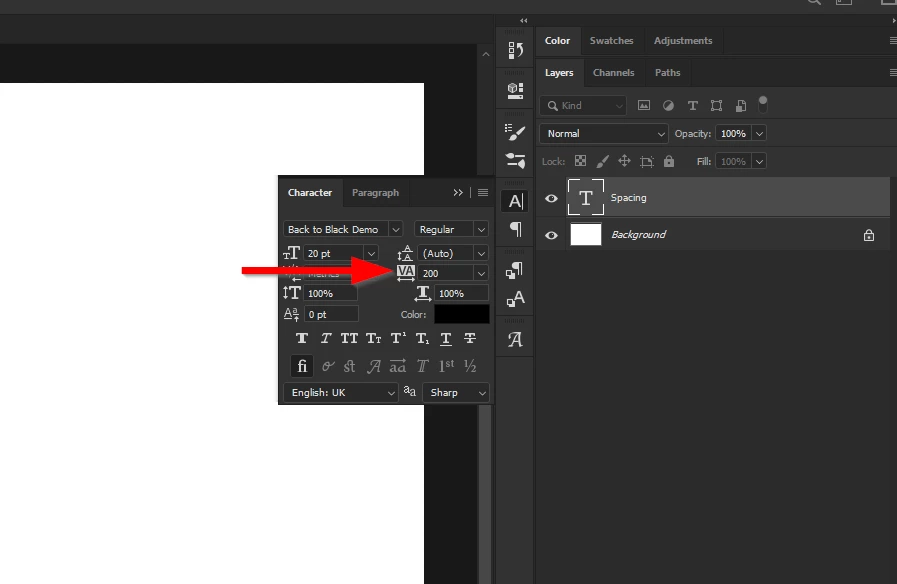
Adjust the spacing value as required
 

3 replies

November 1, 2019

I just downloaded the font you are using and the default value for spacing is set to 1000, just lower the value as suggested by Dave

New Participant
November 1, 2019

I guess I'm not that smart because I can't figure how to do that with my screen.  Can you please explain it to me in lament terms.  Please and thank you.

Correct answer
November 1, 2019

Open up the character panel from the Window menu

Double click on the type layers thumbnail to highlight the text

Adjust the spacing value as required


November 1, 2019

You could try resetting the type tool

New Participant
November 1, 2019

Thanks for trying, but nothing has worked.  Here is a screenshot.  Thanks so very much. this is so frustrating... 


November 1, 2019

Hi

You need to provide more detailed information, what exact version of Photoshop and operating system do you have, can you post a screenshot with all the pertinent panels opened

New Participant
November 1, 2019

I have PS 20.0.7.  I use Windows,  


November 1, 2019

I meant a screenshot of Photoshop, like this