


stephanpaw
Participant
September 29, 2019
Question

Issues with load files into stack

  • September 29, 2019
  • 2 replies
  • 3476 views

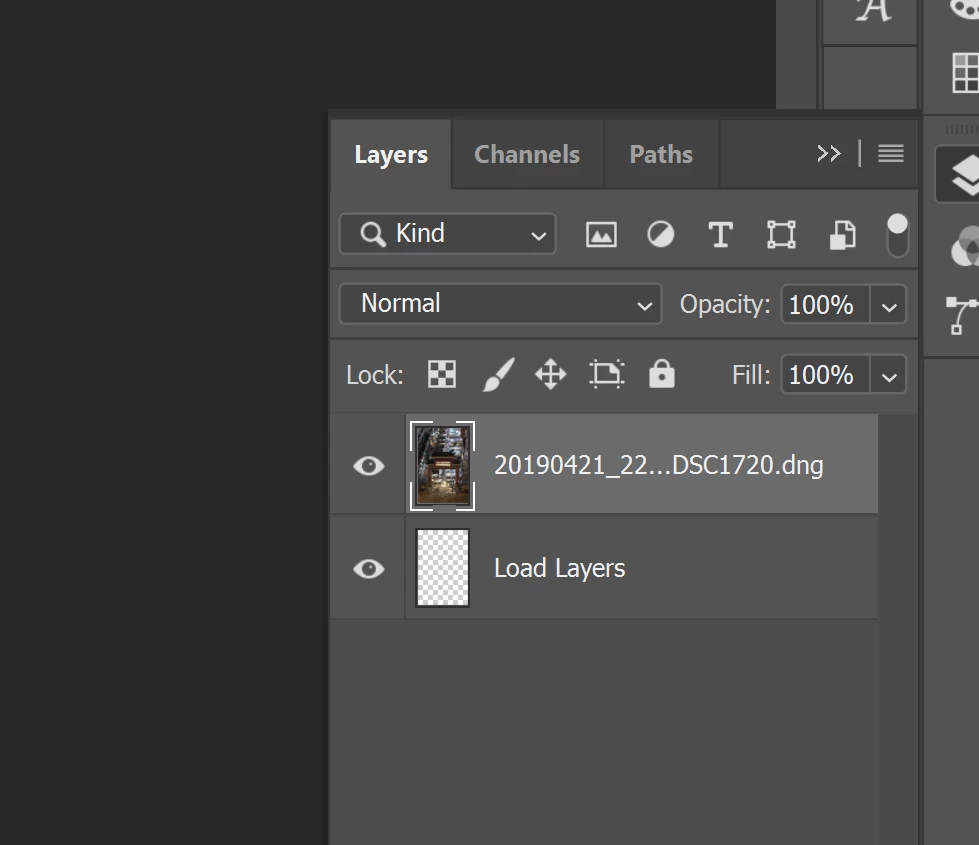
I am having issues loading files into a stack. Open as layers from lightroom isn't working. Nor is using scripts in photoshop. In photoshop, the first image will load as a layer (and gets renamed background) however the next image doesn't load. All I get is a blank layer titled "load layers"  I have the latest version of photoshop. Hopefully someone is able to assist.
 

This topic has been closed for replies.

2 replies

Bojan Živković11378569
Community Expert
Community Expert
September 29, 2019

What you have described is normal process of loading layers in Photoshop, it is normal to see Load Layers and Background which will be converted to normal layer during this process.


From my testing everything works fine on Windows with latest Photoshop and Lightrooom. IF you have problem that Photoshop can not load all layers then perhaps reseting preferences may help. I do not have other suggestion for now beside to wait a bit because if you are working with huge files it may take some time to load them as layers in Photoshop.

JJMack
Community Expert
Community Expert
September 29, 2019

I do not use Lightroom. I find that one Windows 10  Photoshop CC 2019 version 20.0.6  script Loads Files into a Stack has no problems loading a list if raw files into a stack. I see a document loads that has a background  layer then a document with a empty layer like load  then the raw images get added as image layers the end result is a single document with image layers with layer names of the source RAW camera files. 

JJMack
stephanpaw
Participant
September 30, 2019
After several hours of troubleshooting, I managed to work out that I had driver issues. After a few more hours of troubleshooting I was able to isolate it to the device drivers (my laptop has two cards). Updating the intel drivers to the latest version did the trick!!
Participant
December 5, 2019

Hi,


I have the same problem as you did. I'm using a Dell XPS 15 (9560). Can you tell me which driver you had to update? Thank you in advance!